Browse AI: What It Does, Pricing and Alternatives
Browse AI turns any website into structured data with no code. We explain its robot builder, credit pricing and where it fits in link prospecting.
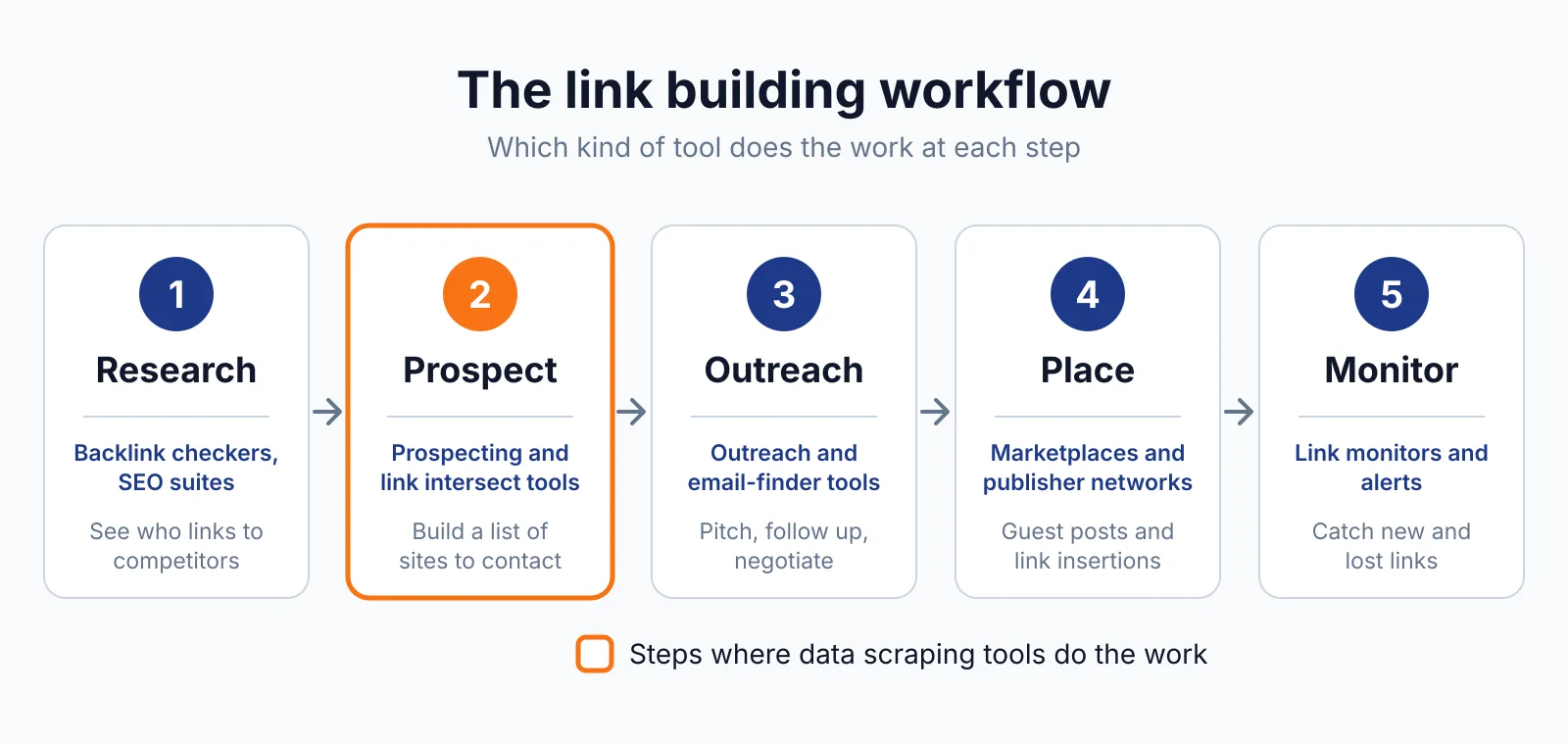
Browse AI is a no-code web scraper and website monitor that turns pages into structured data. You train a robot once by recording clicks in the browser extension, or start from one of 200+ prebuilt robots. It scrapes public data, and it buys, places or guarantees no links.
Respect the target site's terms of use and robots.txt, and Google's rule is that paid links need rel="sponsored" or "nofollow".
TL;DR
- Browse AI starts free at $0 with 50 credits a month; paid plans start at $19 a month billed annually.
- One credit buys 10 rows of data or one screenshot.
- Robots adapt to site layout changes instead of breaking like a hand-written scraper.
Quick facts
| Fact | Detail |
|---|---|
| What it does | No-code web scraper and website monitor |
| Best for | Prospect lists and competitor data without code |
| Starting price | $0 free plan; paid plans from $19 per month billed annually |
| Free option | Free plan, 50 credits a month, no card required |
| Website | browse.ai |
| Checked | November 2026 |
What Browse AI does
Pull a prospect list from any site
Browse AI extracts the fields you pick, such as site names, author names and article titles, and puts them in a table you can export. For example, train a robot on a directory of blogs in your niche and export 500 rows to CSV or Google Sheets. The limit is credits: a large scrape burns through a monthly allowance fast.
Watch a page and get told when it changes
Browse AI can monitor a page and alert you when its content changes, using AI change detection. For example, monitor ten target sites for new guest post guidelines and get an alert when one opens submissions. The limit is frequency: the free plan only checks hourly, and monitoring 50 detail pages every 3 days costs about 500 credits a month.
Send scraped data where your team already works
Browse AI sends results to CSV or JSON, Google Sheets, Airtable, Amazon S3, or out through a REST API, webhooks, Zapier, Make.com or Pabbly Connect to 9,000+ apps. For example, a robot can push fresh prospects into the same sheet your team uses for niche research.
The limit is that unused credits reset at the end of the billing cycle and do not roll over.
Pricing
Browse AI ranges from $0 to $500+ a month, priced by credits and websites rather than seats. The pricing page lists four tiers, checked November 2026.
| Plan | Price | Credits and limits |
|---|---|---|
| Free | $0 | 50 credits a month, 2 websites, 3 users |
| Personal | $19 a month billed annually, $48 monthly | 12,000 credits a year |
| Professional | $69 a month billed annually, $87 monthly | 60,000 credits a year |
| Premium | From $500 a month, billed annually only | 600,000+ credits a year, managed pipelines |
A worked example: monitoring 50 detail pages every 3 days costs about 500 credits a month, so the free plan falls far short, while Personal gives 12,000 credits a year. One flag: the pricing table reads websites as 2, 10 and 50, while the help centre says Personal includes 5 and Professional 10.
Pick it if
- You want prospect lists with no scraper to maintain
- You monitor a few pages and want change alerts
- Your team works in Sheets or Airtable
Not a fit if
- You scrape thousands of pages a month on a tight budget
- You want a fixed price with no meter to watch
- You need one small list once
Alternatives
| Tool | Why people switch | Pricing |
|---|---|---|
| Apify | Large library of ready-made scrapers | Check current pricing on their site |
| Octoparse | Desktop point-and-click editor | Check current pricing on their site |
| ParseHub | Visual scraper for JavaScript pages | Check current pricing on their site |
FAQ
Does Browse AI guarantee backlinks?
No. It returns data from pages you point it at, and it buys, places or guarantees no links. The value is the prospect list; outreach still has to earn each link. Read our guest posting guide and our link insertion service to see how earned placements work. For a heavier data platform, read our Bright Data overview.
What counts as a Premium site?
Browse AI marks some sites as Premium because they need its residential proxies and CAPTCHA solving to load, and tasks on those sites cost at least 2 to 10 credits each. It publishes no list of which sites count, so test one page first. For a cloud scraper with a large Actor library, see our Apify overview.
Next step
Try the free plan on one small prospect list and check the credit cost per run, then use our free tools to check each prospect. Contact us for help turning a list into placements.

The BacklinkPrice Team researches backlink prices, publisher sites and link building tools. We check prices and plans against each provider's own pages and date them, so you know how current the numbers are.
More from BacklinkPrice TeamRelated guides