Dripify: What It Does, Pricing and Alternatives
Dripify runs LinkedIn and email outreach in one sequence, with a built-in inbox, safety controls and email finder credits. Plans start at $59 a user a month billed yearly.
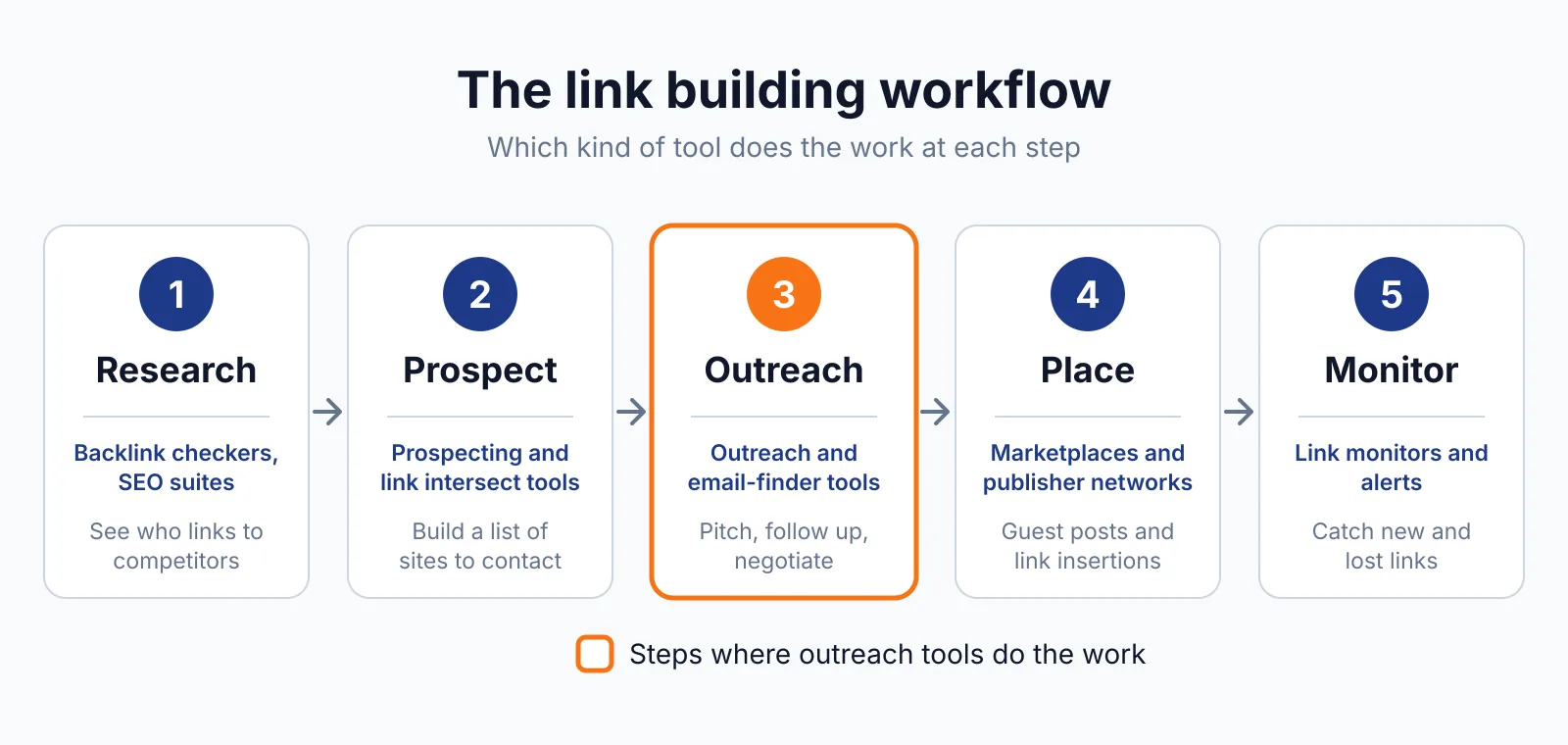
Dripify is a LinkedIn and email outreach tool that runs both channels in one sequence for link building outreach. It sends profile visits, connection requests, messages and emails from one place, and stops the sequence when a prospect replies.
TL;DR
- Pro starts at $59 a user a month billed yearly, or $79 billed monthly, with unlimited campaigns.
- Advanced starts at $79 a user a month billed yearly, or $99 billed monthly, and adds team controls and A/B testing.
- Every plan includes 100 email finder credits a month, a 7-day free trial, and no permanent free plan.
Quick facts
| Fact | Detail |
|---|---|
| What it does | LinkedIn and email sequences in one workflow |
| Best for | Link builders who pitch on LinkedIn and by email |
| Starting price | $59 a user a month billed yearly |
| Free option | 7-day free trial, no card required |
| Website | dripify.com |
| Checked | November 2026 |
What Dripify does
Reach prospects on LinkedIn and by email in one sequence
Dripify puts LinkedIn steps and email steps in the same sequence, so a prospect can get a profile visit, a connection request, a message and an email in a planned order. A reply on either channel stops further messages.
For example, you can start with a profile visit and a connection request to a site owner, then send an email with your guest posting idea while you wait for the reply. The limit is that one seat covers one LinkedIn account, so five reps need five seats.
Find verified email addresses for the people you pitch
Dripify includes 100 email finder credits a month on every plan, and it deducts one credit only when an address is found and verified. The credits last 30 days and do not roll over, so unused credits at month end are lost.
For example, you can find the email of a blog editor whose LinkedIn profile you already visited, then add that address to the same sequence. The limit is that heavy prospecting will need extra packs, since the finder is a small part of the tool.
Keep replies and campaign changes in one place
Dripify has a built-in LinkedIn Inbox on Pro and above, so you can read and reply to LinkedIn conversations inside Dripify instead of switching tabs. You can also edit a live campaign after launch without restarting it. For example, you can test two versions of a first message to site owners and keep the one that gets more replies.
The limit is that the deeper analytics and team controls sit on Advanced, so a solo user on Pro works with simpler reports.
Pricing
Dripify pricing starts at $59 a user a month billed yearly. The Dripify pricing page lists the plans in full, checked November 2026.
| Plan | Price | What you get |
|---|---|---|
| Pro | $59 a user a month billed yearly, $79 billed monthly | Unlimited campaigns, LinkedIn and email sequences, LinkedIn Inbox, HubSpot integration, API, webhooks, Zapier, 100 email finder credits a month |
| Advanced | $79 a user a month billed yearly, $99 billed monthly | Everything in Pro, plus team management, advanced LinkedIn protection, Activity Control, lead tagging, analytics, A/B testing |
| Enterprise | Custom, contact sales | Everything in Advanced, plus premium onboarding, dedicated technical support, customer success manager |
A team of three on Advanced billed yearly would pay $237 a month, since the price is $79 per user. The 7-day free trial gives Advanced features with no card required, and nothing is charged automatically when it ends.
Pick it if
- You pitch site owners on LinkedIn and by email, and you want both channels in one sequence.
- You want a built-in LinkedIn inbox, so replies do not sit in a separate tab.
- You send enough outreach to use 100 email finder credits a month.
Not a fit if
- You need a large prospect database, since Dripify finds emails for people you already know.
- You want a permanent free plan, since Dripify has a trial only.
- You need several LinkedIn accounts on one seat, since one seat covers one account.
Alternatives
| Tool | Why people switch | Pricing |
|---|---|---|
| Expandi | LinkedIn-first tool with smart sequences | Check current pricing on their site |
| Waalaxy | Pre-built LinkedIn sequences with email finder credits | Check current pricing on their site |
| Reply.io | Multichannel sequences with LinkedIn, calls and SMS | Check current pricing on their site |
FAQ
Does Dripify need LinkedIn Sales Navigator?
No, it works with all LinkedIn account types, including free accounts. Sales Navigator is a separate subscription if you want it, and Dripify does not include it in the plan price.
What happens when the free trial ends?
Nothing is charged automatically.
Next step
Use our free email generator to draft your first pitch, then check our pricing for a managed campaign and browse our tools. You can also read our Expandi overview and Pitchbox overview for comparisons.
Before you send paid or exchanged links, read the Google spam policies and the OutreachLooper pricing and Outlink AI pricing pages for other ways to run the same work.

The BacklinkPrice Team researches backlink prices, publisher sites and link building tools. We check prices and plans against each provider's own pages and date them, so you know how current the numbers are.
More from BacklinkPrice TeamRelated guides