Evaboot: What It Does, Pricing and Alternatives
Evaboot is a Sales Navigator export tool that cleans lead lists and adds verified emails. This overview covers its pricing, credit rules and limits.
Evaboot is a Chrome extension that exports LinkedIn Sales Navigator searches to clean CSV files, with a verified email added for each lead. It cleans lead data and syncs leads to your CRM.
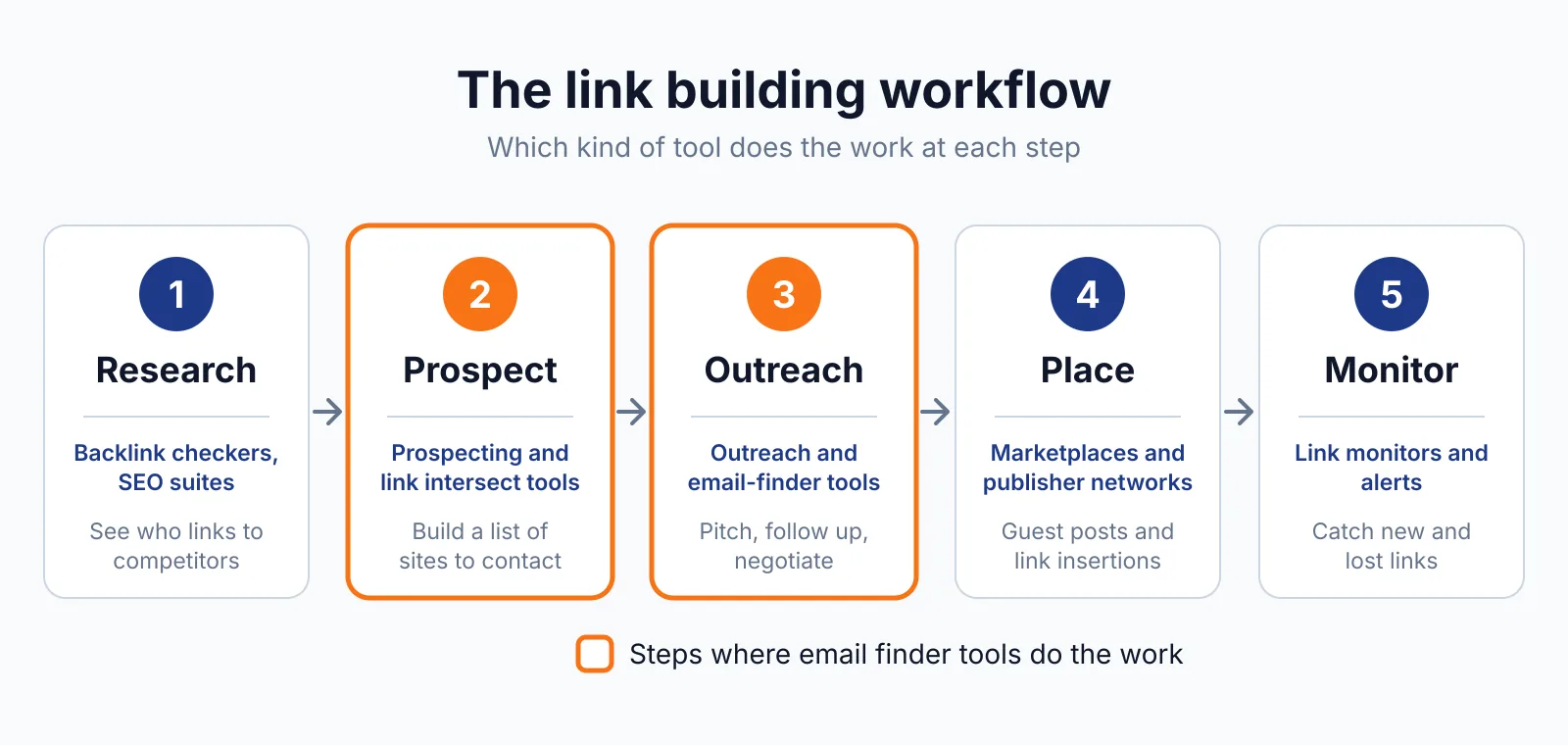
It fits link building outreach when you already use Sales Navigator to find editors and authors and want that list out of LinkedIn in a usable form, Pick target sites with our niche finder.
TL;DR
- Evaboot starts at $9 a month for 100 credits, and every plan includes the same ten features.
- One lead exported costs one credit, with its verified email included.
- It does not find phone numbers, and it needs an active Sales Navigator seat.
Quick facts
| Fact | Detail |
|---|---|
| What it does | Exports Sales Navigator searches to clean CSVs, with verified emails and CRM sync |
| Best for | Outreach teams that already pay for Sales Navigator and export lists from it often |
| Starting price | $9 a month for the Starter plan, checked November 2026 |
| Free option | No free plan or free trial stated on the site |
| Website | evaboot.com |
| Checked | November 2026 |
What Evaboot does
Export Sales Navigator searches to a clean CSV
Evaboot exports a Sales Navigator search to a clean CSV in one click, with up to 2,500 leads or 1,000 companies per search, which is the ceiling LinkedIn itself sets. It strips emojis, credentials and legal suffixes from names and normalises capitalisation. For example, you can export a search for editors and use the sheet at once.
A limit is that Evaboot only exports your own Sales Navigator searches, so it adds nothing if you do not hold a Sales Navigator seat.
Add verified emails to each lead
Evaboot finds a professional email for each lead and verifies it, with results labelled valid, catch-all or bounce. A catch-all domain accepts mail to any address, so a simple check cannot tell if a mailbox is real. For example, you can export 400 editors and start outreach the same day.
A limit is the credit rule, since a lead with no email found still costs one credit, and so does a company or account export.
Keep lists clean and in sync with your CRM
Evaboot checks whether leads truly match your Sales Navigator filters and removes false positives, such as a wrong title, industry, headcount or experience level. It pushes leads to HubSpot, Pipedrive, Attio, Apollo, lemlist, Instantly, Clay and Google Sheets in one click. Google treats spammy outreach as a sign of low quality work, as the Google spam policies explain.
For example, a scheduled search can export daily and send new matches to your CRM. A limit is that Evaboot does not find phone numbers, and its FAQ suggests pairing it with a phone finder such as Datagma when you need mobiles.
Pricing
Evaboot plans run from $9 a month to $49 a month, with a custom Enterprise plan above that, checked November 2026. Starter costs $9 a month for 100 credits, at $0.09 per credit. Grow costs $29 a month for 400 credits, at $0.072 per credit.
Scale costs $49 a month at $0.049 per credit, or about 1,000 credits a month. The Evaboot pricing page lists the plan table and the per-credit rates. Every plan includes the same ten items, including export, finder, verifier, CRM sync and API.
Unused credits roll over while your subscription stays active. On Grow, 400 credits cover 400 leads, and leads with no email still cost a credit.
Pick it if
- You already pay for Sales Navigator and export searches often.
- You want clean, verified lists without cleaning spreadsheets by hand.
- You like paying per lead instead of per seat, with unlimited seats included.
Not a fit if
- You do not have a Sales Navigator seat, since Evaboot only exports your own searches there.
- You need phone numbers, since Evaboot states clearly that it does not find them.
- You want a free plan or trial, since neither is stated on the site.
Alternatives
| Tool | Why people switch | Pricing |
|---|---|---|
| GetProspect | Email finder with LinkedIn extension and CRM sync, see GetProspect pricing | Check current pricing on their site |
| Skrapp.io | Email finder built for LinkedIn and Sales Navigator | Check current pricing on their site |
| Wiza | Real-time email and phone finder from LinkedIn, see Wiza pricing | Check current pricing on their site |
FAQ
Does Evaboot find phone numbers?
No. Evaboot states that it does not find phone numbers, and suggests pairing it with a phone finder such as Datagma. Compare it with Wiza when you need phones too.
How many leads can I export in one search?
Evaboot exports up to 2,500 leads or 1,000 companies per search, the ceiling LinkedIn sets. Run recurring exports daily, weekly or monthly to catch new matches. See our guest posting service for how we use exported lists.
Next step
Check whether your Sales Navigator searches are worth exporting each week, then check our pricing page and draft a pitch with our email generator. For help with outreach, see our SaaS link building service.

The BacklinkPrice Team researches backlink prices, publisher sites and link building tools. We check prices and plans against each provider's own pages and date them, so you know how current the numbers are.
More from BacklinkPrice TeamRelated guides