"Keywords Everywhere: What It Does, Pricing and Alternatives"
"Keywords Everywhere is a browser extension that shows keyword volume, CPC and competition inside search results, priced by credits on annual plans."
Keywords Everywhere is a browser extension that shows keyword data inside Google, YouTube, Amazon, Bing, Etsy and 15-plus sites, with volume, CPC, competition and trends on a credit system.
It runs in Chrome, Firefox and Edge, with no Safari version or mobile app, and it is rated 4.7 out of 5 on Trustpilot, with 1.5 million users claimed on its homepage. One API key is shared by every seat.
TL;DR
- One credit buys volume, CPC, competition and trend data for one keyword; plans run $84 to $1,440 a year.
- It installs free with 18 free features, but volume, CPC and competition need paid credits.
- Credits expire after one year, and normal browsing can spend them fast unless you turn it off.
Quick facts
| Fact | Detail |
|---|---|
| What it does | Keyword volume, CPC and competition inside search results |
| Best for | Keyword research and competitor checks |
| Starting price | $84 a year (Bronze) |
| Free option | Free install with 18 free features; no free credit allowance |
| Website | keywordseverywhere.com |
| Checked | November 2026 |
What Keywords Everywhere does
See keyword data where you already search
Install free and use its free features at once. Add a free API key and buy a plan to see volume, CPC, competition and trends on Google, YouTube, Amazon, Bing and Etsy. The data appears inside the results page, with related keywords, People Also Ask and long-tail suggestions. The data is country-level only.
Research competitors without leaving the browser
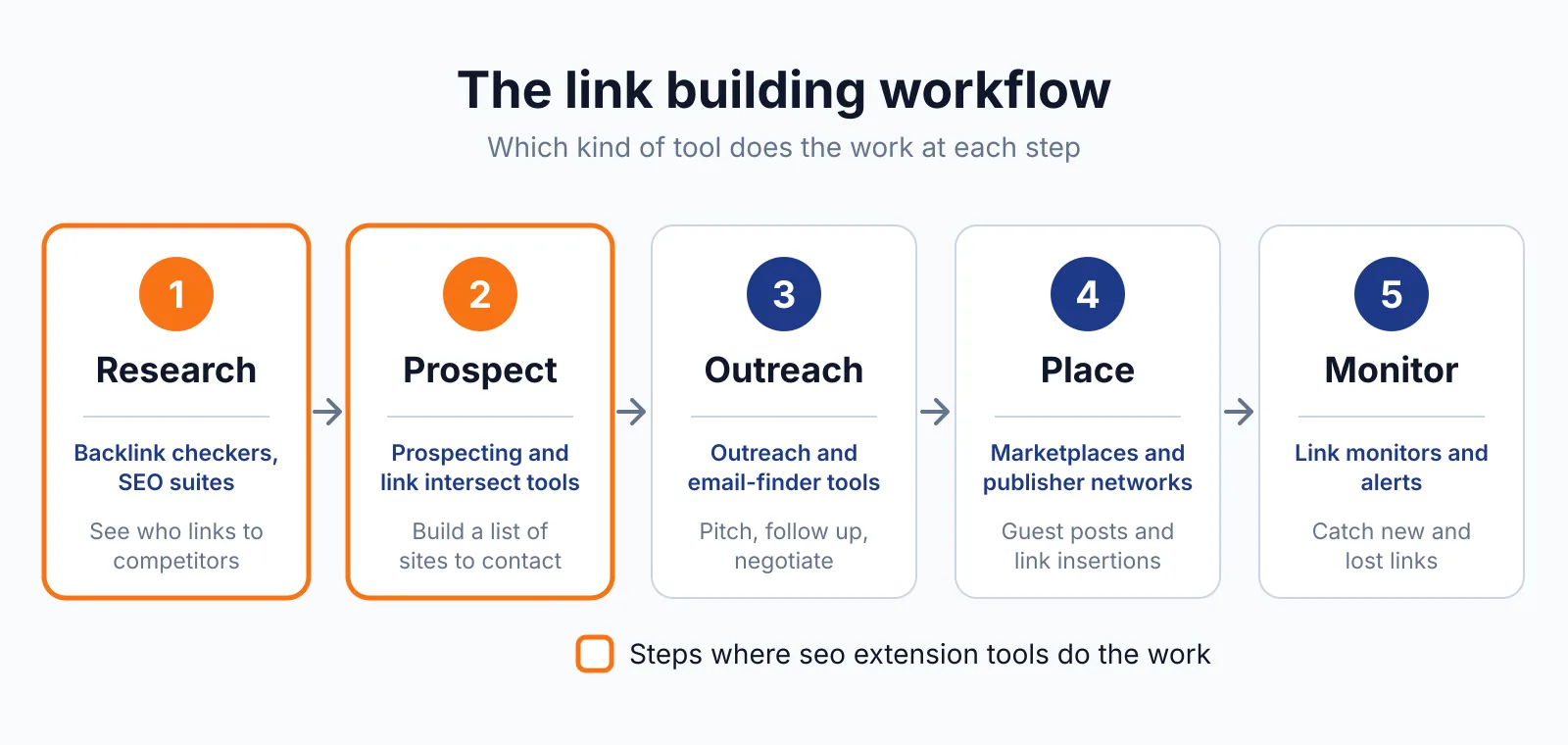
Enter any competitor URL to see its ranking keywords, traffic and best content, and run a gap analysis. It also shows traffic and backlink data using Moz metrics such as DA, plus the top keywords and backlinks per website on each plan. That helps you judge whether a prospect is worth pitching: real traffic and ranking keywords beat none.
The backlink data comes from Moz, not a full index, so it is a rough guide. For a quick check of a prospect's links, use our free backlink checker. Our SEO Minion overview covers the same company's sidebar tools.
Spend credits on purpose, not by accident
One credit buys volume, CPC, competition and trend data for one keyword, including every keyword in widgets on a results page. A search showing 8 related keywords, 20 People Also Ask questions and 25 long-tail keywords costs 54 credits. Credits are also spent on YouTube, Amazon, Google Search Console, suggestion dropdowns, bulk uploads and page-content analysis.
When credits run out, it stops showing volume, CPC and competition but keeps showing keyword lists in the People Also Ask and Related widgets. Disable the extension from the "K" icon to stop credit use while browsing. To judge a prospect more cheaply, try our free niche finder.
Pricing
Plans are billed annually only, so the smallest commitment is $84 up front, per the pricing page.
| Plan | Price | Credits a year | Seats | Top keywords and backlinks |
|---|---|---|---|---|
| Bronze | $7 a month ($84 a year) | 100,000 | 1 | 1,000 |
| Silver | $14 a month ($168 a year) | 400,000 | 3 | 2,000, plus ChatGPT Prompts |
| Gold | $40 a month ($480 a year) | 2,000,000 | 10 | 5,000 |
| Platinum | $120 a month ($1,440 a year) | 8,000,000 | 20 | 10,000, plus priority support |
Every plan includes all features; they differ in credits and seats. Credits expire after one year, older credits are used first, and upgrading keeps your old plan's credits. Top-up bundles, search-derived: $80 for 200,000 credits, $150 for 500,000, $500 for 2 million, $1,300 for 6 million, $2,700 for 15 million, $8,000 for 50 million.
Bronze covers about 1,850 searches at 54 credits each. Payment is through Paddle by card or PayPal, with tax collected where applicable. For placements handled for you, see our SaaS link building service.
Pick it if
- You research keywords daily inside Google.
- You want competitor keyword and traffic data.
- You are happy to pay annually and track your credit use.
Not a fit if
- You want monthly billing.
- You need a Safari version or a mobile app.
- You browse a lot without tracking credits.
Alternatives
| Tool | Why people switch | Pricing |
|---|---|---|
| SEO Minion | Twelve on-page tools in one sidebar from the same company | Check current pricing on their site |
| Detailed SEO Extension | Free on-page data with no credit system | Check current pricing on their site |
| Ubersuggest | Keyword research with a free daily allowance | Check current pricing on their site |
FAQ
Does it work on Safari?
No. It runs in Chrome, Firefox and Edge only.
What happens when my credits run out?
It stops showing volume, CPC and competition but keeps showing keyword lists. Credits expire after one year, so over-buying is a real loss. Google's rule is that paid links need rel="sponsored" or rel="nofollow" (see Google Search Central), and Keywords Everywhere buys, places or guarantees no links.
Next step
Check a prospect with our free price checker, then talk to us through our contact page about guest posting.

The BacklinkPrice Team researches backlink prices, publisher sites and link building tools. We check prices and plans against each provider's own pages and date them, so you know how current the numbers are.
More from BacklinkPrice TeamRelated guides