Google Alerts: What It Does, Pricing and Alternatives
Google Alerts is a free Google service that emails you when new results match a topic you choose, which makes it a simple way to spot mentions and new link chances.
Google Alerts is a free Google service that emails you when new results match a topic you choose. You enter a name, a brand, a topic, or a phrase, and Google sends you matching results as it finds them. That makes it a simple monitor for mentions, new pages, and fresh content in your niche.
The Google Alerts help page explains setup, and the tool is at Google Alerts.
TL;DR
- Google Alerts is free, with no paid tier or trial, and delivery uses a Google account.
- You create an alert by entering a topic, changing Show options, and clicking Create Alert.
- It finds new mentions and new pages, and it does not show backlink counts or sentiment.
Quick facts
| Fact | Detail |
|---|---|
| What it does | Emails you when new Google Search results match a topic |
| Best for | Spotting brand mentions, new pages, and fresh content in your niche |
| Starting price | $0 |
| Free option | Free, Google account needed for delivery |
| Website | google.com |
| Checked | November 2026 |
What Google Alerts does
Spot mentions of your brand or product
An alert for your brand name tells you when a new page mentions it, which is often the first step to earning a link. A mention without a link is a warm lead, since the writer already knows your name and may add a link if you ask politely.
That works best when your name is distinct, since a common word will flood your inbox. For example, an alert for a distinct product name would surface new pages that mention it. The limit is noise, since Google Alerts does not score sentiment or relevance.
Find new pages and new content in your niche
An alert for a topic, such as "SaaS link building", surfaces new articles and guides as they appear in search. For example, an alert for "best CRM tools" would show new list articles, and you could pitch your guide to the newest ones first.
The limit is timing, since an alert does not tell you whether the page is open to edits.
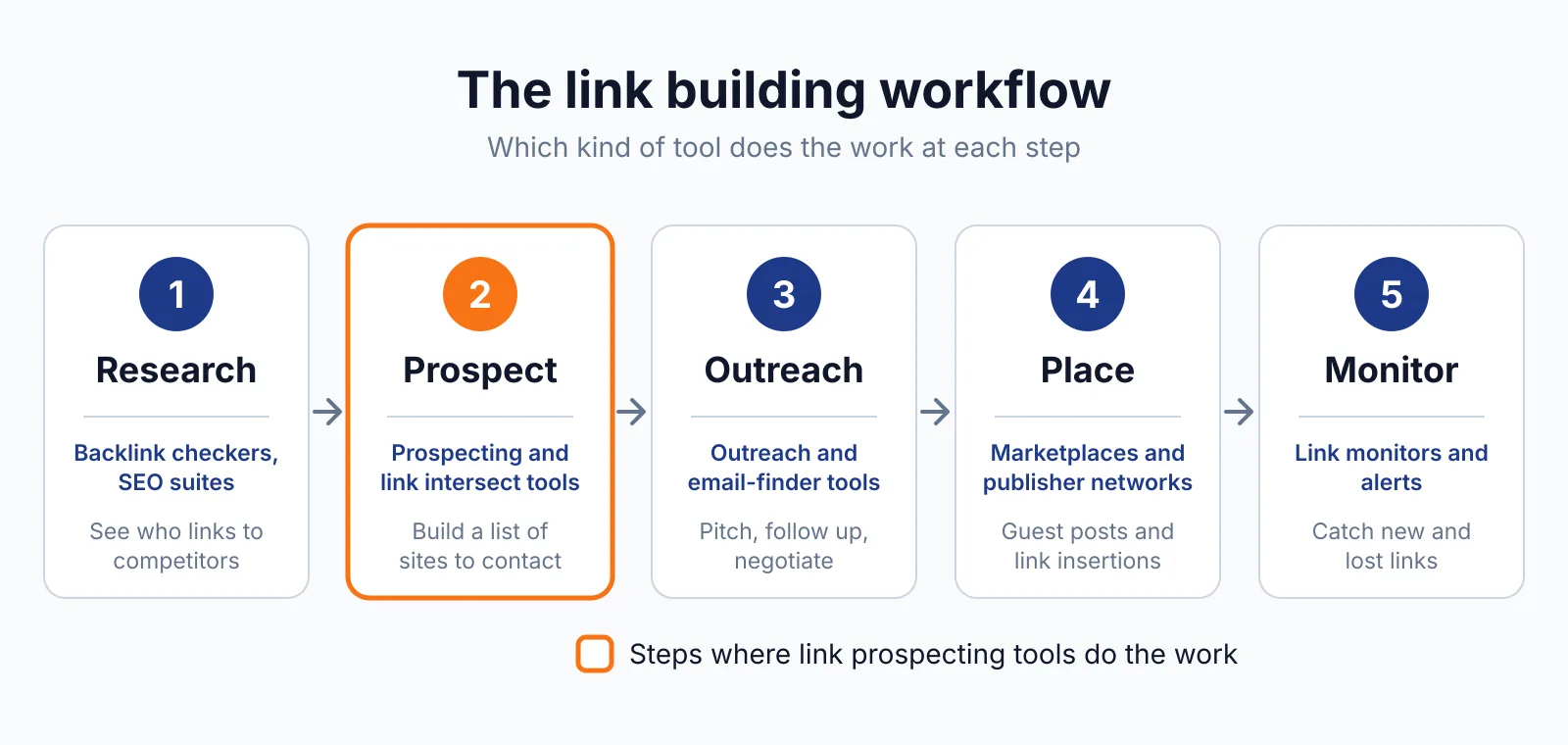
Track competitors and topics without a daily search
An alert for a competitor name shows you when they earn press, launch a page, or get mentioned in a roundup. That is a light way to watch a market without opening a dashboard each day. You can also track a topic phrase to see which sites are writing about it now.
For example, an alert for a rival tool name would show new reviews and lists, and you could check whether your tool belongs in the same list. The limit is depth, since you get a link and a short snippet, and no link metrics with it.
Pricing
Google Alerts costs $0, with no paid tier, plan, or trial listed, checked November 2026. The cost is inbox time, since each alert can send several emails per week if the topic is busy.
If you run five alerts and each sends three emails a week, you will read about 15 emails a week, and you may act on two or three of them. Keep the alert list short.
Pick it if
- You want free mention monitoring with no new tool to learn
- You track a distinct brand, product, or topic name
- You want new pages in your inbox instead of searching each day
Not a fit if
- You need backlink counts, referring domains, or link metrics
- You need sentiment scoring or social media monitoring
- You need alerts for a common word that will flood your inbox
Alternatives
| Tool | Why people switch | Pricing |
|---|---|---|
| Talkwalker Alerts | Adds RSS and Slack delivery, plus Boolean queries | Check current pricing on their site |
| ListBrew | Finds listicles where competitors appear and you do not | Check current pricing on their site |
| BuzzSumo | Tracks content, backlinks, and sharers in one place | Check current pricing on their site |
FAQ
How do I set up a Google Alert?
Go to Google Alerts, enter your topic, click Show options to change the settings, and click Create Alert. The settings cover how often you get notifications, the types of sites you will see, your language, the part of the world you want info from, how many results you want to see, and what accounts get the alert.
Talkwalker Alerts and ListBrew are worth a look if you need Boolean queries or listicle prospecting as well.
Why am I not getting alerts?
Check the help page steps first: if alerts are disabled, click Enable, check your settings, check that your inbox is not full, and check that alerts are not in spam. For Gmail, add googlealerts-noreply@google.com to your contacts.
Check each mention with a backlink checker before you pitch, and keep outreach honest, since Google spam policies treat links bought to manipulate rankings as link spam.
Next step
Create three alerts today for guest posting: your brand, your main topic, and one competitor. When a mention looks like a fit, check the site with our backlink pricing database and free SEO tools, then contact us if you want help turning mentions into links.

The BacklinkPrice Team researches backlink prices, publisher sites and link building tools. We check prices and plans against each provider's own pages and date them, so you know how current the numbers are.
More from BacklinkPrice TeamRelated guides