Talkwalker Alerts: What It Does, Pricing and Alternatives
Talkwalker Alerts is a free monitoring tool that emails you when the web, news, blogs, forums, or X mention a topic, brand, or competitor you choose.
Talkwalker Alerts is a free monitoring tool that emails you when the web, news, blogs, forums, or X mention a topic, brand, or competitor you choose. It calls itself a free alternative to Google Alerts, and setup takes less than 30 seconds, with no Google account needed. See the Talkwalker Alerts page for the full setup steps.
TL;DR
- Talkwalker Alerts is free, with no paid plan for Alerts itself, and setup takes less than 30 seconds.
- It monitors news, blogs, forums, websites, and X, in 22 languages, with Boolean queries.
- You can get results by email, RSS, or Slack, and choose all results or only the best results.
Quick facts
| Fact | Detail |
|---|---|
| What it does | Monitors the web for a topic and sends alerts by email, RSS, or Slack |
| Best for | Tracking brand mentions, competitors, and topics for link chances |
| Starting price | $0 |
| Free option | Free, any email address works |
| Website | talkwalker.com |
| Checked | November 2026 |
What Talkwalker Alerts does
Track brand mentions and turn them into links
An alert for your brand name shows you new pages that mention you, and many of those pages will not link to you yet. A mention without a link is a warm lead, since the writer already chose to name you, and a short, polite request often adds the link.
For example, an alert for your tool name would surface a new review that names the tool without linking. The limit is that not every mention deserves a link, and a short mention in a long list may not be worth a pitch.
Monitor competitors and topics with Boolean queries
Boolean operators let you build a query that is tighter than a single phrase, using AND, AND NOT, OR, and brackets. That helps when a name is common, or when you want several related terms in one alert. You can also use quotation marks for an exact phrase, which cuts noise.
For example, Apple AND (iPhone OR iPad OR iMac OR iWatch OR MacBook) tracks Apple products without pulling in fruit results. The limit is that a complex query can miss results if the brackets are wrong, so test it with a preview first.
Get alerts where you already work
Talkwalker Alerts delivers by email, RSS, or Slack, and you can choose one feed per alert or one master RSS feed. For example, a Slack alert for a competitor name would show the team a new list article the same day.
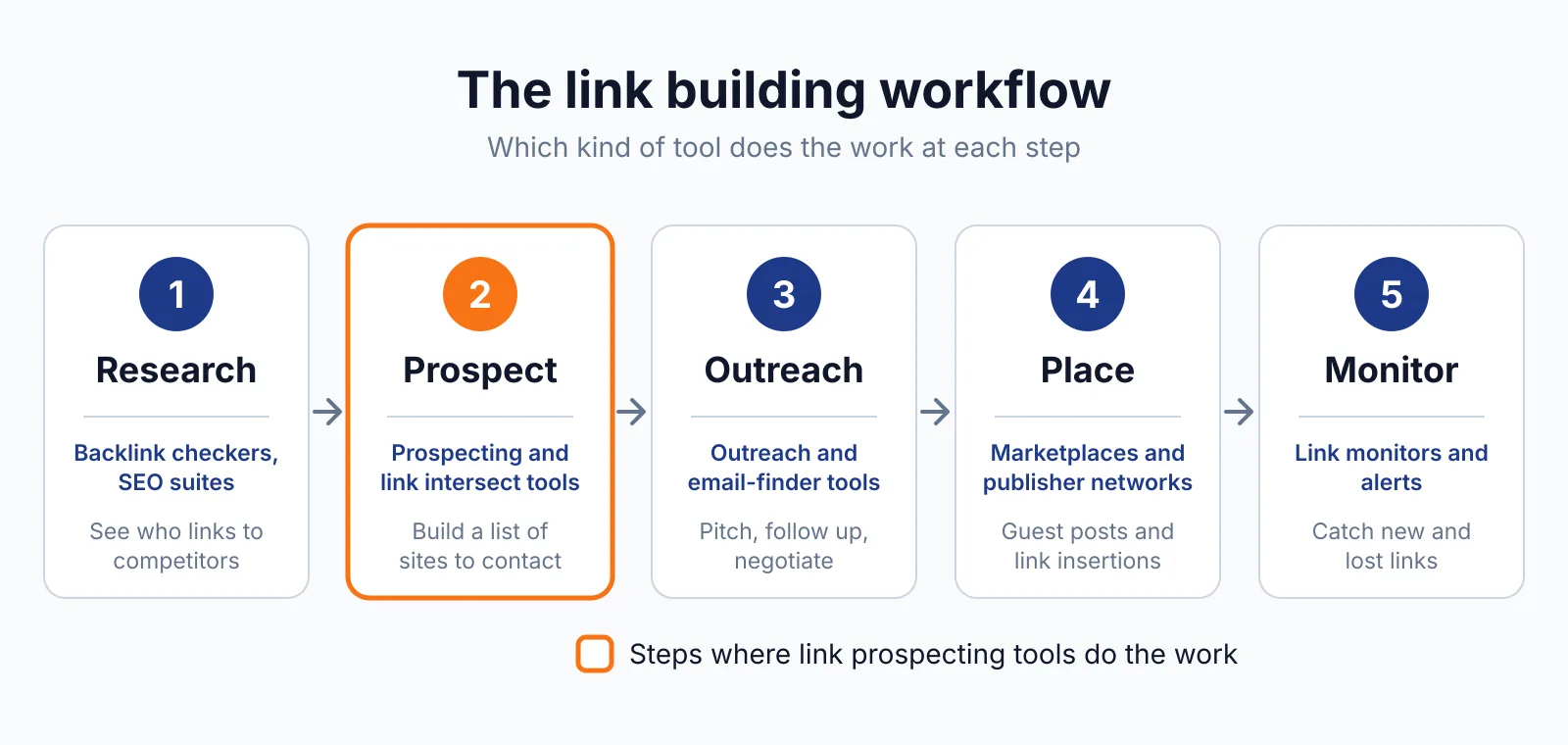
The limit is that Alerts is a monitoring tool, and it does not show backlink counts, so you still need a backlink checker to judge a site.
Pricing
Talkwalker Alerts costs $0, and no paid plan for Alerts itself is listed on the page we opened, checked November 2026. The paid Social Listening platform is separate, with a free demo and no price listed on the Alerts page.
If you run ten alerts and each sends five emails a week, you will see about 50 emails a week, so choose "Only the best results" for busy topics. That keeps the cost at zero.
Pick it if
- You want free alerts without a Google account
- You need Boolean queries, RSS, or Slack delivery
- You track a brand, competitor, or topic in more than one language
Not a fit if
- You need backlink data, referring domains, or authority scores
- You need a full social listening dashboard with reports
- You need alerts for a topic with very high volume and no filter
Alternatives
| Tool | Why people switch | Pricing |
|---|---|---|
| Google Alerts | Simple free alerts tied to a Google account | Check current pricing on their site |
| ListBrew | Finds listicles where competitors appear and you do not | Check current pricing on their site |
| BuzzSumo | Tracks content, backlinks, and sharers in one place | Check current pricing on their site |
FAQ
How do I set up a Talkwalker Alert?
Pick a topic, enter any email address, choose a result type such as News, Twitter, Blogs, or Discussion forums, select a language, choose a frequency, choose All results or Only the best results, preview the results, hit Create Alert, and verify your email. The preview step helps you catch a bad query before it runs.
Google Alerts is a simpler free option, and ListBrew adds listicle prospecting.
Can Talkwalker Alerts help with link building?
Yes, in a direct way, and the page says so plainly. As results arrive in your inbox each day, you have a list of websites that mention your brand or your keyword, and you can reach out to them and ask for a backlink.
Use our backlink pricing database to judge a site before you pitch, and keep outreach honest, since Google spam policies treat links bought to manipulate rankings as link spam.
Next step
Create one alert for your brand and one for your main topic for guest posting, with "Only the best results" turned on. When a mention looks like a fit, check it with our free SEO tools and contact us if you want help turning mentions into links.

The BacklinkPrice Team researches backlink prices, publisher sites and link building tools. We check prices and plans against each provider's own pages and date them, so you know how current the numbers are.
More from BacklinkPrice TeamRelated guides