Google Safe Browsing / Transparency Report: What It Does, Pricing and Alternatives
Google Safe Browsing is a free Google service that flags dangerous sites, and its Transparency Report lets you check any site in seconds.
Google Safe Browsing is Google's free security service that warns users about dangerous sites, and its Transparency Report includes a Site Status tool for checking whether any site currently contains content Safe Browsing has determined to be dangerous. No account and no ownership are needed to run the check.
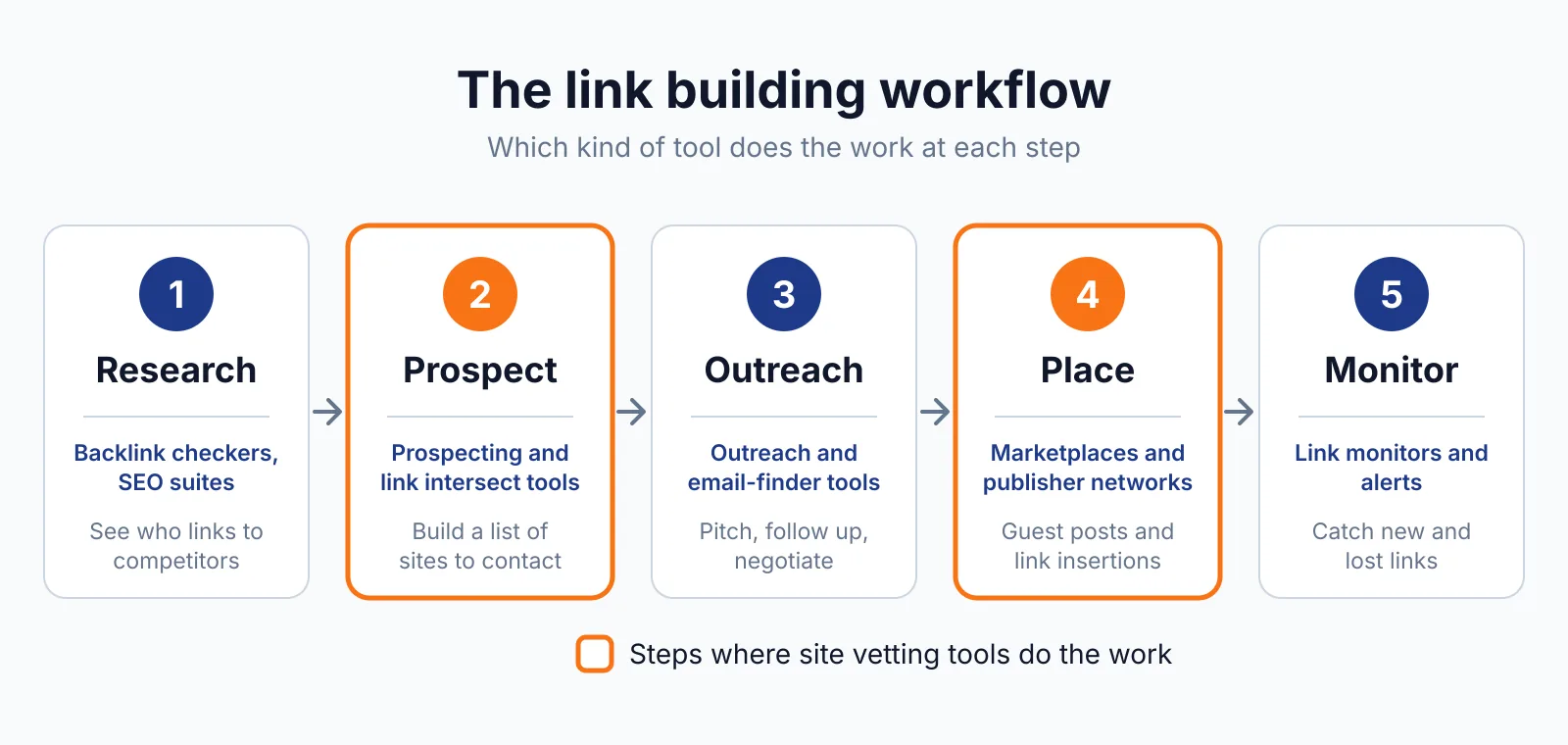
For link building, it is the first safety check before you buy a placement.
TL;DR
- The whole service is free.
- It protects over five billion devices every day.
- Enter a URL or domain in the Site Status tool and read the verdict: "No unsafe content found" or a named threat.
- A clean result is a point-in-time read, not a guarantee.
Quick facts
| Fact | Detail |
|---|---|
| What it does | Warns users about dangerous sites and files, and lets anyone check a site's status |
| Best for | A first safety check before buying a placement or linking to a site |
| Starting price | Free |
| Free option | The whole service is free |
| Website | safebrowsing.google.com |
| Checked | November 2026 |
What Google Safe Browsing does
Check a site in seconds
Open the Transparency Report Site Status tool at transparencyreport.google.com/safe-browsing/search, enter a URL or domain, and read the verdict. That matters because a flagged domain is a liability no amount of authority makes up for. For example, run every site on your shortlist through the check, and drop any domain that comes back flagged.
One limit is that the tool page itself could not be text-fetched in this session, since it is a JavaScript tool page, but its existence and function are confirmed on the opened Safe Browsing homepage.
Know what the warnings mean
Safe Browsing flags three threat categories. Malware warnings have run since 2006, for software designed to harm a device or its users. Unwanted Software warnings have run since 2014, for programs disguised as helpful downloads that make unexpected changes.
Social Engineering warnings have run since 2005, for attacks that trick users into action, such as phishing pages. Safe Browsing itself launched in 2005 to protect against phishing. That matters because the category tells you what kind of risk the site carries.
For example, a site flagged for social engineering may be hacked rather than evil, but either way do not pay for a link on it. One limit is that the check says nothing about the site's backlink quality, ranking history, or whether it carries a manual action.
See what happens to a flagged site
A flagged site loses most of its visitors to a red warning screen in Chrome, Search and Gmail, and owners can request a review in Search Console after fixing the problem. That matters because a link on a flagged site reaches almost nobody.
For example, if a site you already paid for gets flagged, ask the owner to fix it and request a review. One limit is that clearing a flag takes a review, typically 24 to 72 hours after a fix for minor issues, and longer for complex hacks.
Pricing
Google Safe Browsing is free, with no pricing page, no plans and no paid tier. The Safe Browsing API is also free and publicly available for developers. Enhanced Safe Browsing is opt-in for a Google Account or Chrome, with real-time checks, deeper scans of downloaded files, and protection against previously unknown attacks.
Pick it if
- You vet sites before buying placements
- You want a free check
- You link out and want to avoid dangerous sites
- You monitor your own sites
Not a fit if
- You want link quality data, since it says nothing about backlinks
- You want history detail, since the Transparency Report was simplified in 2020
- You need a guarantee, since a clean result is only a point-in-time read
Alternatives
| Tool | Why people switch | Pricing |
|---|---|---|
| VirusTotal | Checks a URL against many security vendors at once | Check current pricing on their site |
| Sucuri SiteCheck | Adds a malware scan with blacklist status | Check current pricing on their site |
| URLVoid | Checks a domain against many blocklists at once | Check current pricing on their site |
FAQ
Is a clean result a guarantee the site is safe?
No. A clean result only says Google has not currently classified the domain under one of its threat categories. It is a point-in-time read, not a permanent guarantee.
What should I do if a site I paid for gets flagged?
Ask the owner to fix the problem, then request a review in Search Console. Clearing a flag takes a review after the fix. Do not count the link until the flag clears.
Does Safe Browsing check link quality?
No. It checks for malware, unwanted software and social engineering. It says nothing about backlink quality, ranking history, or manual actions. Use it with a backlink checker, not instead of one.
Next step
Run the site through our free backlink checker, check its history with our Wayback Machine overview, and check its price on our pricing page, then ask us on our contact page if a flag shows up and you are unsure what it means, and read our site: search guide.

The BacklinkPrice Team researches backlink prices, publisher sites and link building tools. We check prices and plans against each provider's own pages and date them, so you know how current the numbers are.
More from BacklinkPrice TeamRelated guides