Google “site:” search: What It Does, Pricing and Alternatives

The Google site: operator restricts search results to one domain, so you can see what Google has indexed for a site before you buy a link on it.
The Google site: operator is a free search operator that restricts results to one domain, URL or URL prefix. Type site:example.com into Google, and you see only results from that domain. For link building, it is the fastest public check that a site is actually indexed by Google at all.
TL;DR
- The operator is free, with no account, no sign-up and no pricing page.
- site:example.com shows indexed and serving URLs from that domain only.
- Add a keyword to check which pages Google associates with a term.
- Do not use it to count indexed URLs, since it does not return them all.
Quick facts
| Fact | Detail |
|---|---|
| What it does | Restricts Google search results to one domain, URL or URL prefix |
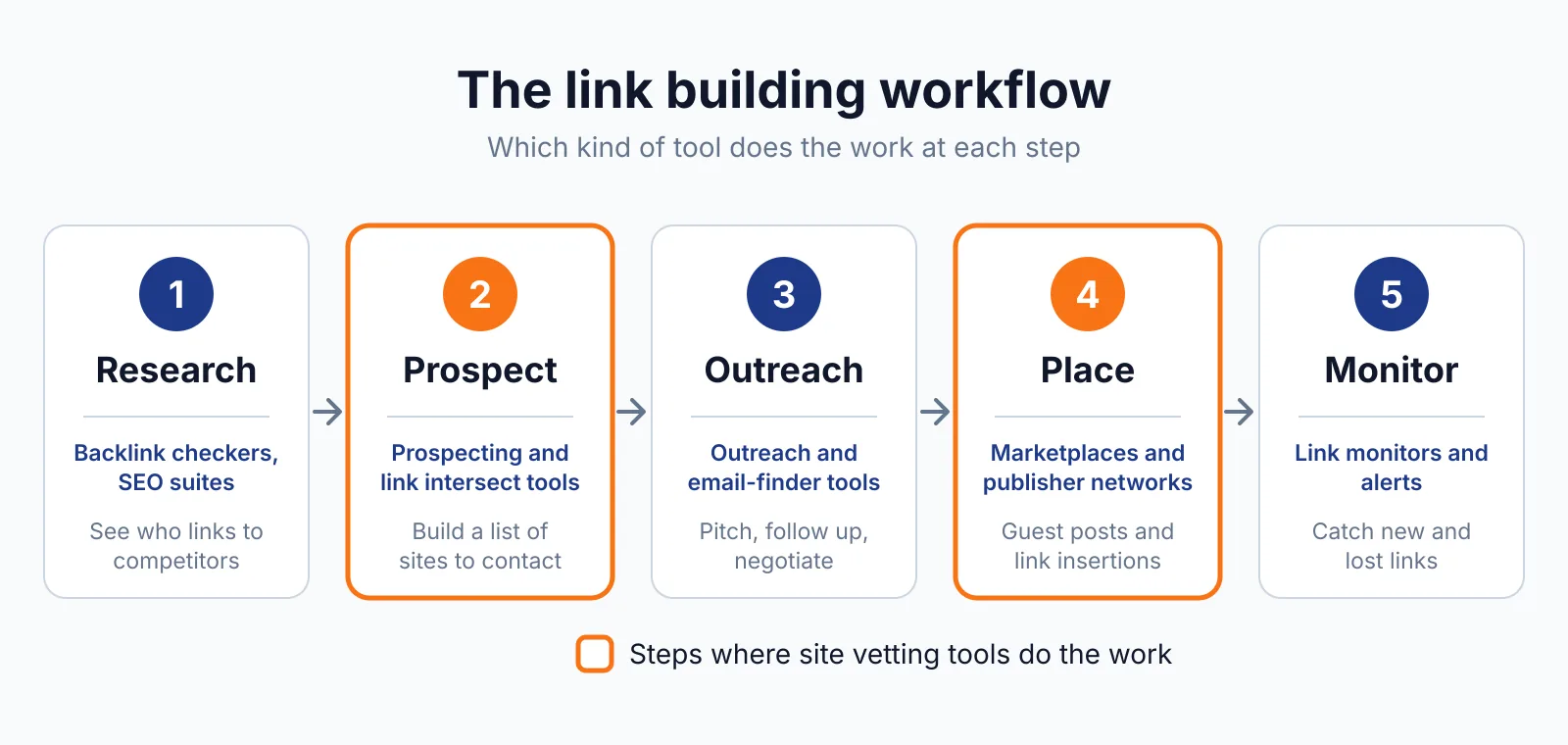
| Best for | A quick index check on a site before buying a placement |
| Starting price | Free |
| Free option | The whole operator is free |
| Website | google.com |
| Checked | November 2026 |
What Google site: search does
Check whether a site is indexed at all
Type site:example.com into Google and you get a list of indexed and serving URLs from that domain. That matters because a site with zero site: results is a red flag before buying a placement. For example, run site: on every domain on your shortlist, and drop any site that returns nothing.
One limit is that the operator does not necessarily return all URLs that are indexed under a prefix, so do not use it to count how many URLs are indexed and serving.
Check whether a specific page is indexed
A query such as site:https://www.example.com/ramen tsukemen shows results for pages under that prefix relevant to "tsukemen", and site:https://example.com/recipes/tsukemen.html may help you understand whether a specific URL is indexed and served. That matters because your link should sit on a page Google has indexed.
For example, check the exact URL where your link would sit before you pay, and add a keyword to see whether Google associates that page with the term. One limit is that a negative result is not absolute proof a page is unindexed, so confirm with Search Console's URL Inspection tool or Page indexing report.
Spot hacked or spam pages on a domain
A query such as site:example.com viagra casino helps with identifying and monitoring spam problems on a site. That matters because a hacked site can carry hundreds of indexed spam pages. For example, run site: with a spam term on a domain you are vetting, and if the results show off-topic or hacked pages, walk away.
One limit is that pages blocked by robots.txt, noindexed, or behind logins will not appear, so a clean result does not prove the site is clean behind the scenes.
Pricing
The site: operator is free, with no pricing, no account and no registration. It is available on all Google Search properties, and the same operator also works on Bing. Google's own search operator documentation describes it, last updated 2025-12-10 UTC, checked November 2026.
Pick it if
- You vet sites before buying placements
- You want a free index check with no account
- You check whether a specific page is indexed
- You look for hacked or spam pages on a domain
Not a fit if
- You need an exact count of indexed URLs, since the result count is an approximation
- You need ranking data, since site: without a query does not rank results
- You own the site and need detail, since Search Console gives more than site: does
Alternatives
| Tool | Why people switch | Pricing |
|---|---|---|
| Google URL Inspection | Shows the indexed version of a page you own, with crawl and canonical detail | Check current pricing on their site |
| Ahrefs Site Explorer | Adds backlink and traffic data next to index data | Check current pricing on their site |
| Semrush | Adds keyword and traffic data for the same domain | Check current pricing on their site |
FAQ
Can I count indexed pages with site:?
No. Google's own documentation says the operator does not necessarily return all URLs that are indexed under a prefix, so do not use it to count how many URLs are indexed and serving under that prefix. The result count Google shows is an approximation, not an exact figure, and it changes between searches and data centres.
Why does the result count change?
The count is an approximation, and it changes between searches and data centres. A site: query without a term does not rank results: it generally shows the shortest URL for the prefix at the top.
Does a missing page mean it is not indexed?
Not on its own. A positive result, where the page appears, is reliable, but a negative result is not absolute proof a page is unindexed. Confirm with Search Console's URL Inspection tool or the Page indexing report before you decide.
Next step
Check the site's backlinks with our free backlink checker, check its history with our Wayback Machine overview, and check its price on our pricing page, then ask us on our contact page if the index check looks odd and you want a second opinion.

The BacklinkPrice Team researches backlink prices, publisher sites and link building tools. We check prices and plans against each provider's own pages and date them, so you know how current the numbers are.
More from BacklinkPrice TeamRelated guides