Google URL Inspection: What It Does, Pricing and Alternatives
Google URL Inspection is a free tool inside Search Console that shows whether a specific page is in Google's index and why it is missing. It helps you confirm the page carrying a link is actually indexed.
Google URL Inspection is a free tool inside Google Search Console that shows what Google knows about a specific page: whether it is in the index, when it was last crawled, and what Google sees when it renders it. It is not standalone. You use it on a property you own, after verifying ownership.
The full guide is in Google's own docs. It buys, places or guarantees no links.
TL;DR
- Google URL Inspection is free for owners of a verified Search Console property, with no paid tier.
- It reports whether a page is on Google, when it was crawled, and which canonical URL Google picked.
- Requesting indexing does not guarantee indexing, and being on Google does not guarantee appearing in results.
Quick facts
| Fact | Detail |
|---|---|
| What it does | Shows Google's indexed version of a specific page and tests whether it can be indexed |
| Best for | Site owners checking whether their pages are in Google's index |
| Starting price | $0 |
| Free option | The whole tool is free |
| Website | search.google.com |
| Checked | November 2026 |
What Google URL Inspection does
See whether a page is in Google's index
Type a URL in the inspection search bar, or click Inspect next to a page URL in most reports. It reports one of four statuses: on Google, on Google with issues, not on Google, or an alternate version. It also shows how Google found the URL, when it was last crawled, and whether the crawl and indexing were allowed.
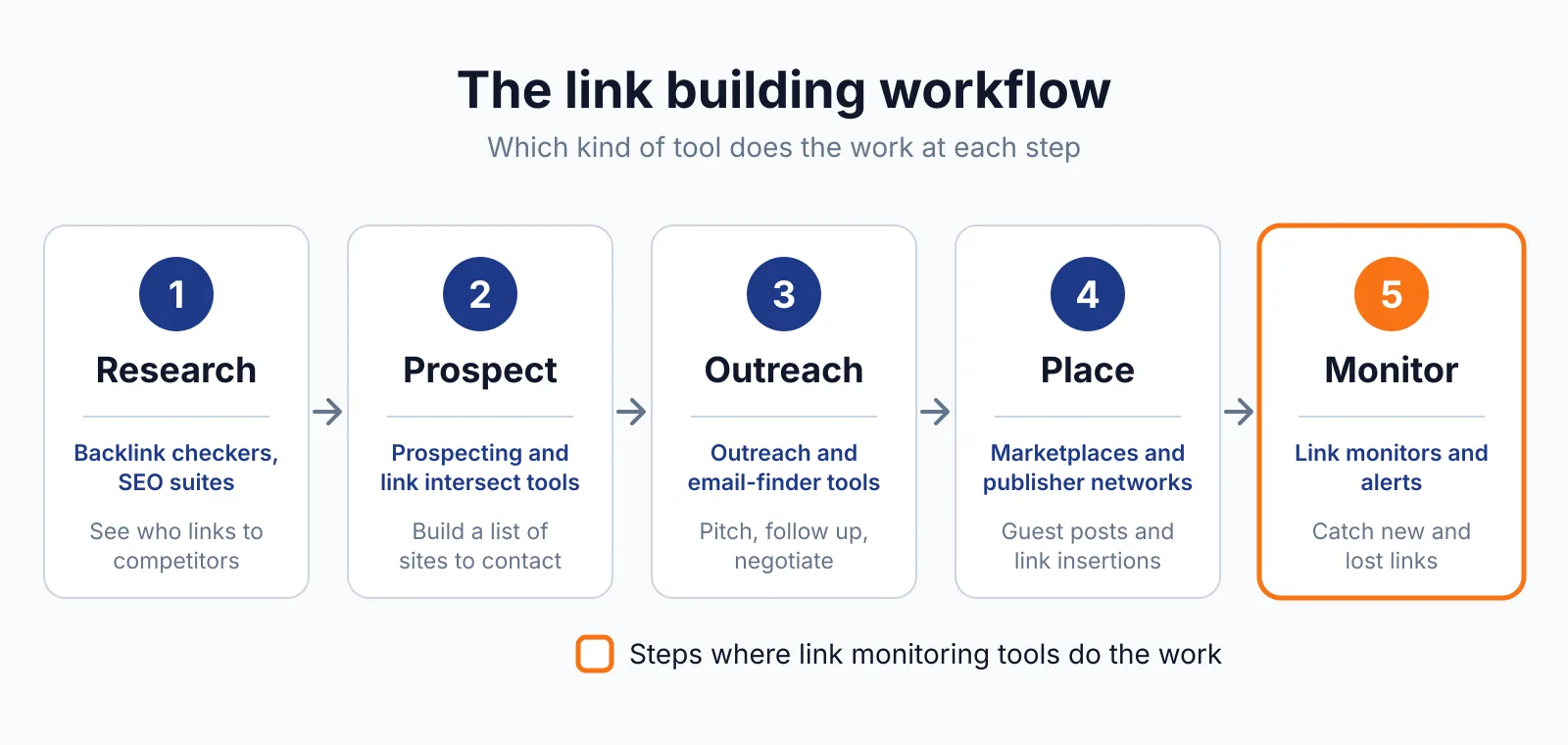
A link only counts when the page carrying it is indexed. The indexed view shows the most recently indexed version.
Test a live URL before it is indexed
The live test shows a screenshot of how Google sees the page. Use it to check a page before you ask Google to index it. If the page is new, you can also tell other search engines about it with IndexNow, though Google does not take part in that protocol.
The live test does not check everything. It does not check duplicates, quality guidelines, manual actions or sitemaps, and a valid live-test result does not mean the page will be indexed.
Find out why a page is missing
When a page is not on Google, the report names the reason: a noindex tag, a robots.txt block, a failed fetch, or a wrong canonical. The Page indexing section shows your declared canonical next to the Google-selected one. The Enhancements section shows AMP status and rich results, and the video section shows whether a video was indexed and why not.
Fixing the cause is usually simple. A quick check that the links on the page still resolve is worth doing too, and the free W3C Link Checker does that with no account.
Pricing
It costs nothing. Search Console is free, with no pricing page and no paid tier. Daily limits apply per property, and neither number is stated in the docs.
The tool only works on URLs in a property you own. For a URL you do not own, Google points you to the Rich Results or AMP test. Paid links that pass PageRank must be marked rel="sponsored" or rel="nofollow", per Google's spam policies.
Checked November 2026.
Pick it if
- You own a site in Search Console and want to know whether a specific page is indexed.
- A guest posting link sits on a page you want Google to see.
- You need the exact reason a page is missing from the index.
Not a fit if
- You need to check a URL on a site you do not own.
- You want a guarantee that a page will be indexed, because requesting indexing does not guarantee it.
- You want link data, because it reports no dofollow or nofollow status, anchor text or disavow data.
Alternatives
| Tool | Why people switch | Pricing |
|---|---|---|
| Bing Webmaster Tools | Indexing and crawl data for Bing | Check current pricing on their site |
| IndexNow | Pings search engines when a URL changes | Check current pricing on their site |
| W3C Link Checker | Checks page links with no account | Check current pricing on their site |
FAQ
Does requesting indexing guarantee my page will be indexed?
No. It asks Google to crawl the page, and indexing can take up to a week or two. The docs say the request is not a guarantee. Before you spend money on more placements, check what a link should cost with our price checker.
Can I inspect a URL on someone else's site?
No, not with this tool. URL Inspection only works on URLs in a property you own and have verified. For a page you do not own, Google suggests the Rich Results test or the AMP test. For Bing, IndexNow pings search engines when a page changes, and the W3C Link Checker checks whether its links resolve.
Next step
Use our free backlink checker to see which pages link to you, then confirm those pages are indexed. For help earning links on indexed pages, see our digital PR service or contact us.

The BacklinkPrice Team researches backlink prices, publisher sites and link building tools. We check prices and plans against each provider's own pages and date them, so you know how current the numbers are.
More from BacklinkPrice TeamRelated guides