W3C Link Checker: What It Does, Pricing and Alternatives
W3C Link Checker is a free tool from the W3C that checks every link and anchor on a page, and can scan a whole site recursively. It finds broken links, not SEO value.
W3C Link Checker is a free tool from the World Wide Web Consortium that checks the links and anchors in a web page or style sheet. You paste in a URL, click Check, and it reports which links resolve and which do not. You can run it at validator.w3.org/checklink.
It is a diagnostic tool. It buys, places or guarantees no links.
TL;DR
- W3C Link Checker is free, with no account, sign-up or install needed for the online version.
- It checks every link and anchor on a page, and can check linked documents recursively across a site.
- It does not check dofollow or nofollow attributes, anchor text or SEO value.
Quick facts
| Fact | Detail |
|---|---|
| What it does | Checks links and anchors on a page, style sheet or site |
| Best for | Site owners and developers checking their own pages |
| Starting price | $0 |
| Free option | The whole tool is free |
| Website | validator.w3.org |
| Checked | November 2026 |
What W3C Link Checker does
Find broken links on a page
It reads an HTML or XHTML document or a CSS style sheet, extracts every anchor and link, and lists any that return an error, so you can fix or remove them. A broken link is worse when it sits on a page that also carries a link you built.
If you earn links through guest posting or link insertion, a broken link on the host page wastes the placement. Paid links that pass PageRank must be marked rel="sponsored" or rel="nofollow", per Google's spam policies.
Check anchors and fragments
The checker verifies that fragments, the part of a URL after the hash sign, point to an anchor that exists on the target page. It also checks that no anchor is defined twice in the same document.
This matters when a link points to a section halfway down a long page, because a dead fragment sends the reader to the top of the page instead of the section they wanted. One plain line: a fragment is the part of a link after the # that jumps to a named spot on a page.
Scan a whole site recursively
You can check linked documents recursively, with a depth you set. It warns about HTTP redirects and honours robots.txt rules. The online version limits how many documents a recursive check can cover, and no number is stated on the tool page. Both versions wait at least one second between requests to each server, so a large recursive check is slow.
Pricing
W3C Link Checker costs nothing. There is no pricing page, no plan and no paid tier. The online service is free, and the source code is public under the W3C Software License, so you can install it via CPAN or run it as a CGI script. The code is on GitHub. Both versions support HTTP basic authentication. Checked November 2026.
Pick it if
- You want a quick, free check of the links on one page or a small site.
- You need to verify that anchors and fragments actually point somewhere.
- You want a tool you can run on your own server, with no account and no data sent to a vendor.
Not a fit if
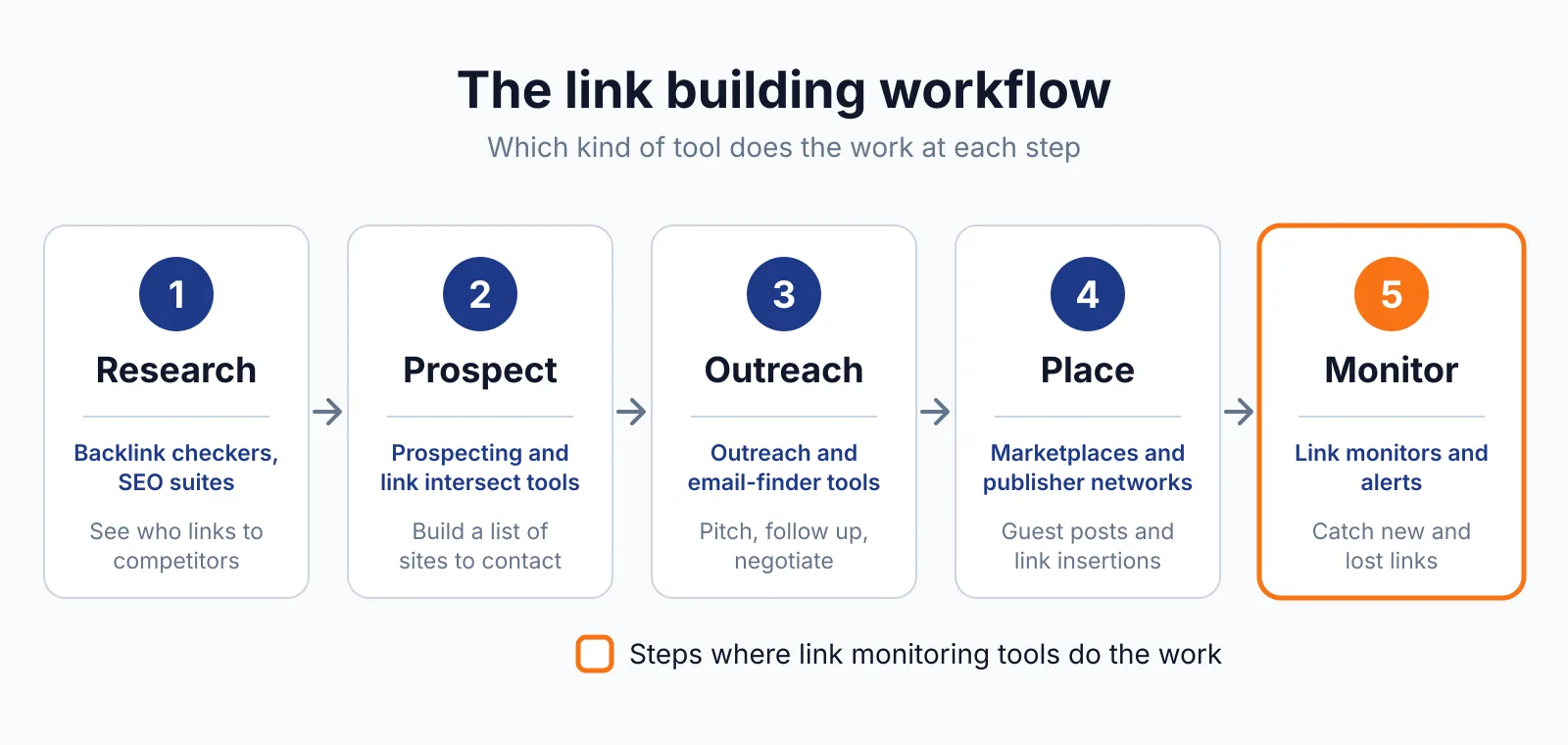
- You need to monitor links you built on other sites, because this tool only checks pages you point it at.
- You want dofollow or nofollow status, anchor text or link metrics, because it reports none of those.
- You need fast checks across a large site, because the one-second pause between requests makes big scans slow.
Alternatives
| Tool | Why people switch | Pricing |
|---|---|---|
| Google Search Console | Checks whether your pages are indexed and shows crawl errors | Check current pricing on their site |
| Dead Link Checker | Checks a whole site for broken links with a simpler report | Check current pricing on their site |
| Screaming Frog SEO Spider | Crawls a site and reports links, redirects and status codes | Check current pricing on their site |
FAQ
Does W3C Link Checker check dofollow and nofollow links?
No. It checks whether a link resolves and whether its fragment exists. It does not report the rel attribute, anchor text or any SEO metric, so it cannot tell you whether a link is dofollow or nofollow. If you need that, see our overview of LinkChecker.PRO, which tracks dofollow and nofollow status on links you already own.
Can it check my whole site?
Yes. Set it to check linked documents recursively, with a depth you choose. The online version caps how many documents a recursive check can cover, and the number is not stated on the tool page, so very large sites may need the command-line version run locally.
For a check that a page is actually in Google's index, use Google URL Inspection instead.
Next step
Use our free backlink checker to see which sites link to you, then check the pages that matter with the tools above. If you want help fixing what you find, see our link building outreach service or contact us.

The BacklinkPrice Team researches backlink prices, publisher sites and link building tools. We check prices and plans against each provider's own pages and date them, so you know how current the numbers are.
More from BacklinkPrice TeamRelated guides