How to Fix NAP Inconsistencies: A Step-by-Step Guide
Set one correct name, address, and phone number, then find and fix every listing that differs, starting with Google and the biggest directories.
To fix NAP inconsistencies, decide on one correct version of your business name, address, and phone number, find every listing that shows something different, and update, claim, or remove each one, starting with Google Business Profile and the biggest directories. Then keep a single record so the problem does not come back.
Key takeaways
- NAP stands for name, address, and phone number, the core details of a local business listing.
- In BrightLocal's 2023 research, 62% of consumers said they would avoid a business if they found incorrect information online.
- BrightLocal's Local Citations Trust Report found 70% of consumers lose trust when they see incorrect or inconsistent contact details.
- Google says local ranking uses relevance, distance, and prominence, and prominence draws on information from across the web.
- Most inconsistencies come from moves, phone changes, rebrands, old agencies, and duplicate listings.
What a NAP inconsistency is
A NAP inconsistency is any place online where your business name, address, or phone number differs from your official details.
Examples include:
- An old address after you moved.
- A former phone number or a call-tracking number.
- A different business name, such as an old brand or a keyword-stuffed name.
- Different formats, such as "Suite 200" vs "#200".
- Duplicate listings for the same location.
Small formatting differences matter less than wrong details, but a consistent format is still best. Moz's local SEO guide explains how listings fit into local search. For the basics of listings, see what is citation building.
Why NAP consistency matters
Wrong details confuse customers and weaken trust signals.
Customers act on what they find. BrightLocal's guide to managing listings cites its 2023 report finding 62% of consumers would avoid a business with incorrect information online. Its earlier Local Citations Trust Report found 70% lose trust when they see incorrect or inconsistent contact details.
Search engines also compare sources. Google's guide to improving local ranking explains that prominence draws on information about a business from across the web.
Step-by-step: how to fix NAP inconsistencies
Work from the most important listings outward.
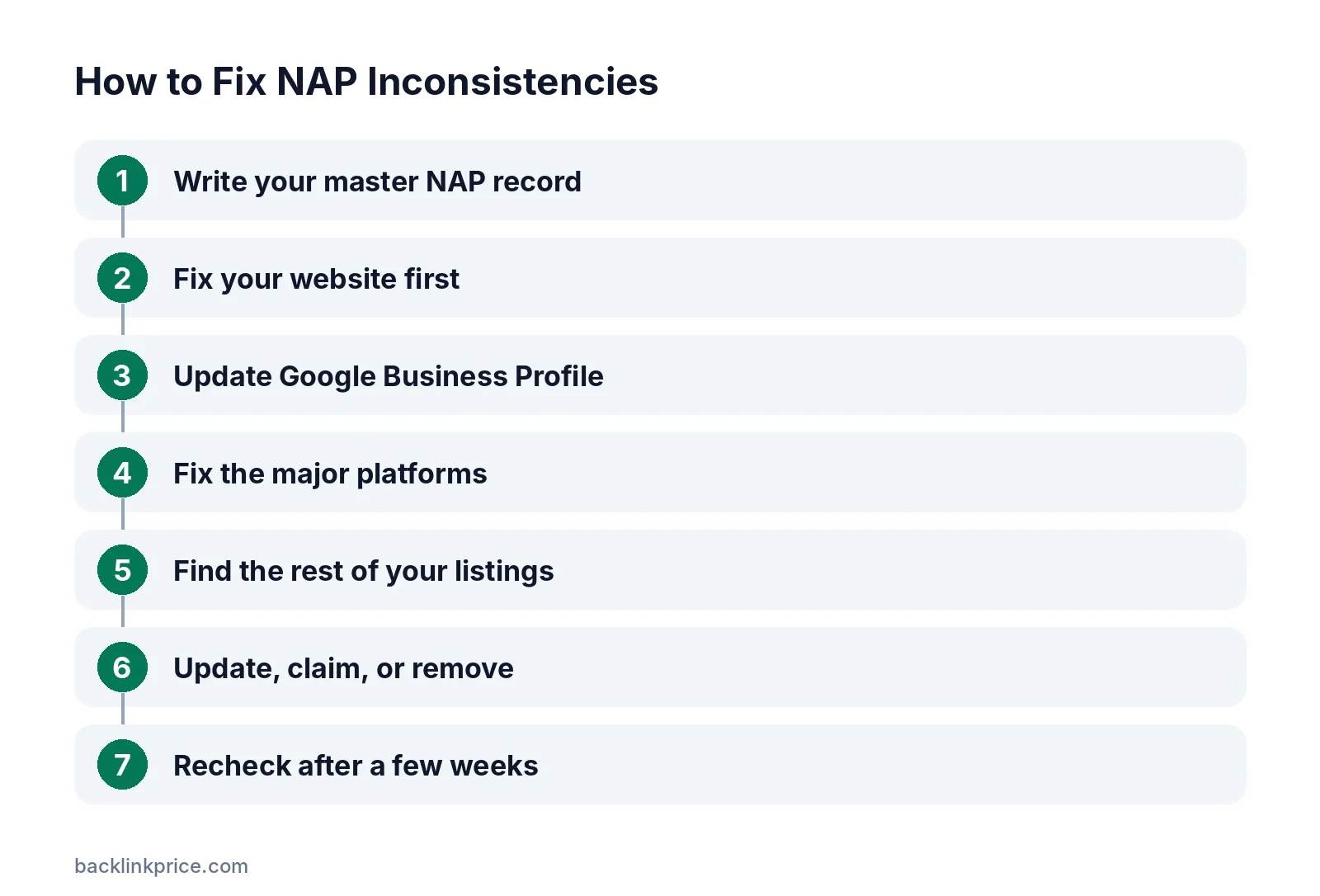
Step 1: Write your master NAP record
Record the exact name, address format, phone number, website URL, and hours. Use your legal or trading name as customers know it, with no extra keywords.
Step 2: Fix your website first
Make sure your site's footer, contact page, and location pages match the master record exactly.
If a move or rebrand also changed page URLs, redirect the old pages so links still work. See what is a 301 redirect for SEO.
Step 3: Update Google Business Profile
Edit your Google Business Profile to match. If you moved, update the address rather than creating a new profile.
Step 4: Fix the major platforms
Update Apple Business Connect, Bing Places, Facebook, Yelp, and your country's main directories. These feed many other sites and apps.
Many smaller sites copy data from these large platforms. Fixing them first means corrections spread outward over the following weeks.
Step 5: Find the rest of your listings
Search for your business name with old addresses and old phone numbers. Check industry and local directories. Citation tools can scan many directories at once.
Step 6: Update, claim, or remove
Claim listings you can edit and correct them. For listings you cannot claim, use the site's "suggest an edit" or support form. Request removal of duplicates.
Step 7: Recheck after a few weeks
Some directories pull data from aggregators and may revert your changes. Recheck the main listings after a few weeks and again after a few months.
Common causes and fixes
Use this table to match each problem with its fix.
| Cause | What you see | Fix |
|---|---|---|
| Business moved | Old address on directories | Update listings, mark old location as moved |
| New phone number | Calls to a dead number | Update everywhere, forward the old number for a while |
| Rebrand | Old name on listings | Update names, keep a mention of the former name where allowed |
| Call tracking | Different numbers per listing | Use tracking numbers carefully, keep the main number as primary |
| Duplicate listings | Two profiles for one location | Merge or request removal |
| Old agency setups | Listings you cannot access | Request ownership transfer or use support |
How to handle listings you cannot access
Some listings were created by old agencies, former staff, or data scrapers. You may not have a login.
Start with the platform's ownership claim process, which usually involves a phone call, postcard, or email verification. If that fails, contact the platform's support team with proof that you own the business, such as a utility bill or business registration.
For listings on small, low-quality sites that ignore requests, focus your energy elsewhere. Fixing the major platforms and your website matters far more than chasing every minor directory.
Preventing future inconsistencies
Keep one record and one process.
- Store all listing URLs and logins in one sheet.
- Update every listing within a week of any change.
- Avoid creating new listings without checking for existing ones.
- Review core listings every quarter.
Track links from your listings in the same sheet using how to track backlinks.
If you serve several locations, see how to get backlinks for a local business for location-level link building.
Common mistakes
These mistakes make inconsistencies worse.
- Creating a new Google profile after a move instead of updating the old one.
- Adding keywords to the business name.
- Changing only the website and ignoring directories.
- Using different call-tracking numbers without a consistent main number.
- Deleting listings that have reviews instead of updating them.
Links from accurate local listings also help. Read how to get local backlinks for more local sources.
Frequently Asked Questions
What does NAP stand for in SEO?
NAP stands for name, address, and phone number. These are the core details shown in local business listings. Keeping them consistent across your website and directories helps customers and search engines trust your business information.
Do small formatting differences matter?
Minor differences such as "Street" vs "St." are less serious than a wrong address or phone number, but consistency is still best. Choose one format and use it everywhere you control.
How long does it take to fix NAP inconsistencies?
Updating your own listings can be done in days, but some directories take weeks to process changes, and data aggregators can take longer. Plan to recheck after a few weeks and again after a few months.
Should I delete old listings?
Update listings rather than delete them when possible, especially if they have reviews. Delete or merge only true duplicates. Deleting a listing with reviews can remove social proof you worked to earn.
Can I use a call-tracking number on listings?
Yes, but carefully. Keep your main business number as the primary number where platforms allow, and use tracking numbers as additional numbers. This keeps your core NAP consistent while still measuring calls.
Sources

The BacklinkPrice Team researches backlink prices, publisher sites and link building tools. We check prices and plans against each provider's own pages and date them, so you know how current the numbers are.
More from BacklinkPrice TeamRelated guides