How to Use Screaming Frog for Link Building (5 Practical Workflows)
Five practical Screaming Frog workflows for link builders: broken link prospecting, link verification, list checks, outlink audits and internal linking.
Screaming Frog helps link building in five main ways: crawling prospect sites to find broken outbound links, verifying that links you earned are live, checking prospect lists in bulk, reviewing a page's outlinks and anchor text, and auditing your own internal links.
The SEO Spider crawls up to 500 URLs for free, and a paid licence removes that limit.
Key takeaways
- The SEO Spider is free for up to 500 URLs; a licence costs £199 per year on Screaming Frog's UK site.
- It finds broken links (404s) and lets you bulk export them with their source URLs.
- Outlinks and anchor text reports show every link a page points to and the text used.
- Paid licences add integrations such as Search Console and link metrics.
- It is a crawler, not a backlink index, so pair it with a backlink tool for prospecting.
What Screaming Frog does
It crawls websites like a search engine and reports what it finds.
Screaming Frog describes the SEO Spider as a website crawler that audits sites for over 300 SEO issues. You can download it and crawl 500 URLs for free, or buy a licence for £199 per year.
| Feature | What it shows | Link building use |
|---|---|---|
| Response codes | Broken links, redirects, errors | Broken link prospecting |
| Outlinks | Pages a URL links to | Review a prospect's external links |
| Anchor text | All link text and image alt text | Check how sites link out |
| List mode | Crawl only URLs you paste | Bulk-check prospect pages |
| Custom search | Find text or code on pages | Verify your link is live |
Pricing
Free for small crawls, paid for serious work.
Screaming Frog's pricing page says licences last one year and must be renewed. Paid features include Search Console integration, link metrics integration, and saving crawls.
TechRadar lists the paid plan at $279 per user per year for one to four licences. Wise's UK pricing guide adds that volume pricing goes as low as £169 per user. Compare tools in how much do link building tools cost.
Workflow 1: Find broken outbound links on prospect sites
This is the classic broken link building workflow.
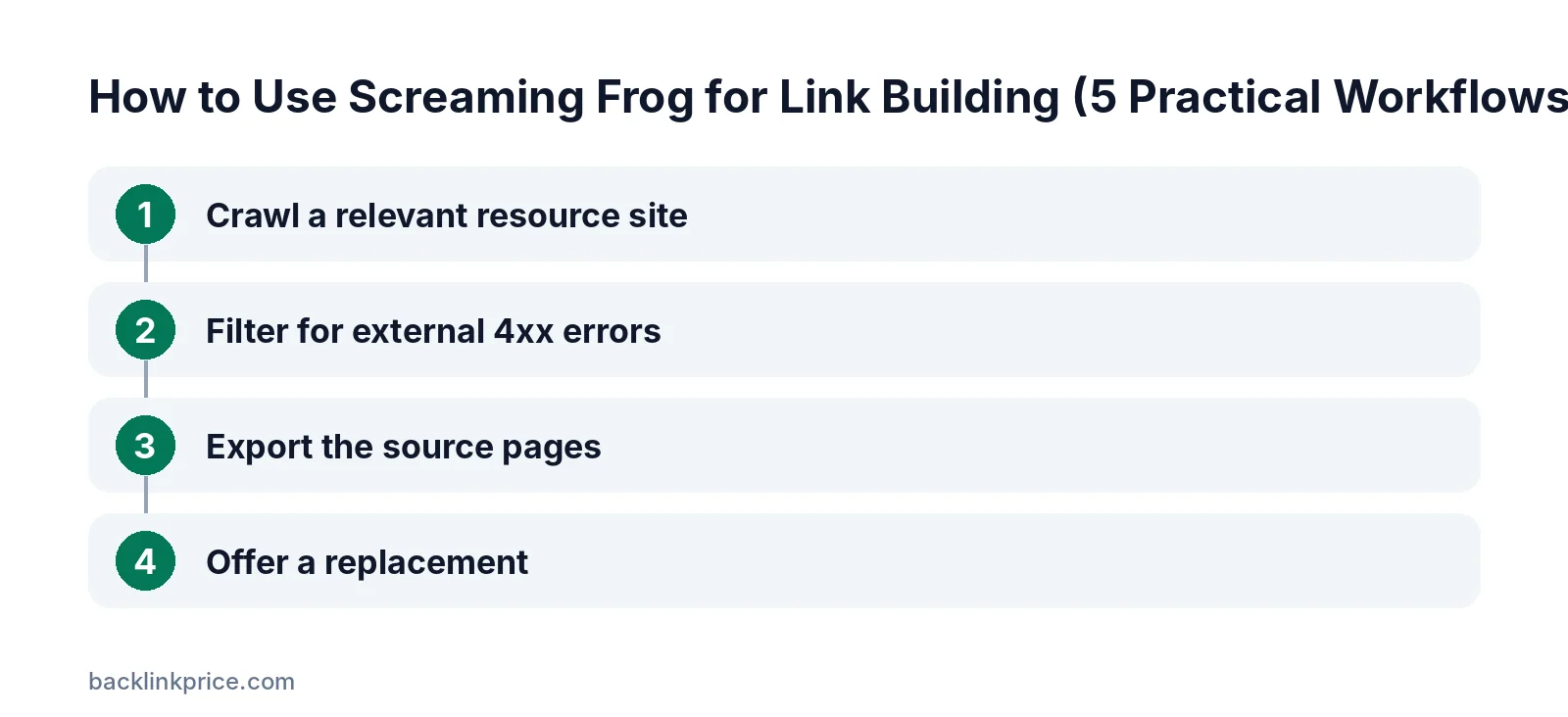
Step 1: Crawl a relevant resource site
Enter a prospect's resource section or blog and start the crawl. Make sure the crawler is set to check external links, not just internal pages.
Step 2: Filter for external 4xx errors
Open the response codes report and filter external links returning client errors. These are dead links on the prospect's pages.
Step 3: Export the source pages
Use the bulk export to get each broken link with the page it appears on. Screaming Frog notes you can bulk export errors and source URLs to fix or send to a developer.
Step 4: Offer a replacement
If you have a page that covers the same topic, email the site owner about the broken link and suggest your page. Read what is broken link building.
Workflow 2: Verify links you have earned
Confirm links are live and correctly attributed.
Switch to list mode and paste the URLs where your links should appear. Use custom search to look for your domain anywhere in the page HTML.
Check whether the link includes rel attributes such as nofollow or sponsored, and whether the anchor text matches what was agreed. Re-run the check every few months, since pages get edited. For ongoing checks, see how to monitor lost links.
Workflow 3: Bulk-check a prospect list
Clean your list before outreach.
Paste prospect URLs in list mode. Remove pages that return errors or redirect elsewhere, and note pages with noindex tags, since links from them may carry little value.
This saves you from pitching pages that no longer exist, and it keeps your outreach list focused on live pages that can still add a link.
Workflow 4: Review outlinks and anchor text
See how a site links out before you pitch it.
On a prospect page, open the outlinks to see every external link and its anchor text. Many unrelated commercial links can be a sign the site sells links.
Learn more in how to tell if a guest post site is spammy.
Workflow 5: Audit your own internal links
Pass value from your most linked pages.
Crawl your own site and review inlinks for important pages. Pages with few internal links may need more, especially from your pages that already earn backlinks.
See how to build internal links for a process.
Tips for crawling other people's sites
Crawl politely and stay focused.
- Limit the crawl to the section you need, such as /resources/.
- Lower the crawl speed for small sites so you don't strain their servers.
- Respect robots.txt unless you own the site.
- Export only what you need for outreach.
Search Atlas' review describes the tool as a deep desktop crawler, so very large crawls depend on your computer's memory.
What to do with the data
Turn crawl results into outreach only when there is real value.
Only pitch a replacement link when your page genuinely covers the same topic as the broken one. Never offer payment for links; Google's spam policies treat buying links that pass ranking credit as link spam.
Screaming Frog limitations for link building
It only sees what it crawls.
The SEO Spider crawls sites you point it at; it does not hold a database of the web's backlinks. To find who links to a competitor, you need a backlink tool such as Ahrefs, Semrush, Moz, or Majestic.
The free version's 500-URL limit and lack of saved crawls also restrict larger projects. For a handful of prospect sites, though, the free version is often enough.
Frequently Asked Questions
Is Screaming Frog good for link building?
Yes, for crawling tasks such as broken link prospecting, link verification, and list checks. It is not a backlink database, so combine it with a tool like Ahrefs or Semrush for research.
Is Screaming Frog free?
The SEO Spider is free for up to 500 URLs per crawl. A paid licence removes the limit and adds advanced features. Screaming Frog lists it at £199 per year on its UK site.
Can Screaming Frog find backlinks to my site?
Not directly. It crawls the sites you choose. To discover backlinks across the web, use Google Search Console or a third-party backlink tool.
How do I find broken links on another website?
Crawl the site in Screaming Frog, filter external links by 4xx response codes, and export the broken links with their source pages.
Can Screaming Frog check if a link is nofollow?
Yes. Link reports show link attributes, so you can see whether a link uses nofollow, sponsored, or ugc on the pages you crawl.
Sources

The BacklinkPrice Team researches backlink prices, publisher sites and link building tools. We check prices and plans against each provider's own pages and date them, so you know how current the numbers are.
More from BacklinkPrice TeamRelated guides