How to Use Moz for Link Building: Step-by-Step (2026)
Audit links in Link Explorer, find gaps with Link Intersect, vet prospects with Domain Authority and Spam Score, and track wins in Link Tracking Lists.
To use Moz for link building, analyse your backlinks in Link Explorer, find sites that link to competitors but not to you with Link Intersect, vet prospects with Domain Authority and Spam Score, and save targets and wins in Link Tracking Lists. Moz Pro starts at $49 per month, and a free Moz account gives limited Link Explorer access.
Key takeaways
- Link Explorer is Moz's backlink tool, and it replaced the older Open Site Explorer.
- Link Intersect shows sites linking to your competitors but not to you.
- Link Tracking Lists let you save prospects and see when a link goes live.
- Moz Pro plans were $49, $99, $179, and $299 per month (Starter to Large) as of November 2026.
- Domain Authority is a Moz metric, not a Google ranking factor, so use it to compare sites rather than as a goal.
What Moz offers for link building
Moz Pro bundles several link tools inside Link Explorer.
| Feature | What it does | Link building use |
|---|---|---|
| Inbound Links | Lists links pointing to a site | Audit your profile and competitors |
| Linking Domains | Lists referring domains | Count and judge unique sites |
| Link Intersect | Compares several sites' links | Find competitor link gaps |
| Discovered and Lost | Shows new and lost links | Monitor wins and losses |
| Spam Score | Flags sites with spam-like traits | Screen prospects |
| Link Tracking Lists | Saves links and domains to track | Manage outreach targets |
For metric background, read domain rating vs domain authority.
Moz Pro pricing
Check current prices on Moz's site before you buy.
Toolradar, verified from Moz's pricing page on November 9, 2026, lists Starter at $49, Standard at $99, Medium at $179, and Large at $299 per month. It also notes the Starter price rose from $39 to $49 in October 2026.
The Next Web reported that annual billing gives a 20% discount and that a free Moz Community account includes limited versions of Link Explorer and Keyword Explorer.
Compare tool costs in how much do link building tools cost.
Step-by-step: using Moz for link building
Follow these steps from audit to tracking.
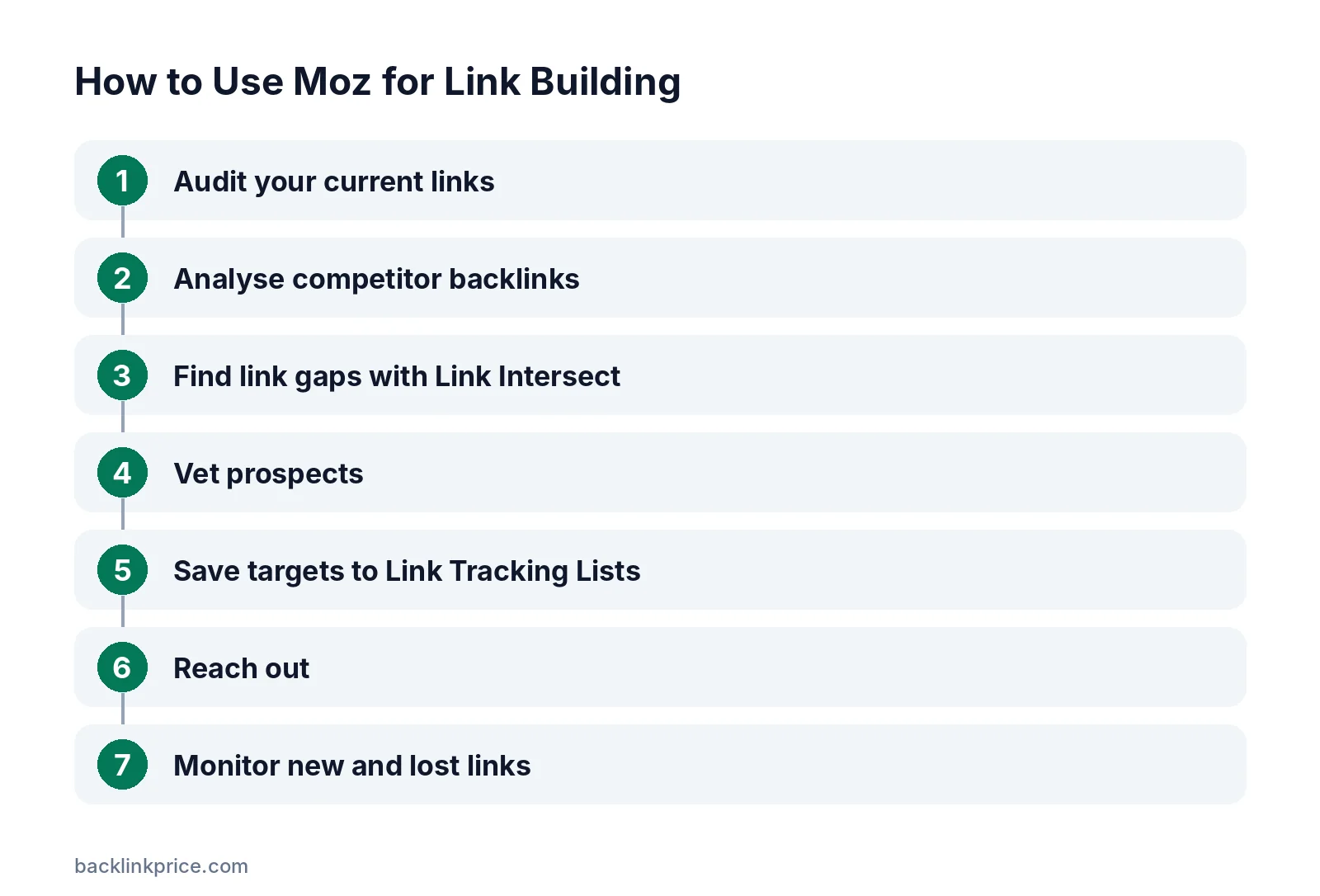
Step 1: Audit your current links
Enter your domain in Link Explorer and review the Overview. Note your linking domains, top linked pages, and anchor text.
This baseline shows what already works. Pages with many links are good places to add internal links to pages you want to rank.
Step 2: Analyse competitor backlinks
Enter each competitor's domain and open Linking Domains and Top Pages. Look for patterns, such as guest posts, resource pages, or data studies that earn links.
Our guide on how to analyze competitor backlinks explains what to look for.
Step 3: Find link gaps with Link Intersect
Moz's Link Intersect guide explains that the tool shows sites linking to your competitors but not to you. Enter your site and up to several competitors, then sort the results.
Sites that link to two or more competitors are often the warmest prospects. They already link to content like yours.
Step 4: Vet prospects
Check each prospect's Domain Authority, Spam Score, relevance, and real traffic. A high score alone does not make a good link.
Learn how to read the metric in what is a good spam score.
Step 5: Save targets to Link Tracking Lists
Moz's Link Tracking Lists guide says you can create lists of links and linking domains to set goals and track progress. Add prospects as you find them.
Moz says newly discovered links can be added to its index within about 3 days, and the list then updates. Indexing times can vary.
Step 6: Reach out
Moz does not send outreach emails, so use your own email or outreach tool. Personalise each pitch around why their page and yours fit together.
The Backlinko outreach study of 12 million emails found an 8.5% average response rate and that follow-ups can double replies.
Step 7: Monitor new and lost links
Use Discovered and Lost to see links you gained or lost. Reach out quickly when a valuable link disappears.
See how to monitor lost links for a recovery process.
Other ways to use Moz for links
A few more tactics fit Moz's data well.
- Broken link building: Find broken pages on competitor sites that still have links, then offer a working resource.
- Top Pages research: See which content types earn the most links in your niche.
- Anchor text checks: Review anchor text to avoid over-optimised patterns.
- Unlinked mentions: Compare brand mentions you find elsewhere with Moz's link data to spot mentions without a link.
Read what is broken link building for the full method.
How to judge links you find in Moz
Metrics narrow the list, but your judgement makes the final call.
Moz explains in its Domain Authority guide that DA is a score it developed to predict how likely a site is to rank, relative to other sites. It is a comparison metric, not a measure Google uses.
Before outreach, check that the site covers your topic, gets real organic traffic, and publishes editorial content. Avoid sites that sell links openly.
Google's spam policies treat buying or selling links that pass ranking credit as link spam. Earned, relevant links are the safer goal.
Moz limitations to know
No backlink tool sees every link.
Every tool crawls a different part of the web, so numbers differ between Moz, Ahrefs, and Semrush. Use one tool consistently for trends.
Moz metrics are third-party estimates. Google does not use Domain Authority, so focus on relevance, traffic, and editorial quality when judging links.
Frequently Asked Questions
Is Moz good for link building?
Yes, for research and tracking. Link Explorer, Link Intersect, Spam Score, and Link Tracking Lists cover audits, prospecting, and monitoring. You still need a separate tool or email for outreach.
Can I use Moz for free?
Partly. A free Moz Community account gives limited access to Link Explorer and Keyword Explorer. Full data limits and features require a paid Moz Pro plan.
Does Domain Authority affect Google rankings?
No. Domain Authority is a Moz metric that predicts ranking ability compared with other sites. Google does not use it, so treat it as a comparison tool rather than a target.
How long does Moz take to find new backlinks?
Moz says newly discovered links can enter its index within about 3 days. Discovery itself can take longer, and adding links to a Link Tracking List can help its crawler find them.
Is Moz better than Ahrefs for link building?
It depends on your budget and needs. Moz's entry plan is cheaper, while Ahrefs is known for a large link index. Many teams trial both and compare data for their own niche.
Sources

The BacklinkPrice Team researches backlink prices, publisher sites and link building tools. We check prices and plans against each provider's own pages and date them, so you know how current the numbers are.
More from BacklinkPrice TeamRelated guides