How to Use Google Search Console for Link Building (Free Method)
Use the free Links report in Google Search Console to find your top linked pages, linking sites and anchor text, then turn the data into link building actions.
To use Google Search Console for link building, open the Links report and review three external reports: Top linked pages (which pages earn links), Top linking sites (who links to you), and Top linking text (the anchor text they use).
Then use the internal links report to pass value from your most linked pages to pages you want to rank. It is free, and the data comes straight from Google.
Key takeaways
- The Links report shows top linked pages, top linking sites, top linking text, and internal top linked pages.
- Google says the report shows a sample of links, so some URLs may be omitted.
- "Top linking sites" is sorted by how many links a site sends, not by its quality.
- Practical Ecommerce reports the top linking sites list covers the 1,000 domains with the most links.
- Use the data to find link-worthy content types, check anchor text, and plan internal links.
What the Links report shows
Four tables cover most link building needs.
Google's Links report help page describes these sections:
| Report | What it shows | Link building use |
|---|---|---|
| Top linked pages (external) | Your pages with the most links from other sites | Find content types that earn links |
| Top linking sites | Sites that link to you the most | Spot key partners and relationships |
| Top linking text | Most common anchor text in links to you | Check anchors look natural |
| Top linked pages (internal) | Pages with the most internal links | Check internal link priorities |
Google notes the report shows a sample of internal and external links. Some URLs might be omitted, for example non-indexed pages or deduplicated URLs.
Step-by-step: link building with Search Console
Follow these steps to turn the data into actions.
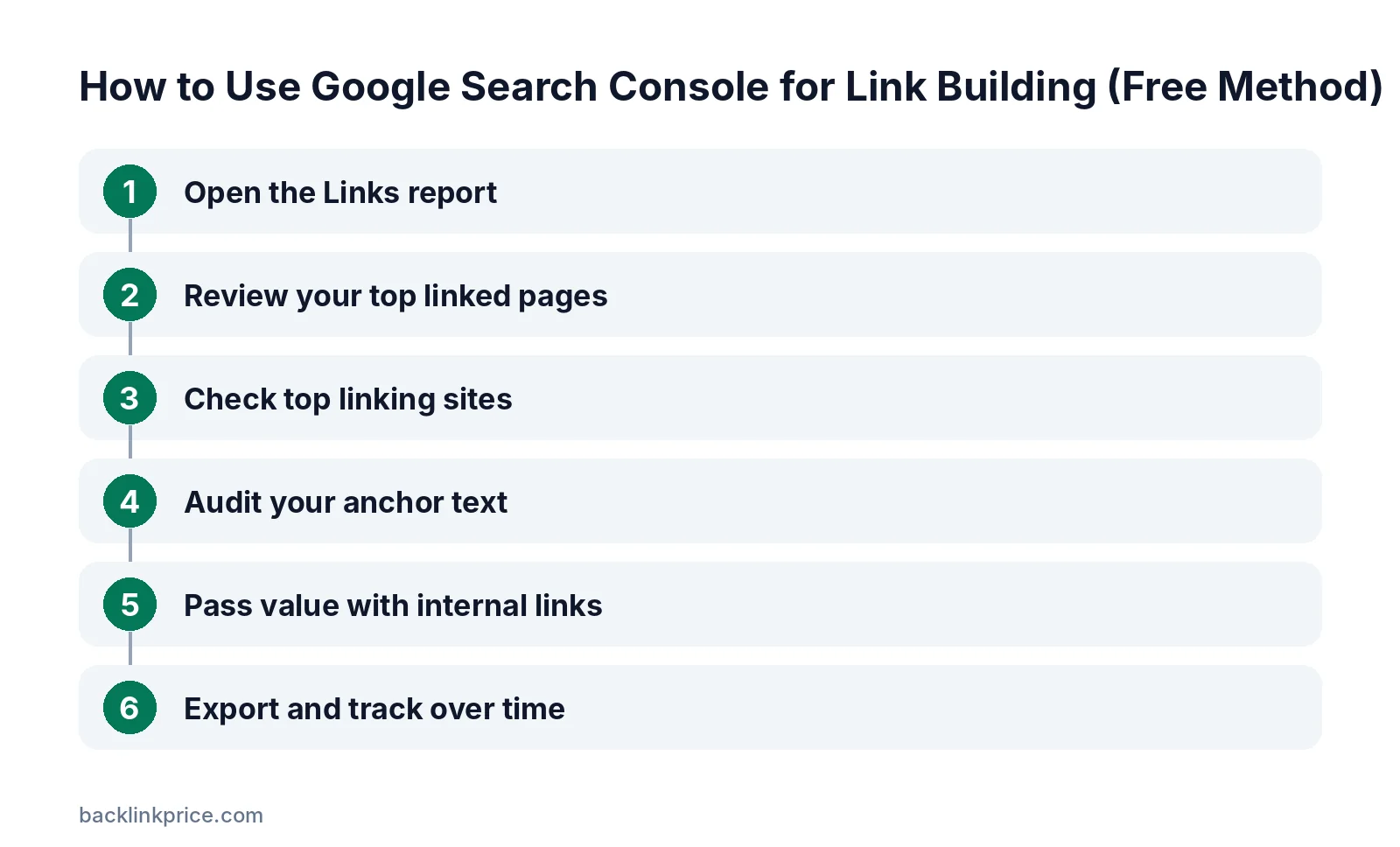
Step 1: Open the Links report
In Search Console, choose your property and click Links in the left menu. You will see summary tables for external and internal links.
Step 2: Review your top linked pages
Open Top linked pages under External links. Google's help page suggests using it to confirm that your most linked pages are the ones you expect.
Look for patterns. If data studies, tools, or guides earn most links, create more of that content type. See how to get backlinks with original research.
Step 3: Check top linking sites
Open Top linking sites to see which domains link to you most. Ahrefs points out that "top" refers to the number of links, not the quality of the sites.
Click a site to see which of your pages it links to. Strong, relevant sites here are relationships worth nurturing.
Step 4: Audit your anchor text
Open Top linking text. Google suggests checking that other sites describe your site accurately.
A natural profile is mostly branded, URL, and descriptive anchors. Read how to choose anchor text for what to aim for.
Step 5: Pass value with internal links
Find your most linked pages externally, then add internal links from them to important pages that have few links. This spreads link value to pages you want to rank.
Check Top linked pages under Internal links to confirm priority pages get enough internal links.
Step 6: Export and track over time
Export the tables regularly and compare. New linking sites show which campaigns worked, and missing sites may signal lost links. See how to monitor lost links.
Link building ideas from Search Console data
Turn each report into a short to-do list.
- Pages that earn links: Update and expand them, then promote them again to similar sites.
- Pages that earn none: Decide whether they need better content, internal links, or outreach.
- Repeat linkers: Thank them, offer new resources, or suggest collaborations.
- Unusual anchors: Check the linking pages to make sure the context is accurate.
- Linked 404 pages: Redirect them to the best live page to reclaim value.
For the last point, read how to fix broken backlinks.
A short history of the Links report
The report has existed in some form for years.
Search Engine Land reported when the new Search Console added the links reports from the old interface, including top linked pages, top linking sites, and top linking text.
The core idea has stayed the same: a free, Google-sourced sample of links to your verified site.
Limits of Search Console for link building
It is a sample of your own data, not a full research tool.
- It only shows links to sites you have verified.
- It shows a sample of links, not every link.
- It has no metrics for the quality of linking sites.
- It cannot show competitor links.
Practical Ecommerce notes the Top linking sites report shows the 1,000 domains with the most links. For competitor research, you need a third-party tool. See how to analyze competitor backlinks.
Search Console vs paid backlink tools
Use both if you can.
Search Console is free and shows links Google has found. Paid tools like Ahrefs, Semrush, and Moz add quality metrics, competitor data, and alerts.
A practical setup is to check Search Console monthly for your own profile, and use one paid tool for prospecting and competitor research. Small sites can start with Search Console alone.
Semrush's guide describes the same three external reports and explains that backlinks from reputable, relevant sites may help content rank higher.
Using Search Console to find spam links
Look for unusual patterns, then decide calmly.
Scan Top linking sites and Top linking text for unrelated domains or spammy anchors. Most spam links are simply ignored by Google, so don't panic.
If you have a manual action for unnatural links, clean up and consider disavowing. Read when to disavow backlinks first.
Frequently Asked Questions
Does Google Search Console show all backlinks?
No. Google says the Links report shows a sample of internal and external links, and some URLs may be omitted. Use it alongside a third-party backlink tool for a fuller picture.
Can I see competitor backlinks in Search Console?
No. Search Console only shows data for properties you have verified. To research competitor links, use a tool such as Ahrefs, Semrush, Moz, or Majestic.
How often does the Links report update?
Google does not publish a fixed schedule. Check it regularly and export the data so you can compare changes over time.
What does "top linking sites" mean?
It lists the sites that link to you most often by number of links. It does not rank sites by quality, so review each one before treating it as valuable.
Can Search Console help with internal linking?
Yes. The internal Top linked pages report shows which pages receive the most internal links. Use it to check that your priority pages are well linked.
Sources

The BacklinkPrice Team researches backlink prices, publisher sites and link building tools. We check prices and plans against each provider's own pages and date them, so you know how current the numbers are.
More from BacklinkPrice TeamRelated guides