Check My Links: What It Does, Pricing and Alternatives
Check My Links is a free browser extension that scans every link on a page and marks broken and redirecting links by status code, making it a simple tool for broken-link building.
Check My Links is a free browser extension that scans every link on a page and marks broken, redirecting and working links by their HTTP status codes. Paul Livingstone created it; SelectorsHub Tech Private Limited now publishes it.
It is a simple tool for broken-link building: find a dead outbound link on a resource page and offer your content as the replacement.
TL;DR
- Check My Links is free for Chrome, Edge and Firefox, with no limits on the basic feature set, checked November 2026.
- It scans every link on the current page and reports valid, redirect, invalid and warning links with counts and status codes.
- An Advanced Features Key costs $29 one time, and adds section exclusions, bulk recheck and Excel export.
Quick facts
| Fact | Detail |
|---|---|
| What it does | Scans every link on a page and marks broken and redirecting links |
| Best for | Broken-link building on resource pages |
| Starting price | $0 |
| Free option | Free forever, basic features with no limits |
| Website | selectorshub.com |
| Checked | November 2026 |
What Check My Links does
Find dead links on any page
Install the extension from the Chrome Web Store, open any page, and click the icon. It fetches every link on the page and reports the HTTP status code for each one, marking valid, redirect, invalid and warning links, with counts for each group.
A 404 is a dead link you can pitch a replacement for, and a 301 tells you the target moved. It works inside iframes and shadow DOM, and on Google Docs and Sheets. It works offline, and no data leaves your browser, per the opened page.
For example, a resource page with three dead outbound links gives you three pitches: email the owner, point out each dead link, and offer your post as the replacement.
Narrow the scan to the links that matter
The free version excludes links from specific domains, controls scan speed, and includes or excludes empty links. The paid key adds section exclusions, such as the header and footer, so navigation links do not crowd the report. It also adds filtering by link type and status code, and bulk recheck of all invalid links at once.
Export a report you can act on
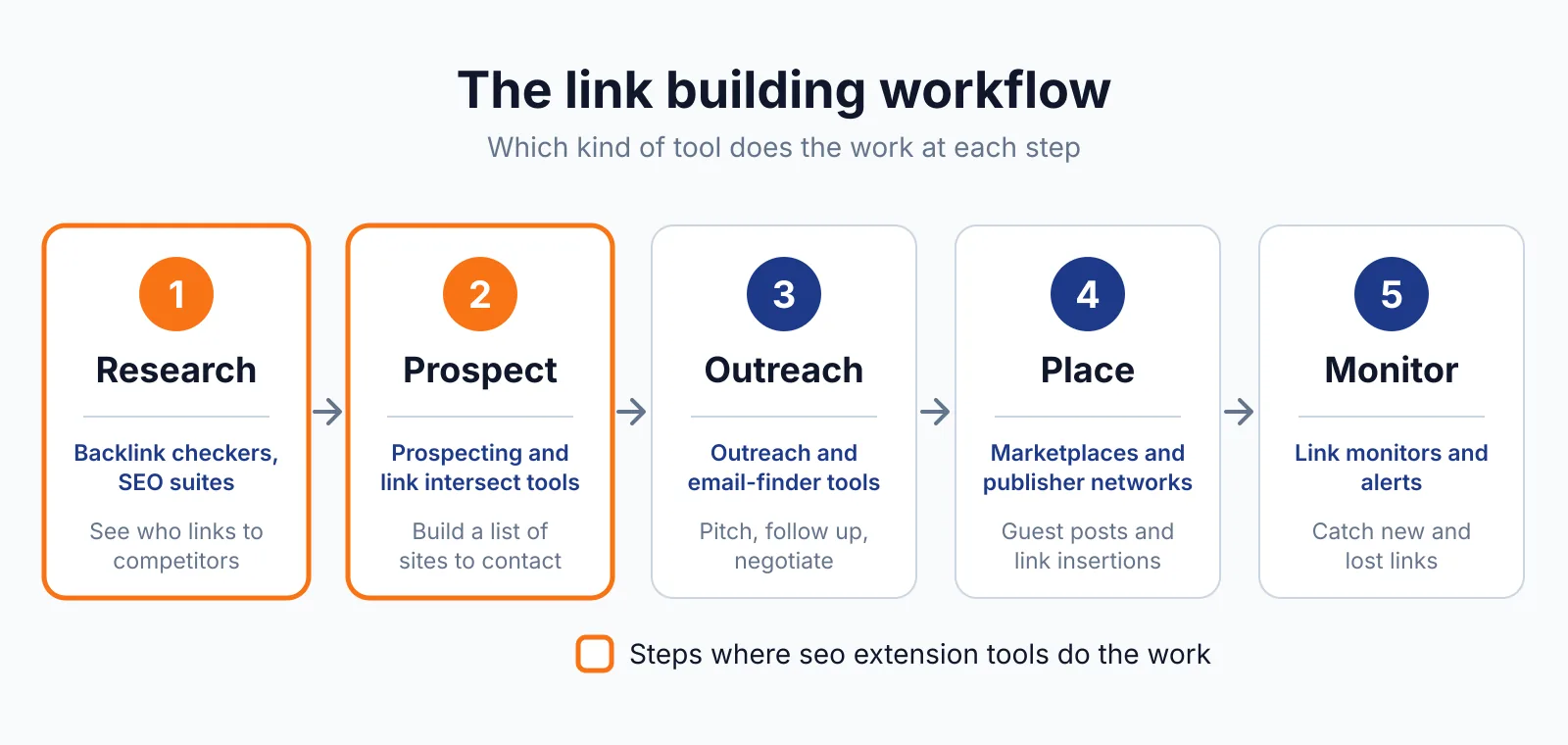
The free version downloads a CSV report, and the paid key adds Excel export. A CSV of broken links from a dozen resource pages becomes a prospect list: each dead link is a page owner to contact. At volume, the export keeps the work in a sheet instead of browser tabs, which helps with link building outreach.
It checks one page at a time, so it is not a site crawler.
Pricing
Check My Links is free, and the official product page says "Always free, no limits" for the basic feature set: all links and status codes, valid, redirect and invalid counts, iframe and shadow DOM support, Google Docs and Sheets, domain exclusions, scan speed, empty-link handling, a movable window, CSV reports and offline use.
The Advanced Features Key costs $29 one time for lifetime access and updates, outside India, with $100 crossed out and "Lowest Price Ever" on the page. In India it is INR 2,699 lifetime, with INR 9,999 crossed out and "Flat 70% Off". Enterprise pricing is by contact.
Payment is by Stripe, and the key arrives by email for the extension's Profile icon. The paid key adds section exclusions, bulk recheck, filtering by link type and status code, custom highlight colours, a drag-and-drop window, and CSV and Excel export. No free trial of the paid key is stated; the free tier is the trial in practice.
Pick it if
- You build links by finding dead links and offering replacements.
- You want a free checker that works on a single page, including Google Docs and Sheets.
- You like a one-time payment, not a monthly subscription.
Not a fit if
- You need a whole-site crawl. This extension checks one page at a time.
- You need nofollow or anchor text data. It reports status codes only.
Alternatives
| Tool | Why people switch | Pricing |
|---|---|---|
| Detailed SEO Extension | Free on-page check, nofollow labels | Check current pricing on their site |
| Dr. Link Check | Whole-site checks on a schedule | Check current pricing on their site |
| Dead Link Checker | Scheduled whole-site checks with email reports | Check current pricing on their site |
FAQ
Does Check My Links check nofollow attributes?
No. It reports HTTP status codes only, not dofollow or nofollow attributes. One third-party note says it skips links with a nofollow attribute; that claim is unconfirmed on the official pages. A paid link must carry rel="sponsored" or rel="nofollow" under Google's link spam rules. To see nofollow labels, use the Detailed SEO Extension or the NoFollow extension.
Is the $29 key really lifetime?
Yes, according to the key page. It is a one-time payment for lifetime access with lifetime updates.
Next step
Scan a few resource pages and build a short list of dead links to pitch. If you want placements handled, see our pricing or talk to us through our contact page about guest posting and link insertion.

The BacklinkPrice Team researches backlink prices, publisher sites and link building tools. We check prices and plans against each provider's own pages and date them, so you know how current the numbers are.
More from BacklinkPrice TeamRelated guides