Detailed SEO Extension: What It Does, Pricing and Alternatives
Detailed SEO Extension is a free Chrome and Firefox extension that shows a page's on-page SEO data in one click, including which links carry nofollow or sponsored labels.
Detailed SEO Extension is a free browser extension that shows a page's on-page SEO data in one click, without opening the source code. Glen Allsopp built it under Detailed.com, and it runs on Chrome and Firefox.
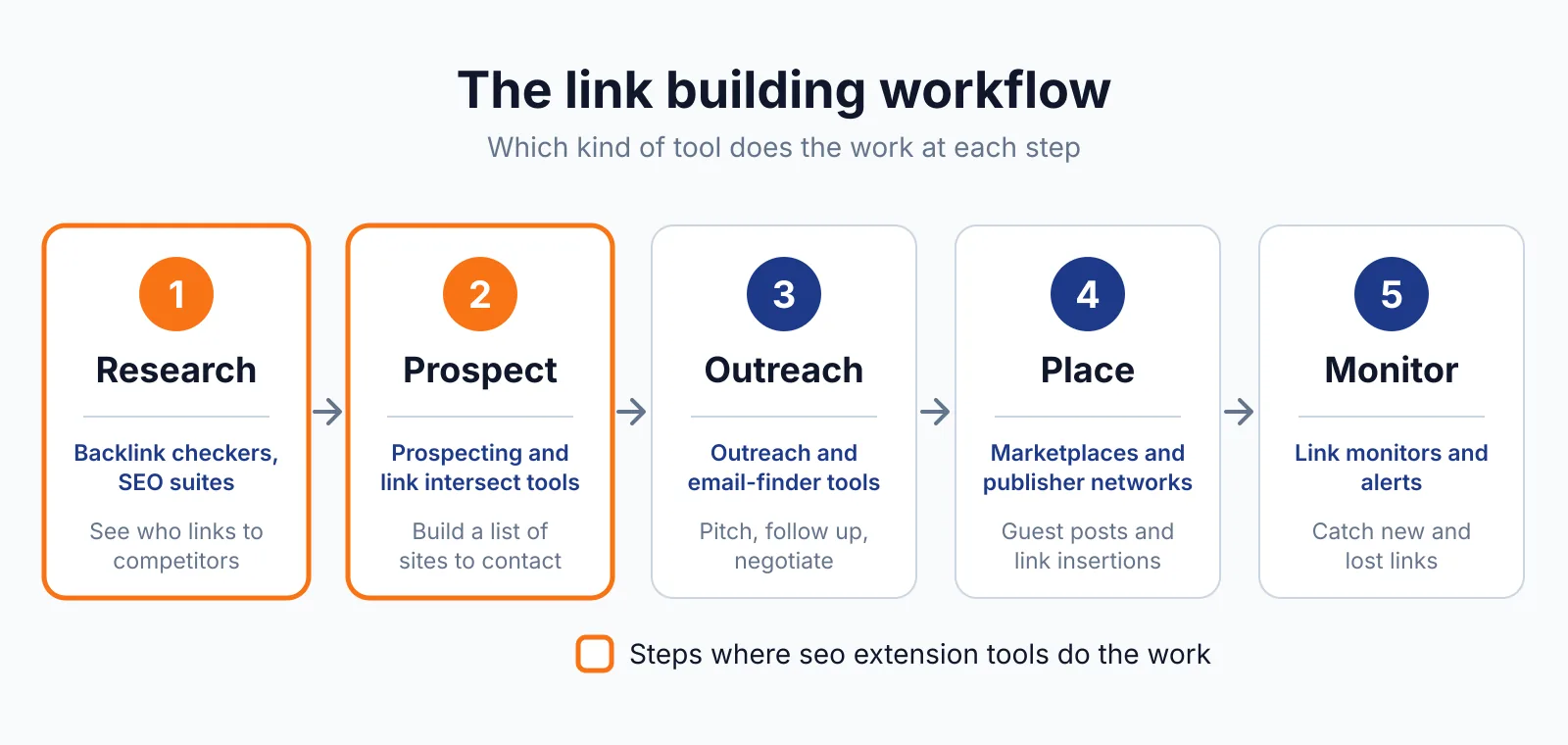
It suits link builders who vet a page before they pitch it, because it shows the tags and link attributes that decide whether a placement is worth chasing.
TL;DR
- Detailed SEO Extension costs $0 and is free forever, with no account, no upsells and no tracking, checked November 2026.
- One click shows the title tag, meta description, canonical URL, robots directives, heading outline, schema and hreflang for any page.
- The links tab shows whether links carry rel="nofollow" or rel="sponsored", and you can highlight nofollow links on the page.
Quick facts
| Fact | Detail |
|---|---|
| What it does | Shows on-page SEO data for any page in one click |
| Best for | Vetting a page before outreach or a placement |
| Starting price | $0 |
| Free option | Free forever, no account needed |
| Website | detailed.com |
| Checked | November 2026 |
What Detailed SEO Extension does
See the tags that shape a page
The extension reads the page you are on and lists its title tag, meta description, canonical URL, meta robots directives and X-Robots-Tag headers in one panel. These tags decide how Google treats the page, so check them before you ask for a link from it.
A missing canonical or a noindex directive is a warning sign you can spot in seconds. For example, a blog post with a clear title, a written meta description and a self-referencing canonical is set up to rank, which is what you want from a placement. A noindex directive in the same panel tells you to move on.
Read the heading outline in seconds
The extension builds a visual outline of every heading on the page, in order, so you can see how the content is structured at a glance. You can copy all headings to the clipboard for comparing pages.
A page with one H1 and a clear run of H2s reads well, while five H1s or no headings at all usually needs work.
Check which links are followable
The links tab lists the links on the page and shows their rel attributes, so you can see which links are marked nofollow or sponsored. You can also highlight nofollow links on the page from the right-click menu or settings, which makes a quick visual check easy.
This is the part link builders use most, because a link with rel="nofollow" passes no ranking value, and a paid link must carry rel="sponsored" or rel="nofollow" under Google's link spam rules. The extension also exports all page links, and the images tab exports all image URLs as a .csv file.
Pricing
Detailed SEO Extension costs $0. The official extension page says "100% free, with regular updates and zero tracking", "Free forever" and "No upsells. No tracking."
There is no paid tier, trial or account. Ahrefs acquired Detailed in September 2025, and the store listing now names Ahrefs as developer. Allsopp said the extension would stay free, with future premium features added on top rather than paywalled.
The opened page does not mention Ahrefs, so treat the acquisition as search-derived. The latest changelog entry is December 2024, and third-party reads put the current version at 2.2.7, shipped June 2026.
Pick it if
- You want a fast on-page check before you pitch a site.
- You need to see nofollow and sponsored labels without reading source code.
- You want a free tool with no account and no upsell.
Not a fit if
- You need backlink data, keyword volume or rank tracking. It shows on-page data only.
- You want dashboards or history. It reports on the page in front of you.
- You browse in Edge or Safari. The page names Chrome and Firefox only.
Alternatives
| Tool | Why people switch | Pricing |
|---|---|---|
| SEOquake | Free extension with SERP data and audits | Check current pricing on their site |
| MozBar | Shows page and domain authority | Check current pricing on their site |
| Ahrefs SEO Toolbar | Adds Ahrefs metrics to pages and results | Check current pricing on their site |
FAQ
Is Detailed SEO Extension really free?
Yes. The official page says it is 100 percent free, free forever, with no upsells and no tracking. There is no paid tier and no account. Ahrefs acquired Detailed in September 2025, and the extension was said to stay free.
Does it show backlink data?
No. It shows on-page data only: tags, headings, schema, hreflang and link attributes. Ahrefs metrics such as referring domains need a paid Ahrefs plan. For backlink data, use our free backlink checker.
Can it show me nofollow links on a page?
Yes. The links tab shows rel data, and you can highlight nofollow links from the right-click menu or settings. It also shows hreflang status codes and back-references.
Next step
Run a quick on-page check on your next outreach target. If you would rather have placements handled, see our pricing or talk to us through our contact page about guest posting, link insertion and digital PR.

The BacklinkPrice Team researches backlink prices, publisher sites and link building tools. We check prices and plans against each provider's own pages and date them, so you know how current the numbers are.
More from BacklinkPrice TeamRelated guides