SEOquake: What It Does, Pricing and Alternatives
SEOquake is a free browser extension from Semrush for quick page-level SEO checks without leaving the tab you are on.
SEOquake is a free browser extension from Semrush for quick page-level SEO checks without leaving your tab. Semrush released a rebuilt version on September 9, 2026, and its Chrome Web Store listing says SEOquake has helped owners and marketers audit pages and study competitors without leaving the browser since 2006.
More than a million people use it every week, per the Semrush blog.
TL;DR
- SEOquake is free and runs a 28-check on-page audit covering titles, headings, links, schema and mobile signals, checked November 2026.
- Its Links report shows anchor text, follow or nofollow status, and HTTP status for internal and external links.
- It shows page-level data only, and it is not a replacement for a full SEO platform.
Quick facts
| Fact | Detail |
|---|---|
| What it does | Quick on-page SEO checks in the browser |
| Best for | Vetting a prospect site in seconds |
| Starting price | Free, $0 |
| Free option | Whole extension is free, permanently |
| Website | seoquake.com |
| Checked | November 2026 |
What SEOquake does
Audit a page in one click
Open a page, click the extension, and Quick View gives a snapshot across Page Info, Content, Audit, Schema and Semrush tabs, while the Full Report adds panels for auditing, keyword density, links and comparisons.
The audit now runs 28 page-level checks across page, mobile, technical and social signals, covering title tags and meta descriptions, heading structure, image ALT attributes, URL structure, internal links, keyword density, HTTP status and HTTPS, canonical tags, robots and indexing directives, Schema.org markup, viewport and responsive design, Open Graph tags and Twitter Cards.
For example, a page with a missing title and a broken canonical takes seconds to spot. The rebuild removed outdated metrics such as Google Cache date, search engine index counts, Yandex IKS, meta keywords, Flash, frames and microformats.
Check how a page treats its links
The Links report separates internal and external links and shows anchor text, follow or nofollow status, and HTTP status for each, and shows how a site treats outbound links. For example, a page where every outbound link is nofollow passes no ranking value from a placement.
The report covers links found on the page itself, not backlinks pointing to the page or domain, so pair it with a backlink tool.
Keep key metrics visible while you browse
The SEObar, brought back in the rebuild, keeps selected metrics visible while you browse, at the top or bottom of supported pages, in light or dark mode. Content analysis shows heading structure, word count, frequently used terms and keyword density for 1 to 4 word phrases, and flags whether each term appears in the title or H1.
For example, a page whose top terms never appear in its title or H1 was not optimised for them. Keyword density is not a ranking formula, and there is no ideal percentage to target, per the Semrush blog. SEOquake buys, places or guarantees no links, and paid links still need rel="sponsored" or rel="nofollow" under Google's link spam policies.
Pricing
SEOquake is free, with no pricing page, no plans and no paid tier. Core reports and built-in Semrush metrics work without an account, and connecting a free Semrush account adds Authority Score, referring domains and IPs, deeper backlink analysis and Traffic Analytics.
The amount of data shown depends on your Semrush account and subscription, and deeper backlink and traffic reporting needs a paid Semrush plan. Semrush paid plans start at $139.95 a month with a 7-day free trial, per third-party reads.
The extension installs from the Chrome Web Store, and runs in other Chromium browsers such as Edge, Brave and Arc, though Chrome is the only officially supported browser. Firefox and Opera versions are not included in the relaunch.
Pick it if
- You want fast on-page checks of prospect sites.
- You want follow and nofollow status on a page's links.
- You want a free tool with no account.
Not a fit if
- You need sitewide audits.
- You need backlink data for a domain.
- You work in Firefox or Opera, which are not in this release.
Alternatives
| Tool | Why people switch | Pricing |
|---|---|---|
| Detailed SEO Extension | Another free extension for on-page checks | Check current pricing on their site |
| Check My Links | Free extension that checks page links | Check current pricing on their site |
| Semrush | Full SEO platform with site audits | Check current pricing on their site |
FAQ
Does SEOquake show backlinks?
No. It shows links found on the page itself, with anchor text, follow or nofollow status and HTTP status. For backlinks pointing to a page or domain, use a backlink tool such as Ahrefs or Majestic, or check indexing in Google Search Console.
What happened to the SERP overlay?
The rebuild launched without a SERP overlay and without on-page nofollow and noindex highlighting. Version 4.2, updated 18 September 2026, brought the SERP overlay back, and 4.3.3 from 11 November 2026 covers AI Overviews.
Next step
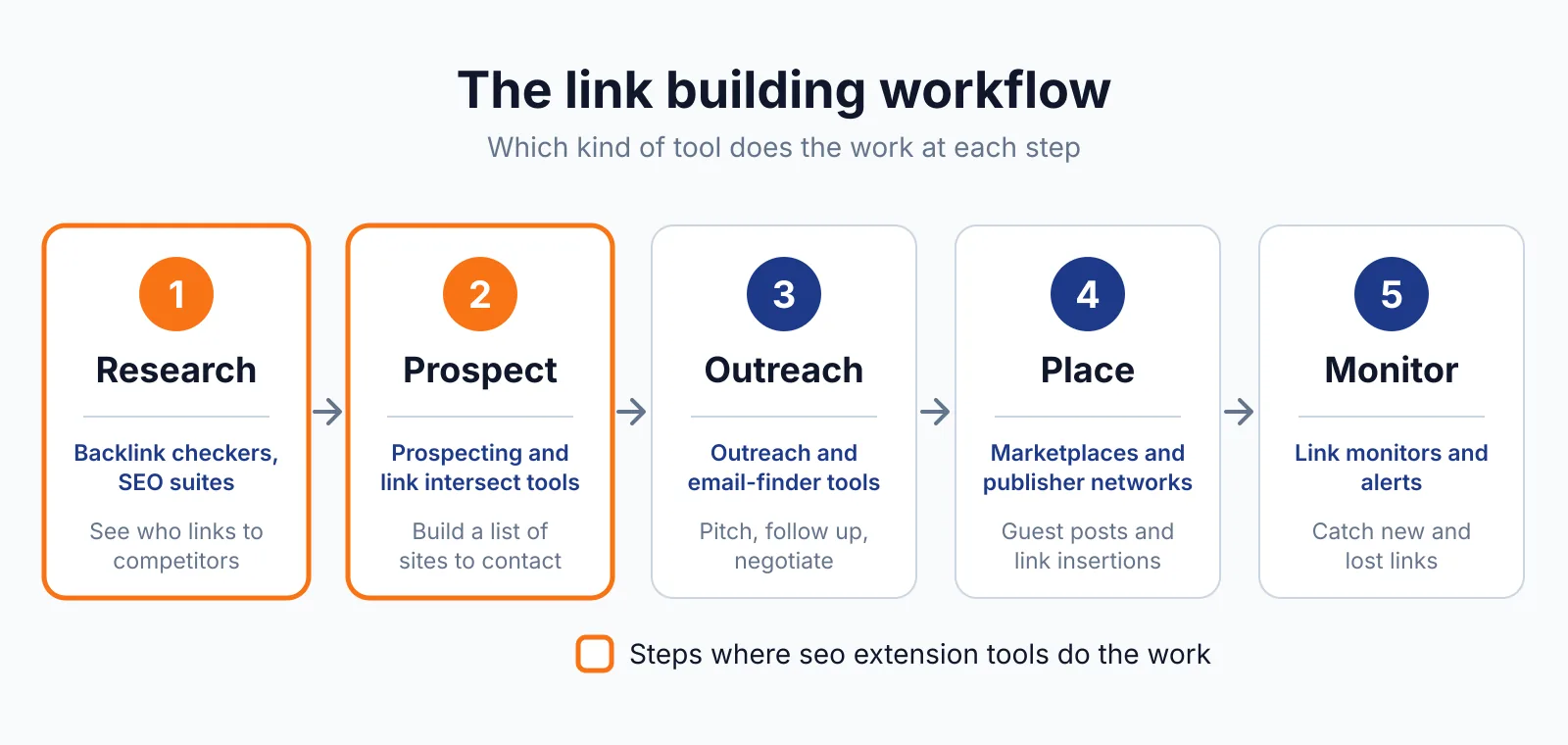
Run a quick check on a prospect site with our free backlink checker, then talk to us through our contact page about placements on sites that pass the audit.

The BacklinkPrice Team researches backlink prices, publisher sites and link building tools. We check prices and plans against each provider's own pages and date them, so you know how current the numbers are.
More from BacklinkPrice TeamRelated guides