Instant Data Scraper: What It Does, Pricing and Alternatives
Instant Data Scraper is a free Chrome extension that pulls data from a web page into Excel or CSV, with no code. Here is how it works and where it falls short.
Instant Data Scraper is a free Chrome extension that pulls data from a web page into a spreadsheet, with no code and no website-specific scripts. It uses AI to predict which data on a page is most relevant, based on the HTML structure, then saves it to Excel or CSV.
It suits anyone who needs prospect lists from directories or search results in a spreadsheet for outreach.
TL;DR
- Free Chrome extension that extracts page data to Excel or CSV, with no code.
- AI predicts the most relevant data on the page, and you can adjust the selection by hand.
- Handles pagination and infinite scroll, with no stated row limit on exports.
Quick facts
| Fact | Detail |
|---|---|
| What it does | Extracts data from a web page into Excel or CSV |
| Best for | Building prospect lists from directories and search results |
| Starting price | $0 |
| Free option | Free, no account or paid tier |
| Website | chromewebstore.google.com |
| Checked | November 2026 |
What Instant Data Scraper does
Pull a prospect list into a spreadsheet
Open any page, click the extension, and it detects the data on the page. If the prediction misses what you need, you can customise the selection until it matches. That turns a directory page or a member list into rows you can sort, filter, and mail-merge.
The use cases on the listing include lead generation, recruiters, and e-commerce pricing. For example, scrape a directory of local businesses, export the names and contact details to CSV, and load them into your outreach sheet. The scraped data does not leave the browser.
Work through pages that load more data
Many prospect sources do not show everything on one page. Instant Data Scraper supports pagination, including automatic navigation to the next page through buttons or links, and it handles infinite scroll. It also detects when dynamic data has loaded, with delay and maximum wait time you can adjust to set the crawling speed.
That matters for directories that load results as you scroll, where a plain copy and paste would miss most of the list. For example, run it on a search results page with 10 pages of listings and let it walk through each page into one export. It only extracts data the browser has already rendered in the open tab.
Tidy the data before you export
The extension shows a preview of the extracted data, with copy and paste support, and lets you rename columns and filter rows before you save. That keeps junk columns out of your outreach sheet. Exports go to Excel spreadsheet or CSV file, in XLS, XLSX, or CSV format.
For example, rename a column called text to company name, drop the rows with no email, and export a clean list. Support runs through a Facebook community group, and there is no row limit on exports.
Pricing
Instant Data Scraper is completely free. There is no paid tier, no account, and no subscription on the listing. The publisher is now Flavr Technology, LP, and the listing gives a support email and a privacy policy at flavrtech.co.
Web Robots, the company that created the extension, now states it no longer owns, develops, or supports it, so older guides calling it a Web Robots product are out of date. The version covered here is 1.10.1, updated 12 November 2026. The extension buys, places, or guarantees no links.
Any link you buy for ranking still needs rel="sponsored" or rel="nofollow" under Google's rule.
Pick it if
- You need prospect lists from directories, search results, or member pages.
- You want data in Excel or CSV with no code.
- You want a free tool with no account.
Not a fit if
- You need data from behind a login or a verification challenge.
- You need scheduled jobs that run on their own.
- You need data from pages the browser has not rendered.
Alternatives
| Tool | Why people switch | Pricing |
|---|---|---|
| Scraper | Classic XPath scraping into Google Sheets | Check current pricing on their site |
| SEO Minion | Checks on-page SEO and links in the browser | Check current pricing on their site |
| Link Grabber | Grabs every link on a page in one click | Check current pricing on their site |
FAQ
Does the scraped data leave my browser?
No. The listing states that scraped data does not leave the browser. Exports are files you save yourself, in Excel or CSV format.
Can it scrape sites that need a login?
It is not built for data behind a login or for verification-challenge-protected sites. It only extracts data the browser has already rendered in the open tab.
Who publishes Instant Data Scraper now?
Flavr Technology, LP is listed as the publisher on the Chrome Web Store, and the extension is still being updated. Web Robots, the company that created it, now states it no longer owns, develops, or supports it.
Next step
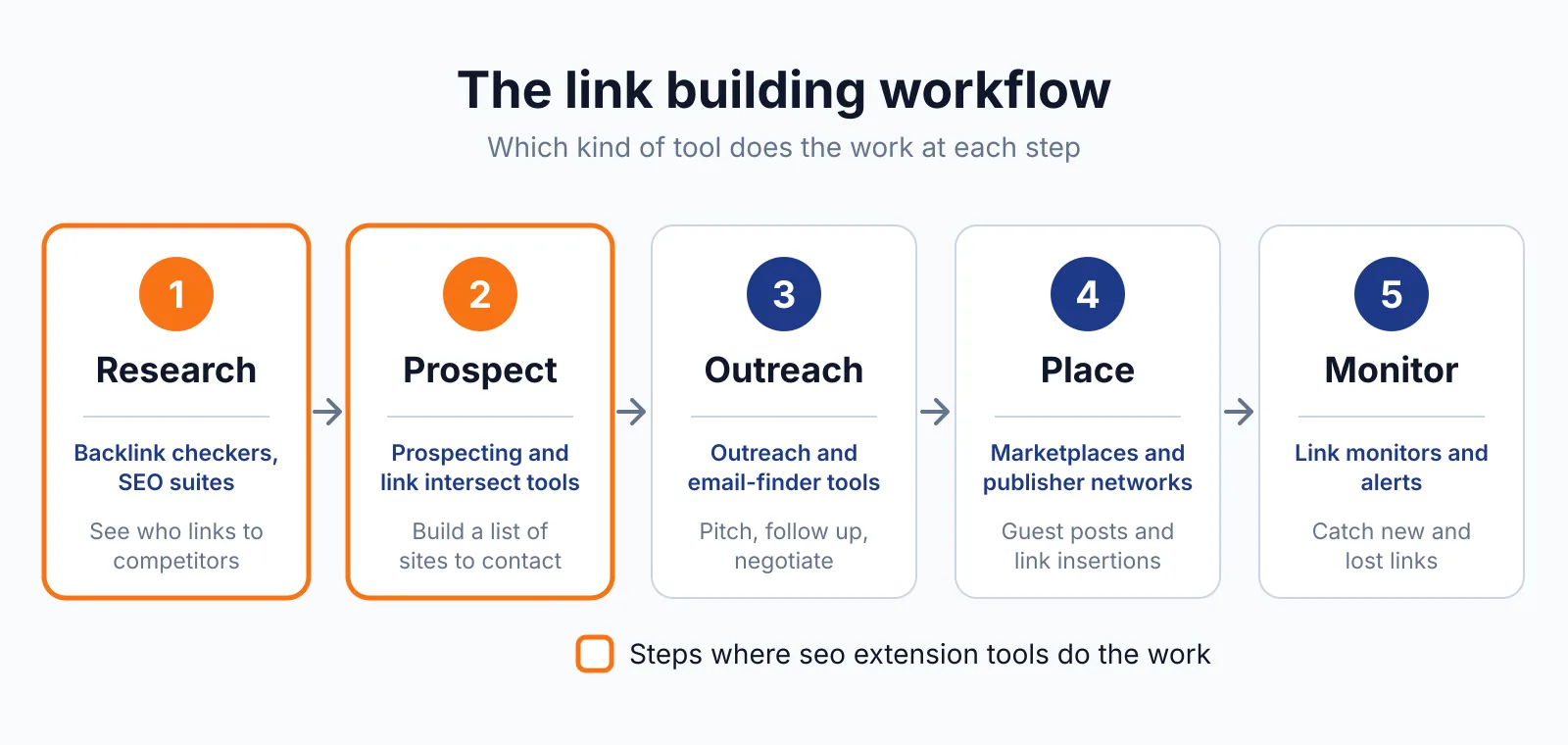
Pull your next prospect list into a spreadsheet, check the sites with our free backlink checker, then talk to us through our contact page about guest posting, link insertion, and white-label link building.

The BacklinkPrice Team researches backlink prices, publisher sites and link building tools. We check prices and plans against each provider's own pages and date them, so you know how current the numbers are.
More from BacklinkPrice TeamRelated guides