Scraper: What It Does, Pricing and Alternatives
Scraper was a classic Chrome extension that pulled table data from a page with XPath, but its store listing no longer loads and it is described as unmaintained.
Scraper is a classic Chrome extension that pulled table data from a page with XPath, and its store listing no longer loads. Data journalists used it to turn a table on a web page into a spreadsheet, and it still appears in university guides.
This article covers what it did, why you cannot verify it as a live product today, and what to use instead.
TL;DR
- Classic XPath tool by Michael B. that built selectors from a table row and exported to Google Sheets.
- Its store listing returns no content in this session, and it is described as not maintained.
- The name Scraper in the store now belongs to an unrelated RSS reader.
Quick facts
| Fact | Detail |
|---|---|
| What it does | Pulled table data from a page into Google Sheets with XPath |
| Best for | Scraping a single table into a spreadsheet, when it worked |
| Starting price | $0, was free |
| Free option | Was free, no paid tier |
| Website | chromewebstore.google.com |
| Checked | November 2026 |
What Scraper does
Pull table data with XPath
Select a row of a table, right-click, and choose Scrape similar, and the extension built an XPath selector for that row plus one per column. For a table body, that looked like //tbody/tr[td] with columns as [1], [2], and so on. You could also write custom XPath queries for less structured data.
The results exported to Google Sheets, turning a page of names, dates, or figures into rows you could sort and filter. For example, university guides used it to pull lists of MPs or faculty members into a spreadsheet. It scraped a single page only, at a single point in time, and frames were not supported.
Check whether it still works
Its own store page returned no listing content in this session: no overview, no version, and no install button. Chrome-Stats describes it as not maintained, outdated, and liable to stop working with Chrome updates. One reviewer on that page states the extension no longer works and points to a free replacement called Scrape Similar.
Chrome-Stats does not carry a removed-from-the-store banner for it, so this article does not claim a removal date. The honest read is that the tool is effectively gone: you cannot install it from a listing that does not load.
Find the same workflow elsewhere
If you want the same Scrape similar workflow, the reviewer points to Scrape Similar, a free replacement in the store. Instant Data Scraper is another free option that pulls page data into Excel or CSV with no code.
Be careful with the name in the store: the extension now listed as Scraper is an RSS and Atom feed reader, a different tool for finding feed addresses and keyword notifications. Its privacy policy sits on a different site entirely. Do not take its features for the classic tool, and do not expect the classic tool from it.
Pricing
There is no price to list. The classic tool was free, and no pricing page exists for it. That is all the listing history gives us, because the store page no longer loads.
The extension buys, places, or guarantees no links. Any link you buy for ranking still needs rel="sponsored" or rel="nofollow" under Google's rule. If you later find a harmful link pointing at your own site, Google's disavow tool is the route for that, and it is meant only for links that are genuinely spammy.
Pick it if
- You already have it installed and it still works on your pages.
- You only need single-page table scrapes into Google Sheets.
Not a fit if
- You need a tool you can install today.
- You need scheduled scraping or multi-page crawls.
- You need support or updates when Chrome changes.
Alternatives
| Tool | Why people switch | Pricing |
|---|---|---|
| Instant Data Scraper | Free page scraping into Excel or CSV, still updated | Check current pricing on their site |
| SEO Minion | Checks on-page SEO and links in the browser | Check current pricing on their site |
| Scrape Similar | Free replacement named by a reviewer | Check current pricing on their site |
FAQ
Was Scraper removed from the Chrome Web Store?
That cannot be stated as fact. Its listing returns no content in this session, and Chrome-Stats describes it as not maintained. The page carries no removed-from-the-store banner. The safe read is that it is unmaintained and effectively gone.
What replaced it?
A reviewer points to Scrape Similar, a free extension in the store. Instant Data Scraper covers the same job with a maintained, free tool that exports to Excel or CSV.
Can I still use it if I have it installed?
A reviewer reports that it no longer works. Unmaintained extensions can break with Chrome updates, so a copy that works today may stop working after the next browser update.
Next step
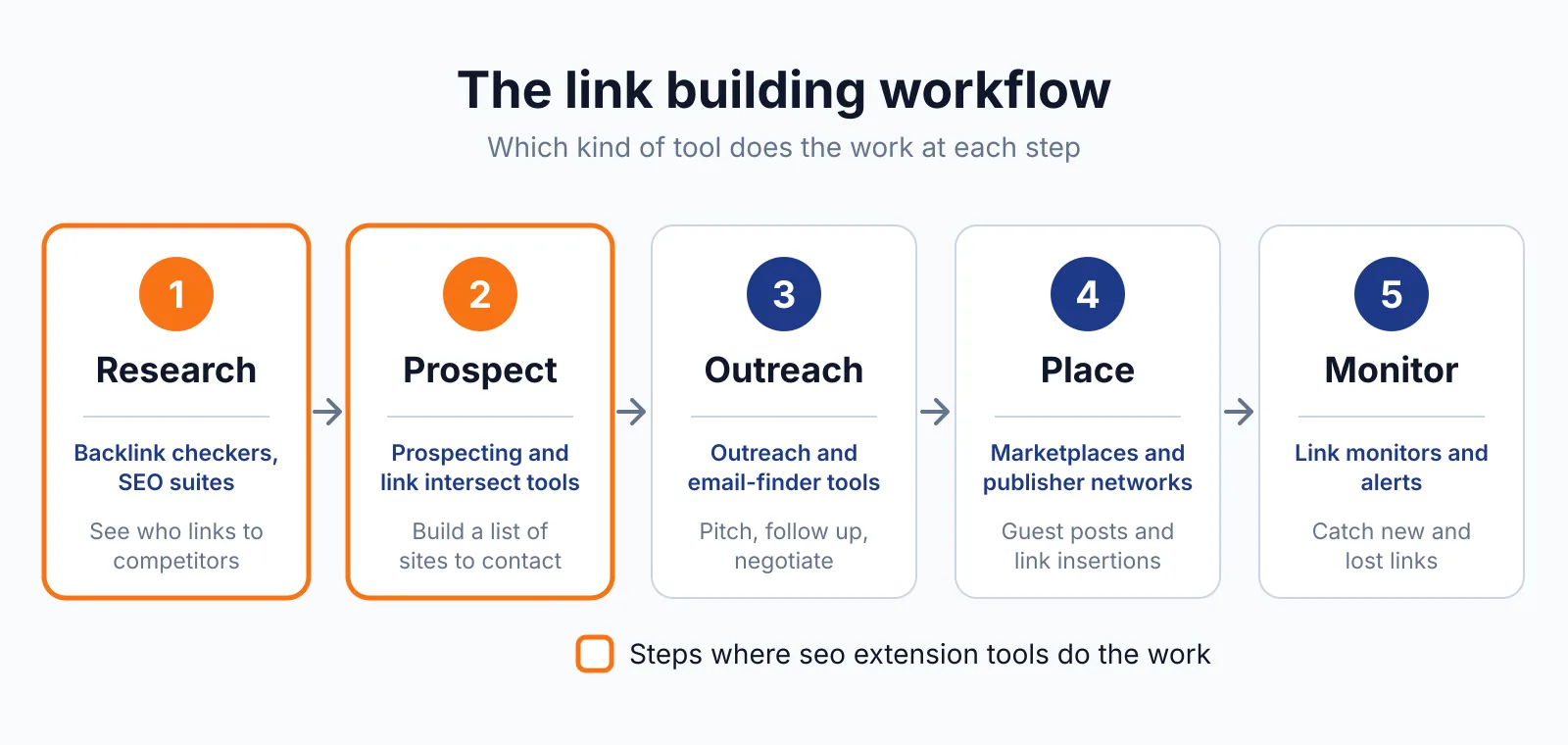
Use a maintained scraper for your next prospect list, check the sites with our free backlink checker, then talk to us through our contact page about link building outreach.

The BacklinkPrice Team researches backlink prices, publisher sites and link building tools. We check prices and plans against each provider's own pages and date them, so you know how current the numbers are.
More from BacklinkPrice TeamRelated guides