Web Developer: What It Does, Pricing and Alternatives
Web Developer is a free browser extension by Chris Pederick that adds a toolbar of page-inspection tools to Chrome, Firefox and Opera. It shows how a page is built, not how it ranks.
Web Developer is a free browser extension by Chris Pederick that adds web developer tools to Chrome, Firefox and Opera. It runs anywhere those browsers run, including Windows, macOS and Linux. It is a page-inspection tool, not an SEO suite, for anyone who wants to see how a page is built before pitching it.
TL;DR
- Free forever, with no paid tier, account or trial, and it works on any page.
- Ten tool groups cover disabling CSS, JavaScript and images, outlining elements, checking images, cookies, resizing the window and linking to validators.
- It shows no backlink, keyword or rank data, and it buys, places or guarantees no links.
Quick facts
| Fact | Detail |
|---|---|
| What it does | Adds page-inspection tools to the browser |
| Best for | SEOs who check how a page is built |
| Starting price | $0 |
| Free option | Free forever, no account |
| Website | chrispederick.com |
| Checked | November 2026 |
What Web Developer does
See how a page is built
Open any page, click the toolbar icon and pick a tool. The Disable group turns off CSS, JavaScript, images, cookies and the cache, so you can see the page with each layer removed. The Outline group draws boxes around block-level elements, headings, tables and cells, which makes a messy layout easy to read.
View Source shows the raw code, and the Information group reports page size. These tools answer one question: what is this page made of?
Find image and markup problems
Broken images and missing alt text are easy to miss. The Images group shows the path and size of every image, hides images so you can test the layout without them, finds broken images and outlines images with no alt attribute.
The Tools group sends the current page to the W3C HTML and CSS validators, so you can check the markup without copying code by hand. It also links out to feed and accessibility validators. Validation happens outside the extension, and one click to the validator saves the copy and paste step.
Check cookies, links and layout
The extension covers parts of a page that a visual check skips. You can view and edit cookies, which helps when a page behaves differently logged out. The Resize group sets the browser window to preset or custom sizes and shows the current size, so you can test a layout at common widths without dragging the window by hand.
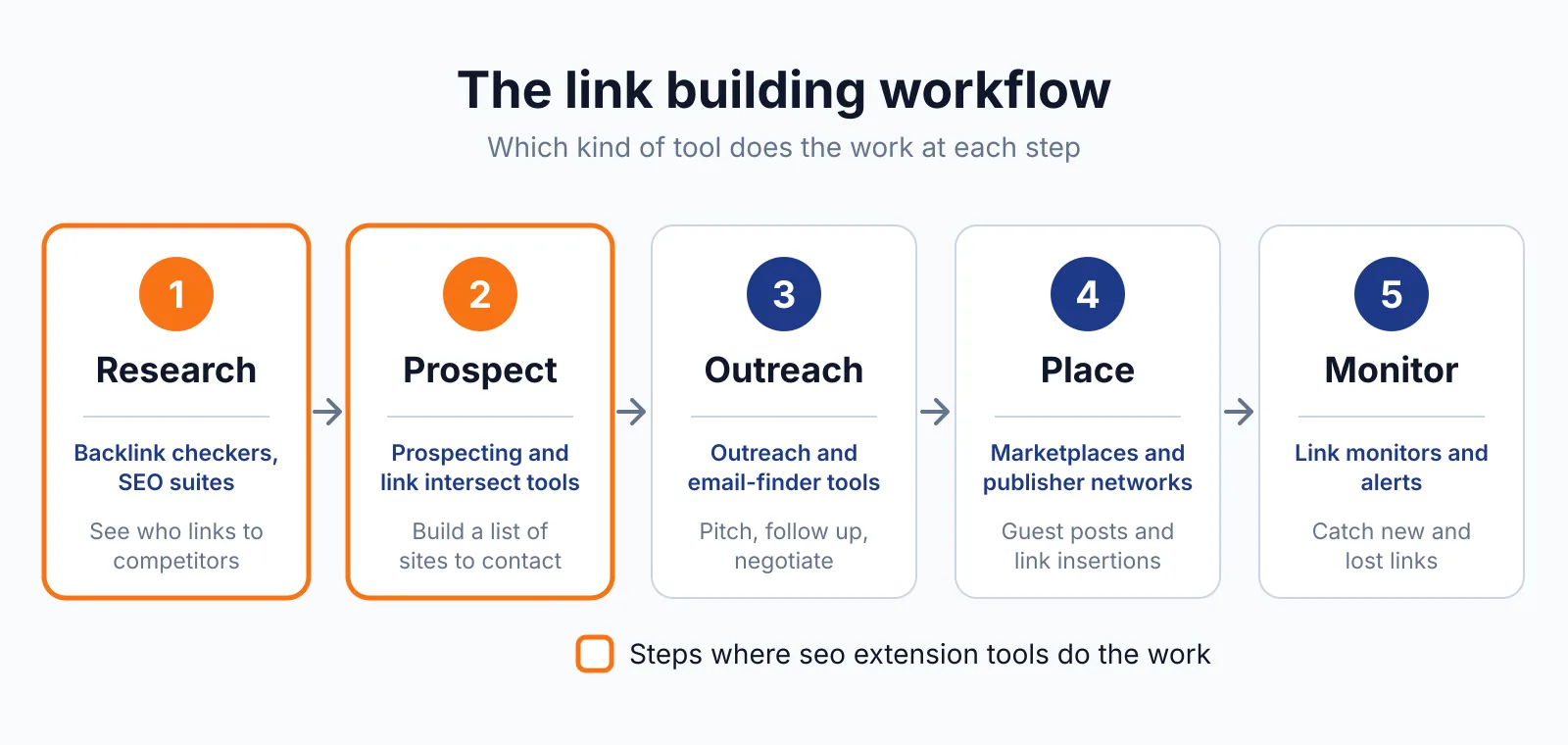
The Outline group can outline links with no title attribute, the one link check the extension offers. It does not report link status, anchor text or follow and nofollow labels. For that you need a link checker, and we cover Check My Links elsewhere on this site.
It is a handy first look before pitching a guest post on a new site.
Pricing
Web Developer costs nothing. There is no paid tier, no account and no trial, and the official page lists no price. One thing to know: the official page is thin and stale.
It lists the Chrome build as version 0.5.5 from 25 August 2023, the Firefox build as 2.0.5 from 12 January 2020 and the Opera build as 0.2.2 from 15 February 2017. The Chrome Web Store listing shows version 3.0.1 and around 1 million users, so the store listing is the better source.
If you want placements checked end to end, our link building outreach service covers it. Checked November 2026.
Pick it if
- You inspect pages by hand and want build, images and cookies in one toolbar.
- You want a free tool with no account and no upsell.
- You check layouts at window sizes.
Not a fit if
- You need backlink data, keyword data or rank tracking.
- You need a full site crawl rather than one page at a time.
- You need current version numbers from the official page.
Alternatives
| Tool | Why people switch | Pricing |
|---|---|---|
| Detailed SEO Extension | Shows on-page SEO data and nofollow labels | Check current pricing on their site |
| SEOquake | Adds a 28-check audit and links report | Check current pricing on their site |
| Check My Links | Scans every link on a page for breaks | Check current pricing on their site |
FAQ
Is Web Developer free?
Yes. It costs nothing, with no paid tier, no account and no trial. You install it from the browser store, and it works on any page you open.
Does Web Developer check backlinks?
No. It inspects the page you are on, and it shows no data about links pointing to that page. For backlink data, use our free backlink checker or LinkMiner, and paid links need a sponsored or nofollow label under Google's link spam rules.
Which browsers does it support?
Chrome, Firefox and Opera, on Windows, macOS and Linux. The official page lists older builds for Firefox and Opera, so check the store listing for the current version before you install. The Detailed SEO Extension is a newer free alternative with the same one-click panel.
Next step
Check what a placement should cost with our price checker, then talk to us through our contact page about getting the link placed.

The BacklinkPrice Team researches backlink prices, publisher sites and link building tools. We check prices and plans against each provider's own pages and date them, so you know how current the numbers are.
More from BacklinkPrice TeamRelated guides