What Is LinkResearchTools Link Detox? Features, Pricing and How It Helps Link Building
Link Detox is the toxic-link audit module inside LinkResearchTools. It scores every link for risk, then builds and manages your disavow file.
LinkResearchTools Link Detox is the toxic backlink audit and link risk module inside LinkResearchTools, a Vienna-based link audit platform that has been public since 2009. It scores every link pointing to your site for risk, then builds and manages the disavow file you send to Google.
It fits SEOs and agencies dealing with a penalty, a manual action or a profile full of links they cannot vouch for.
TL;DR
- Link Detox scores each link with a DTOXRISK score, and a domain score above 1000 usually means a penalty or Penguin filter is holding the site back.
- It builds and maintains your disavow file in Google's exact format, with version history and comments.
- Prices start at $599 a month for the Superhero Small plan, with a $17 seven-day trial that does not allow data export.
- It audits and disavows links. It does not buy, place or monitor links for you.
Quick facts
| Fact | Detail |
|---|---|
| What it does | Audits toxic backlinks and manages disavow files |
| Best for | Penalty recovery and large-scale link risk audits |
| Starting price | $599 per month |
| Free option | $17 for a 7-day trial; no free plan |
| Website | linkresearchtools.com |
| Checked | November 2026 |
What LinkResearchTools Link Detox does for link building
Score every link for risk before you act
Link Detox combines link data from more than 25 sources, cleans it, re-crawls and verifies every link, and scores each one on more than 150 metrics. Its Link Detox Genesis algorithm is a machine learning model that aims to mimic how Google looks for risky links, trained on Google spam data and thousands of past penalties.
Each link gets a DTOXRISK score, and a domain score above 1000 usually means a penalty or Google Penguin filter is holding the site back.
For example, a site that bought directory links for years can run the audit and see which links score high and what the domain total looks like, instead of guessing from a spreadsheet.
One limit is that the score is a model, not a Google verdict, so check the page yourself before you disavow a link.
Decide link by link what stays and what goes
You decide per link whether to disavow, delete or keep it, and Link Detox Screener gives you a keyboard-driven review with a live preview.
For example, you can work through 500 links in a session, mark each one, and see the page it sits on without opening a new tab each time.
One limit is that the review is still manual work. The tool speeds it up, it does not judge for you.
Keep one disavow file under control
Link Detox creates and maintains your disavow file centrally, imports an existing file, auto-generates it in Google's exact format, and keeps version history with comments supported. A disavow file is a text file you upload to Google that asks it to ignore specific links, and a file with no history is easy to break.
For example, if a teammate disavows a link by mistake, the version history shows who changed what, so you can undo that one change instead of rebuilding the file.
One limit is that the disavow file only tells Google to ignore links. It does not remove the links from the web.
Speed up recovery after a penalty
Link Detox Boost aims to speed up Google noticing your disavow file, with the vendor claiming recovery as fast as 3 days, against up to 9 months without it. Disavow File Audit reviews links you already disavowed, so you can undo mistakes, and the Link Simulator vets a new link before you build it.
For example, a site hit by a manual action can clean its file, run Boost, and watch Search Console for the action to lift, instead of waiting months to learn whether the file worked.
One limit is that Boost is a vendor claim, not a promise. Google decides when to process a disavow file.
LinkResearchTools Link Detox pricing
Prices run from $599 to $2,499 a month for the Complete LinkResearchTools plans, with Enterprise pricing bespoke. The plan table did not render in a direct open in November 2026, so the figures below come from a read of the official pricing page on 9 October 2026, and you should confirm them on linkresearchtools.com before you buy.
| Plan | Monthly price | Annual price | Link Crawl Budget |
|---|---|---|---|
| Superhero Small | $599 | $5,799 per year | 1 million per month |
| Superhero Standard | $999 | $9,499 per year | 6 million per month |
| Superhero Plus | $2,499 | $23,999 per year | 18 million per month |
| Enterprise | Bespoke | Bespoke | Custom |
A worked example: Superhero Small costs $599 a month, or $5,799 a year, which saves $1,389 against monthly billing. Standard at $999 a month gives six times the crawl budget, which suits a team auditing several client profiles at once.
Two points need care. The vendor also lists a standalone Link Detox Tool Basic plan at €199 per user per month on G2, a separate DTOX-only listing. The $17 trial does not allow data export and does not include Link Detox Boost. Unused crawl budget resets each billing period, while annual plans get the full year's budget up front.
Where LinkResearchTools Link Detox fits in a link building workflow
- Audit your profile with Link Detox to find the toxic links and score the domain.
- Try to remove the worst links by asking site owners, then disavow the rest through the managed file.
- Vet new prospects with the Link Simulator before you build them, so you do not add fresh risk.
- Build clean replacements through our guest posting service or link insertion service.
- Re-run the audit after a few months to check the domain score, confirm new links with our free backlink checker, and catch new toxic links.
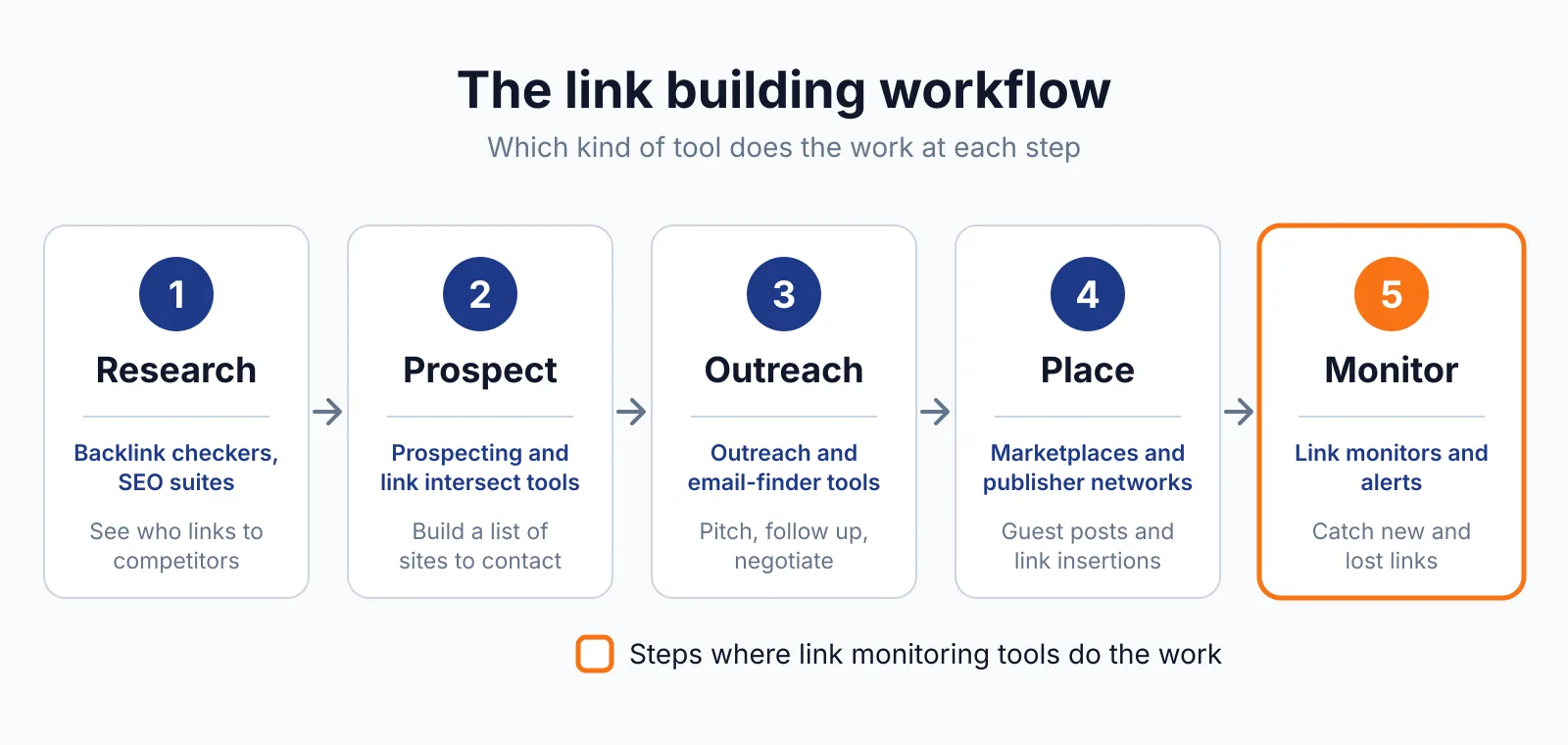
It does not cover prospecting, outreach or monitoring. It finds risk and manages the disavow file, so pair it with LinkChecker.PRO for daily checks on live placements.
Pick LinkResearchTools Link Detox if
- You are recovering from a penalty or a manual action.
- You want one disavow file that a team can edit without breaking it.
Not a fit if
- Your budget is under $599 a month.
- You want a simple monitor with alerts rather than a full audit platform.
Alternatives
| Tool | Why people switch | Pricing |
|---|---|---|
| SEO SpyGlass | Desktop audit with penalty risk scoring and a one-click disavow file | Check current pricing on their site |
| Monitor Backlinks | Ongoing monitoring with alerts instead of a deep audit | Check current pricing on their site |
| Ahrefs | A large link index with site audit and prospecting in one suite | Check current pricing on their site |
| Google Disavow Tool | Free, direct way to upload a disavow file to Google | Check current pricing on their site |
FAQ
What is a DTOXRISK score?
It is Link Detox's risk score for a single link or a whole domain, built from more than 150 metrics. A domain score above 1000 usually means a penalty or Penguin filter is holding the site back.
Does Link Detox buy or place links?
No. It audits and disavows links and does not buy or place links. Any link bought for ranking still needs rel="sponsored" or rel="nofollow" under Google's spam policies.
Can a disavow file hurt my rankings?
Yes, and the vendor says so on its own pricing page. Disavowing good links by mistake can cost you rankings, so review each link and keep the version history so you can undo a bad change.
Does the $17 trial include everything?
No. The seven-day trial costs $17, then $599 for Superhero Small, and it does not allow data export and does not include Link Detox Boost.
Next step
If your profile carries real risk, start with the $17 trial and audit one domain before you commit. For clean replacements, see our link building outreach service or contact us.

The BacklinkPrice Team researches backlink prices, publisher sites and link building tools. We check prices and plans against each provider's own pages and date them, so you know how current the numbers are.
More from BacklinkPrice TeamRelated guides