Does GitHub Give Backlinks? Dofollow or Nofollow
GitHub profile and README links are nofollow, and the only followed route is GitHub Pages, where you publish your own HTML and GitHub adds no rel attribute.
GitHub profile and README links are nofollow. We checked the rel attribute on a live repo page and found every external link in the README carries rel="nofollow", and the only followed route is GitHub Pages, where you publish your own HTML and GitHub adds no rel attribute.
GitHub is a code-hosting and collaboration platform owned by Microsoft, where developers host repositories, track issues, review pull requests and run CI/CD with Actions. It is a strong place to show your work, but it is not a link source in the way many lists suggest.
TL;DR
- Every external link on github.com carries rel="nofollow", including profile links, README links, issues, pull requests, discussions, wikis and gists.
- GitHub Pages is the one exception. A site on username.github.io serves your own HTML, and GitHub does not run those outbound links through the same sanitiser, so they carry no rel attribute.
- Publishing is free. The free plan costs $0, Team is $4 per user a month and Enterprise is $21 per user a month, checked November 2026.
How much SEO value it really has
A nofollow link from GitHub passes no link equity, so a profile or README link will not lift your rankings on its own. That does not make it worthless.
A GitHub profile with real repositories, a clear README and a link to your site tells a human visitor that you build things, and that trust is what turns a click into a customer, a hire or a contributor.
Google also uses nofollow links as hints when it crawls the web, so the link can help Google find your site, even though it passes no equity.
The followed route, GitHub Pages, is a different story, but it comes with a limit of its own. A Pages site is your own HTML, so the links you put in it are followed, yet the link still comes from a page you control.
Search engines give less weight to links you place yourself than to links other people choose to give you, and GitHub's own docs say Pages is not meant to host an online business. The honest value of GitHub is discovery and credibility: people find your code, read your README and follow the link because they want to see more.
Our backlink checker can confirm which of your links carry nofollow and which do not.
How to get a link from GitHub
- Create a free account on GitHub. The free plan costs $0 and includes unlimited public and private repositories, 2,000 CI/CD minutes a month and 500 MB of Packages storage.
- Create a public repository named the same as your username and add a profile README. That README is what visitors see on your profile page.
- Add your website link to the profile field and to the README. Both will be nofollow, so write them for humans, not for search engines.
- Publish real work. A repository with code, a clear description and a README that explains what the project does will earn stars, forks and links from other people, and those links are the ones that carry weight.
- If you want a followed link, publish a site with GitHub Pages from a repository. The site serves your own HTML, and outbound links on it carry no rel attribute. Keep the site honest: a docs site or project page fits, while a thin page built only to host links does not.
Where the link appears
Your website link appears in the profile field at the top of your profile page, and again in your profile README, which is the repository named after your username. Repository READMEs show the same treatment: on the live repo page we checked, every external link in the README carried rel="nofollow", including links to kernel.org, lore.kernel.org and bugzilla.kernel.org.
The same rule covers issues, pull requests, discussions, wikis and gists, because GitHub applies it through its HTML sanitiser across the whole platform, and no repository setting turns it off. On GitHub Pages, the link appears wherever you put it in your own HTML, on username.github.io or on a custom domain you point at Pages.
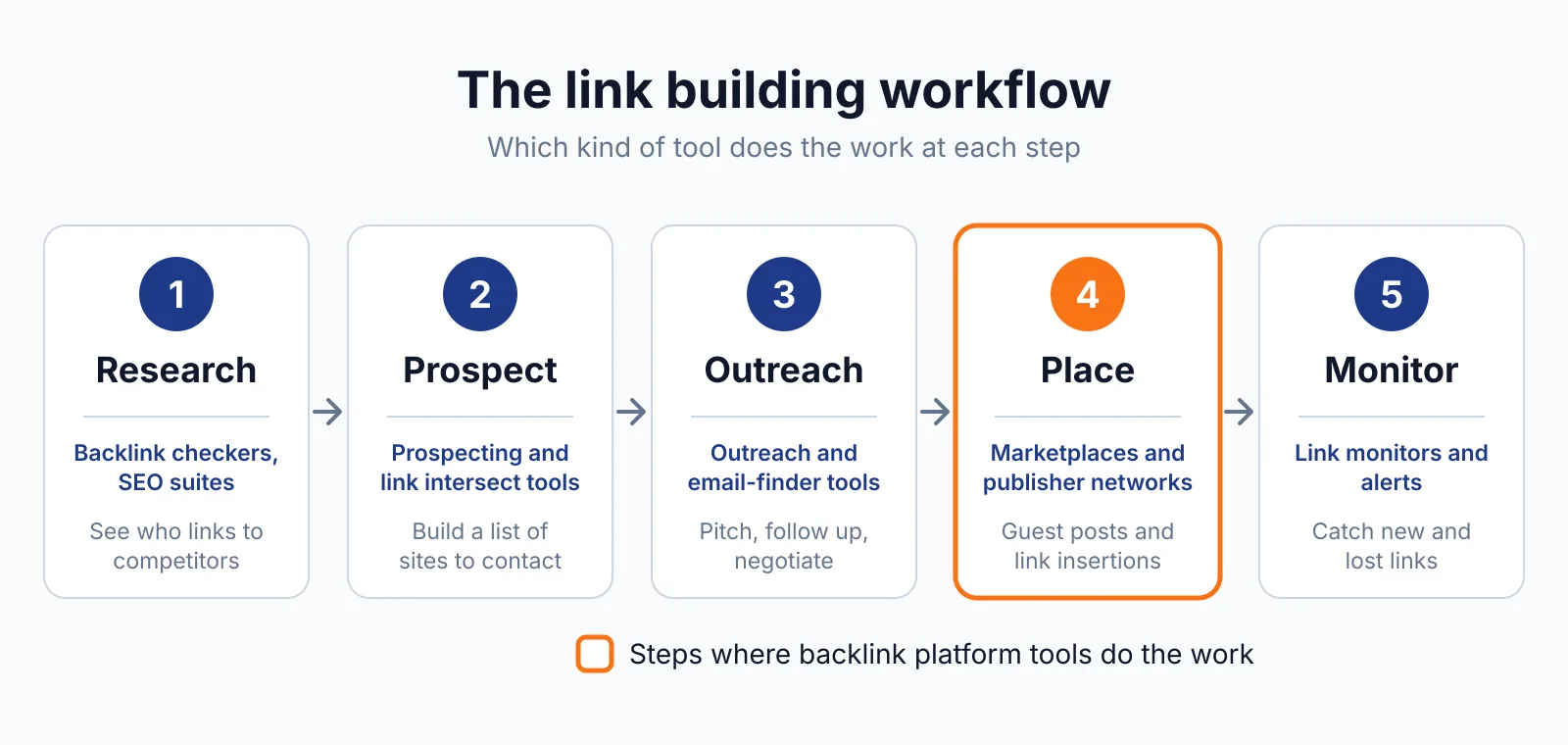
Our link insertion service places links in existing content where the terms are agreed up front, which is a different route from a profile link.
Spam risk and rules
GitHub is a low-risk place to link from, as long as you use it as it is meant to be used. A profile link and a README link are normal parts of a developer profile, and nobody will penalise you for having them.
The risk starts when you create repositories, gists or issues only to host links, or when you spam other people's repositories with links to your site. That is link spam in Google's eyes, and Google treats links bought or built for ranking as spam unless they carry rel="sponsored" or rel="nofollow", as its spam policies explain.
GitHub already marks these links nofollow, so the rule is satisfied on the platform side, but a pattern of spammy repositories can still hurt your reputation with the people you want to reach. Keep the work real and the links few. We cover the other community platforms in this batch too, including Hacker News and Substack.
A community link from Hacker News works the other way round: new stories start nofollow and turn followed once they earn points. A link in a Substack post carries no rel attribute in most live checks, so it is followed.
FAQ
Does a GitHub profile link help my site rank?
Not directly. The profile link is nofollow, so it passes no link equity. It can help Google find your site and it can send visitors who trust your work, but it will not lift a ranking on its own. Rankings come from links other people choose to give you.
Can I turn off nofollow on my README?
No. GitHub applies rel="nofollow" through its HTML sanitiser across READMEs, About fields, issues, pull requests, discussions, wikis and gists, and no repository setting turns it off. The only followed route is GitHub Pages, where you publish your own HTML.
Is GitHub Pages good for link building?
It is a real site you control, so the links on it are followed, but they still come from your own pages. Use Pages for project docs or a project site that people actually visit, and treat any link on it as a normal part of that site, not as a placement to buy or sell.
Next step
Build something worth linking to, put it on GitHub, and let the profile link do its job for humans. See our pricing for link building where placements are checked, or contact us if you want help earning links from other sites too. Our SaaS link building service covers outreach for software and developer tools.

The BacklinkPrice Team researches backlink prices, publisher sites and link building tools. We check prices and plans against each provider's own pages and date them, so you know how current the numbers are.
More from BacklinkPrice TeamRelated guides