Does Substack Give Backlinks? Dofollow or Nofollow
Substack post links carry no rel attribute, so they are followed, though one recent check reports rel="nofollow ugc" instead, so re-check your own link after you publish.
Substack gives a followed link, with one honest caveat. We checked the rel attribute on live posts and found outbound links carry no rel attribute, so they are followed, but our own direct fetch could not confirm this because Substack renders post content with JavaScript, and one recent check reports rel="nofollow ugc" instead.
Substack is a publishing platform where writers run subscription publications, with long-form posts delivered by email and on the web, plus Notes, Chat, podcasts and live video. Writers own their mailing list and subscriber payments. Publishing is free, and the link in your own post is the one followed route in this group.
TL;DR
- Outbound links in Substack posts carry no rel attribute, so they are followed, based on four independent live checks from August to October 2026.
- One recent check, wolfstone.digital, reports rel="nofollow ugc" on all outbound links instead, so the answer is not fully settled. Re-check your own link after you publish.
- Publishing is free, with no subscriber limit. The only cost is a 10% share of paid subscription revenue, plus Stripe card fees, checked November 2026.
How much SEO value it really has
A followed link from a Substack post is real, but it is a link you placed yourself, so it counts for less than a link someone else chose to give you. That is the first limit, and it applies to every self-published link.
The second limit is the conflict above: four live checks found no rel attribute on post links, while one recent check found rel="nofollow ugc", so you should not plan a campaign on the assumption that the link will always be followed. Check the link on your own published post before you count it.
There is still real value here, and it is not only the link. A Substack publication builds an audience that reads by email, and email readers click more than search visitors do.
A post that gets recommended by other publications also creates an indexed, crawlable link on the recommending publication's public page, which is a link from someone else, not from you. And a link on a custom-domain Substack passes equity from that custom domain instead of from substack.com, so the domain behind the link is yours.
Use Substack for the audience first, and treat the followed link as a bonus that may or may not hold. Our backlink checker can confirm whether your published link carries a rel attribute or not.
How to get a link from Substack
- Create a free account on Substack. Publishing is free, no matter how many subscribers you have, with no monthly fee and no subscriber-count tier.
- Create a publication on a name.substack.com subdomain, or point a custom domain at it. A custom domain costs a one-time $50, and links on it pass equity from your own domain.
- Write a post and add your link where it helps the reader. Links in posts and in Notes carry no rel attribute in the live checks we cite, so they are followed.
- Publish the post and check the link yourself. Open the published post, view the page source and look for a rel attribute on your link. If you see rel="nofollow ugc", the tag has changed, and you should not count the link as followed.
- Turn on recommendations and paid subscriptions only when you are ready. Paid subscriptions cost you 10% of each payment to Substack, plus Stripe card processing at 2.9% plus $0.30 per US card payment, and Stripe Billing at 0.7% on recurring payments. Minimum prices for paid plans on US-dollar Stripe accounts are $5 a month and $30 a year.
Where the link appears
The link appears in the body of your post, on the web version and in the email your subscribers receive, and in Notes, the short-form feed. Links in posts and Notes are the ones the live checks found with no rel attribute: one check of a live post found 51 external links, none carrying a rel attribute.
Recommendations between publications also create links, since each recommendation puts an indexed, crawlable link on the recommending publication's public page. Those links point at your publication, and they come from another writer, which is the stronger kind.
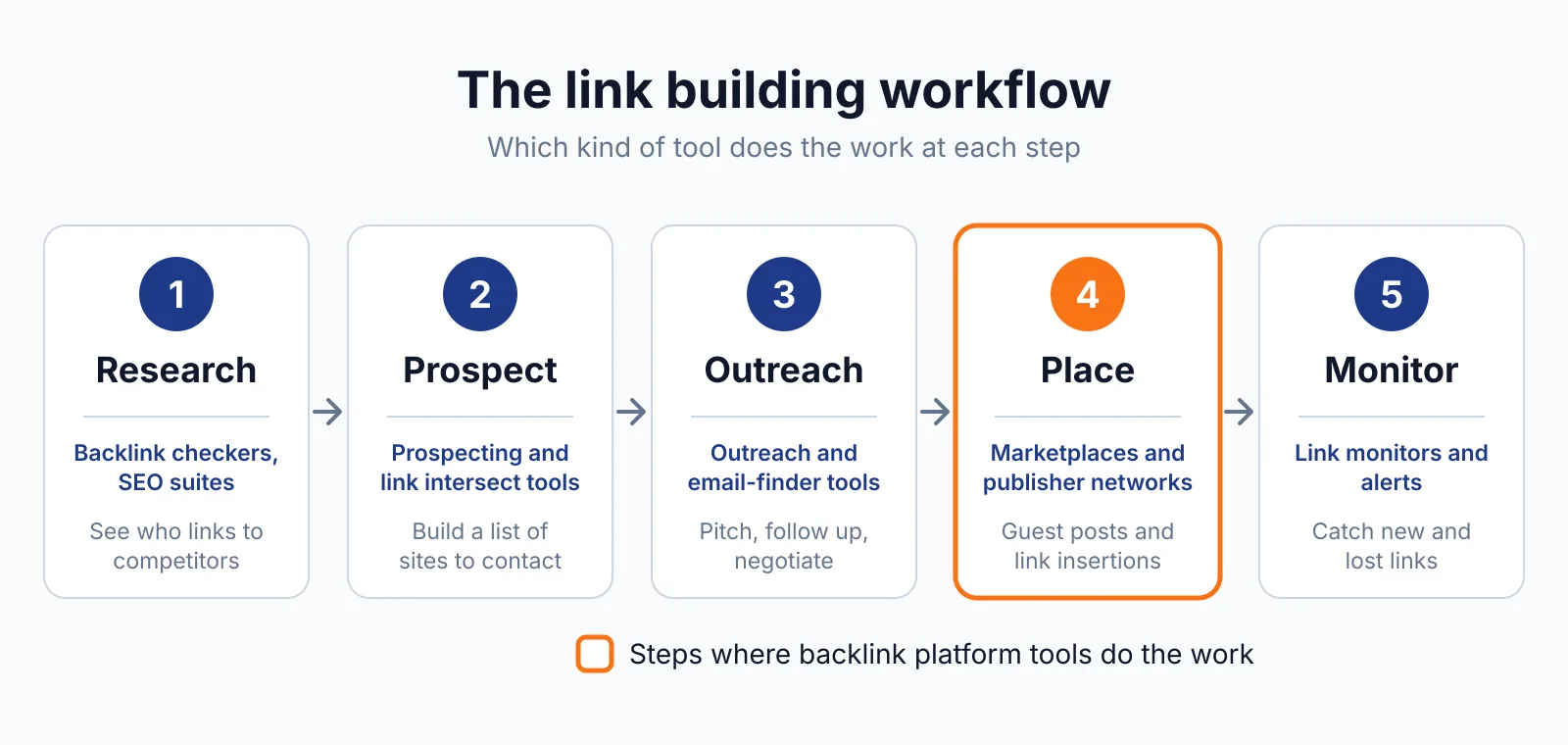
Our link insertion service places links in existing content where the terms are agreed up front, which is a different route from a link in your own post.
Spam risk and rules
Substack is a low-risk place to link from, as long as you publish for readers. A link in your own post to your own site is normal, and the platform is built for writers who link to their work.
The risk starts when you publish thin posts only to place links, or when you buy links and place them through Substack posts. Google treats links bought for ranking as link spam unless they carry rel="sponsored" or rel="nofollow", as its spam policies explain, and a paid link placed in a post is still a paid link.
Substack itself says the best way to improve ranking is to get more inbound links, because links signal a publication's trustworthiness, and that points the same way: earn links from other people, and use your own posts to serve your readers. Keep the posts real, link once or twice where it helps, and let the audience do the rest.
We cover the other publishing platforms in this batch too, including Medium and LinkedIn Articles. A publishing link from Medium is nofollow by design, while a link from GitHub is nofollow too, so Substack stands out in this group for the link it may give.
FAQ
Is the Substack link really dofollow?
Most live checks say yes: links inside Substack posts carried no rel attribute, so they are followed. One recent check, wolfstone.digital, reports rel="nofollow ugc" instead. The weight of the checks says followed, but the conflict is real, so re-check your own link after you publish instead of taking either answer on trust.
Does a custom domain change the link?
Yes, in one way. Links on a custom-domain Substack pass equity from that custom domain instead of from substack.com, so the domain behind the link is yours. The custom domain costs a one-time $50, and it does not change whether the link carries a rel attribute.
What does Substack cost if I charge readers?
Publishing is free. Once you charge readers, Substack keeps 10% of each subscription payment, and Stripe adds 2.9% plus $0.30 per US card payment, plus 0.7% on recurring payments through Stripe Billing. From 1 December 2026, Substack calculates, collects and remits sales tax and VAT for creators.
The 10% fee does not apply in India, Brazil, Indonesia, Mexico, Malaysia and Thailand, though the page warns it will eventually apply.
Next step
Start a free publication, write posts your readers want, and check the link on your own published post before you count it. See our pricing for link building where placements are checked, or contact us to talk through a plan. Our SaaS link building service covers outreach for software and newsletter businesses alike.

The BacklinkPrice Team researches backlink prices, publisher sites and link building tools. We check prices and plans against each provider's own pages and date them, so you know how current the numbers are.
More from BacklinkPrice TeamRelated guides