Does LinkedIn Articles Give Backlinks? Dofollow or Nofollow
LinkedIn Articles give no followed link: its policy since 2014 is nofollow, and a live check found links rewritten through a redirect that Googlebot is blocked from following.
LinkedIn Articles give no followed link.
We checked the rel attribute on live article pages and found two accounts that disagree on the mechanism but agree on the outcome: LinkedIn's stated policy since 2014 is rel="nofollow" platform-wide, while a live check of 12 public article pages in October 2026 found no rel attribute at all but every link rewritten to a linkedin.com/redir URL that LinkedIn's robots.txt blocks Googlebot from following.
Either way, no link equity passes. LinkedIn Articles, formerly Pulse, is LinkedIn's long-form publishing feature. Articles live permanently on your profile with their own web address, unlike feed posts that scroll away, and all members can publish them.
TL;DR
- No followed link comes from a LinkedIn Article. Either the link is nofollow, or it has no rel attribute but is rewritten through a redirect Googlebot is blocked from following.
- Publishing is free for every member and needs no Premium subscription. The editor is desktop only, and articles can run to 125,000 characters.
- Articles are indexed by Google, but there is no canonical tag support, so never copy an article from your blog to LinkedIn verbatim.
How much SEO value it really has
A LinkedIn Article link passes no equity, so it will not lift your rankings. That is the whole answer for SEO, and the mechanism does not change it. What an article does give you is an audience that already trusts LinkedIn as a place to read professional writing.
An article that gets shared in the feed can reach thousands of people in your industry, and some of them will link to your original post from their own sites. Those second-hand links are the real SEO value, and they come from people who chose to cite you.
There is a second value that is easy to miss. The article itself is indexed by Google and carries your name, your headline and your expertise, so it can rank for your name or for a topic you write about often. That helps people find you, even though the outbound link passes nothing.
Use LinkedIn Articles to be seen by the right readers, and let the followed links come from the people who read you there. Our backlink checker can confirm whether a link on any page carries nofollow or not, so you can check your own article links the same way.
How to get a link from LinkedIn Articles
- Open LinkedIn on desktop and click Write article in the share box on your homepage. The editor is not available in the mobile app, and articles are free for every member, with no Premium subscription needed.
- Add a cover image, a title and a body of up to 125,000 characters. Feed posts are capped at 3,000 characters, so an article is the place for a full argument.
- Use the SEO settings in the Manage tab before you publish: a custom URL slug, an SEO title of up to 60 characters and an SEO description. These control how the article appears in external search results.
- Add your link in the article body, and write it for readers. The link will be nofollow under LinkedIn's stated policy, or rewritten through the linkedin.com/redir URL that Googlebot is blocked from following, so it passes no equity either way.
- Publish as yourself, or publish as a Page if you are a super admin or content admin. Page super admins and content admins can publish articles as the Page, which puts the article on the company profile instead of your personal one.
Where the link appears
The link appears in the body of your article, on the article's own permanent web address, which lives on your profile. That address is a normal indexed page, and the article can rank in search for your name or your topic.
Outbound links in feed posts are different: they are shortened to lnkd.in, LinkedIn's short-URL format, with an interstitial page warning the reader that the link leaves LinkedIn. In articles, the October 2026 live check found the links rewritten to linkedin.com/redir URLs, which LinkedIn's robots.txt disallows for Googlebot, so Google cannot follow them to your site.
The link is visible to readers and clickable, but it carries no followed value for search. Our guest posting service covers placements where the link terms are agreed up front, which is a different route from an article link.
Spam risk and rules
LinkedIn Articles are a low-risk place to publish, as long as you publish for readers. An article with a link back to your site is normal, and the link already passes no equity, so there is little for Google to object to.
The risk starts when you publish thin articles only to place links, or when you copy articles from your blog verbatim. There is no canonical tag support on LinkedIn Articles, so a copied article can compete with your original in search, and your own copy can outrank your own site.
Write the article for LinkedIn, or write a fresh version of the idea, and keep the original on your own site. Google's paid-link rule still applies here too: links bought for ranking need rel="sponsored" or rel="nofollow", as its spam policies explain, and paying someone to place links in LinkedIn Articles is a paid link in Google's sense.
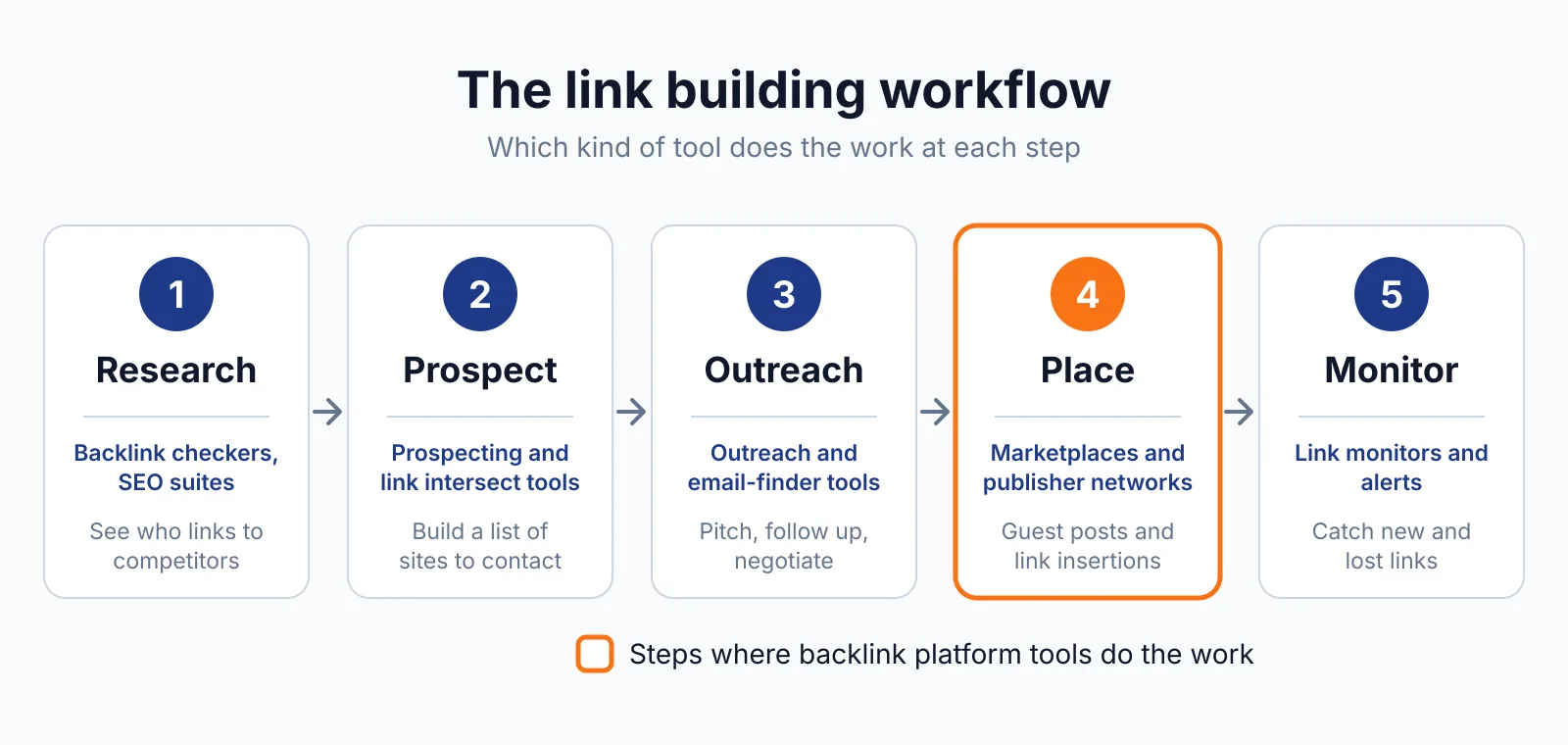
Keep the articles real, link once or twice where it helps the reader, and follow LinkedIn's Professional Community Policies. We cover the other publishing platforms in this batch too, including Medium and Substack.
A publishing link from Medium is nofollow by the same rule, while a link in a Substack post carries no rel attribute, so LinkedIn sits with Medium in this group, not with Substack.
FAQ
Do LinkedIn Article links pass any value at all?
No. The two accounts disagree on the mechanism, but they agree on the outcome. LinkedIn's stated policy since 2014 is rel="nofollow" platform-wide, and a live check of 12 public article pages in October 2026 found no rel attribute but every link rewritten to a redirect Googlebot is blocked from following. Either way, no link equity passes.
Can I copy my blog post to LinkedIn Articles?
You can, but you should not copy it verbatim. LinkedIn Articles have no canonical tag support, so the LinkedIn copy can compete with your original in search and can outrank it. Write a fresh version for LinkedIn, or publish the full piece on your own site and a shorter take on LinkedIn.
Do I need LinkedIn Premium to publish articles?
No. Publishing articles costs nothing and needs no Premium subscription. All members can publish, and Page super admins and content admins can publish as a Page. The editor is desktop only, so you cannot write an article in the mobile app.
Next step
Write articles for the readers already on LinkedIn, and let the followed links come from the people who read you there. See our pricing for link building where placements are checked, or contact us to talk through a plan. Our digital PR service covers earned coverage, which is where followed links usually come from.

The BacklinkPrice Team researches backlink prices, publisher sites and link building tools. We check prices and plans against each provider's own pages and date them, so you know how current the numbers are.
More from BacklinkPrice TeamRelated guides