How to Add Nofollow Links in Webflow (Designer, CMS, and Rich Text)
Use custom attributes to add rel nofollow or sponsored in the Webflow Designer, handle rich text links, and avoid nofollow added only by JavaScript.
To add a nofollow link in Webflow, select the link in the Designer, open the Settings panel, and add a custom attribute with the name rel and the value nofollow (or sponsored for paid links), then publish.
Links inside CMS rich text need a different approach, and nofollow added only by JavaScript may not appear in the HTML that search engines first read.
Key takeaways
- In the Webflow Designer, add a custom attribute named rel with a value such as nofollow or sponsored.
- rel is not a reserved attribute in Webflow, so you can set it on link elements.
- Rich text links have been a long-standing pain point; check your link settings for a rel option, and if none, use an HTML embed.
- A Webflow forum thread warns that nofollow injected by script appears when you inspect a page, but not in its page source.
- Google asks for rel="sponsored" on paid links, and nofollow is also accepted.
When to use nofollow in Webflow
Qualify links you don't vouch for or that involve payment.
Google's guide to qualifying outbound links describes three values:
| Attribute | Use it for | Webflow example |
|---|---|---|
| rel="sponsored" | Paid placements, ads, affiliate links | A sponsor logo linking out |
| rel="ugc" | User-generated content | Links submitted by users |
| rel="nofollow" | Links you don't want to endorse | A link to a site you mention but don't trust |
Read sponsored vs nofollow vs UGC for more detail.
Step-by-step: add nofollow in the Webflow Designer
Use custom attributes on link elements.
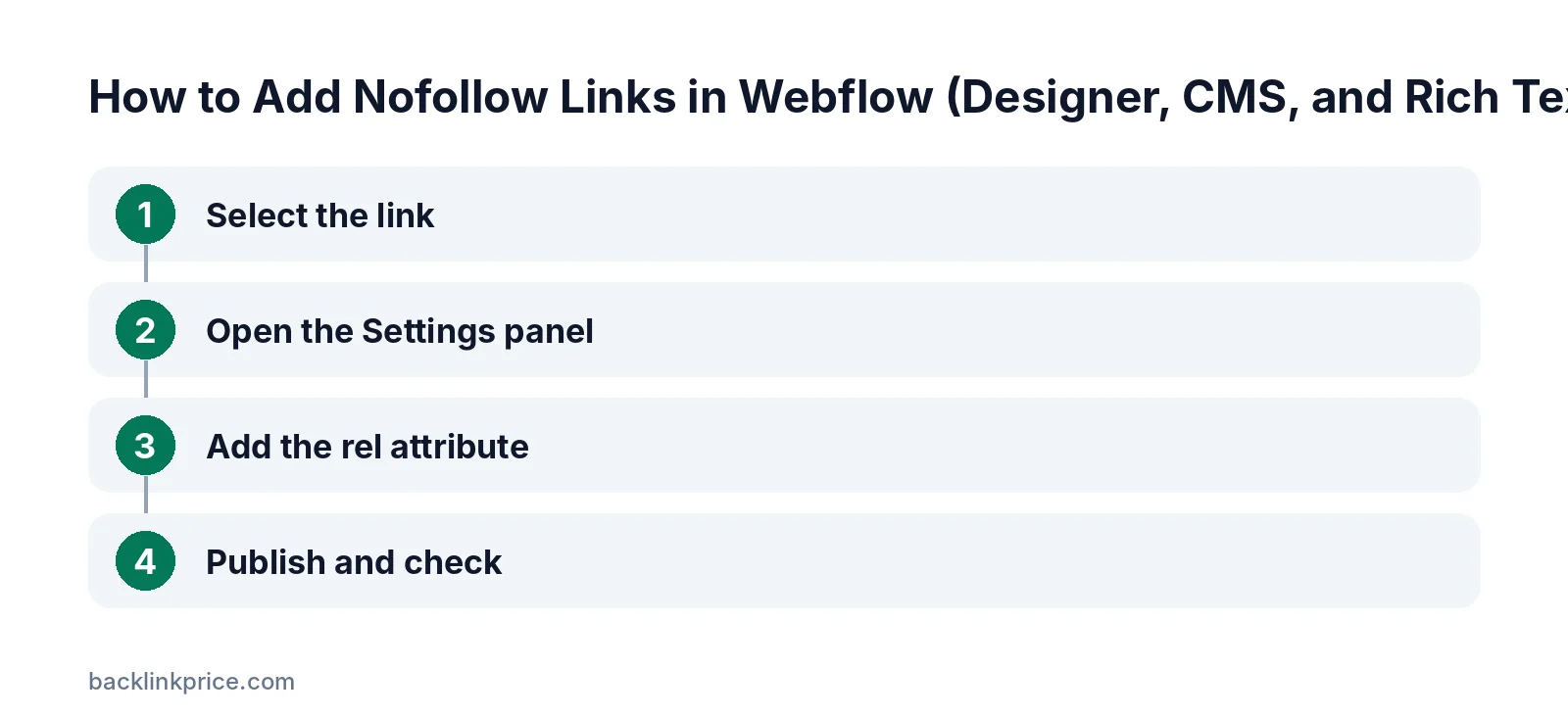
Step 1: Select the link
In the Designer, click the link block, text link, image link, or button you want to qualify, so the link element itself is selected.
Step 2: Open the Settings panel
Open the element Settings panel and scroll down to the Custom attributes section.
Step 3: Add the rel attribute
Click to add an attribute. Set the name to rel and the value to nofollow, or sponsored for paid links. You can add several values separated by a space, such as noopener nofollow.
A Webflow forum reply notes that some attribute names are reserved for Webflow, but rel is not one of them.
Step 4: Publish and check
Publish the site, then view the page source and confirm the rel attribute is in the HTML.
Nofollow links in CMS rich text
Rich text is the tricky part.
Users have long asked for a rel option on links inside rich text. In one Webflow forum thread, a user found that attributes applied to a rich text block landed on the block, not the link.
A later reply in the rich text rel thread says Webflow added a rel attribute option for CMS rich text links. Check your current link settings first.
If you don't see the option, you can add the link as custom HTML with an embed, writing the rel attribute directly into the anchor tag.
The request has also appeared on the Webflow Wishlist as a feature idea for rel nofollow on CMS links, which shows how often editors need it.
Why JavaScript-only nofollow is risky
Search engines may read the HTML before scripts run.
Some guides suggest a script that adds rel="nofollow" to links after the page loads. A Webflow forum reply points out that with this method the attribute is not in the page source, even though it shows when you inspect the element.
Prefer methods that put the attribute in the published HTML. Learn more in does Google follow nofollow links.
How Google treats nofollow today
Nofollow, sponsored, and ugc are hints.
When Google introduced sponsored and ugc in September 2019, it said all three attributes would be treated as hints about which links to consider or exclude. You can combine values, such as rel="nofollow sponsored".
Google also said there was no need to change existing nofollow links on sponsored content. Choose the value that describes the link most accurately.
Nofollow on Webflow CMS collection links
Links built from CMS fields can use attributes too.
When a link block is bound to a CMS field, such as a partner's website, you can still add a custom attribute to that link element in the collection template. Every item then shares the same rel value.
If only some items need nofollow, add a CMS switch or option field and use separate link elements with conditional visibility, one with the attribute and one without.
Affiliate and sponsored links in Webflow
Mark them and disclose them.
Affiliate links should carry rel="sponsored" or nofollow. See should affiliate links be nofollow or sponsored.
In the US, the FTC's endorsement guides FAQ explains that material connections should be clearly disclosed to readers. This is not legal advice.
Common mistakes
Avoid these when adding rel attributes in Webflow.
- Adding the attribute to a wrapper or text block instead of the link.
- Relying only on JavaScript to add nofollow.
- Nofollowing internal links to your own important pages.
- Leaving sponsor and affiliate links unqualified.
- Forgetting to republish after changes.
For when nofollow is appropriate, read when to use nofollow links.
How to check your Webflow links
View the page source, not just the inspector.
Open the published page, view the source, and search for the link URL. Confirm the rel value appears in the anchor tag itself, not only in the browser's inspector, which also shows changes made by scripts after the page loads.
For a site-wide check, run a crawler that lists outbound links and their rel values. See how many outbound links per page is too many.
Frequently Asked Questions
Can I add nofollow links in Webflow?
Yes. In the Designer, select the link, open Settings, and add a custom attribute with name rel and value nofollow or sponsored. Then publish and check the page source.
How do I add nofollow to links in Webflow CMS rich text?
Check your rich text link settings for a rel option, which a Webflow forum post says was added. If it isn't available, use an HTML embed with the rel attribute written into the link.
Does a script that adds nofollow work for SEO?
It is risky. The attribute may only appear after JavaScript runs and not in the page source. Prefer methods that put rel in the published HTML.
Should I use sponsored or nofollow for paid links in Webflow?
Use sponsored for paid, ad, or affiliate links. Google prefers it for paid links, though nofollow is also accepted.
Does nofollow hurt my Webflow site's SEO?
No. Qualifying paid and untrusted links is standard practice. Keep normal editorial links to helpful sources followed.
Sources
- Google Search Central: Qualify outbound links
- Webflow Forum: Nofollow links in rich text blocks
- Webflow Forum: Ability to add rel nofollow to links in CMS rich text
- Webflow Forum: Adding nofollow links through Webflow CMS
- Google Webmaster Central Blog: Evolving nofollow (September 2019)
- FTC: Endorsement guides, what people are asking
- Webflow Wishlist: rel nofollow attribute on links in CMS

The BacklinkPrice Team researches backlink prices, publisher sites and link building tools. We check prices and plans against each provider's own pages and date them, so you know how current the numbers are.
More from BacklinkPrice TeamRelated guides