How to Add Nofollow Links in Wix (Editor, Studio, and Blog)
Wix has built-in rel options for links. Here is how to add nofollow or sponsored in the Editor, Studio and Wix Blog, and what each attribute means.
To add a nofollow link in Wix, select the element or text, open the link panel, add a web address, and tick the rel option you need (nofollow or sponsored) before clicking Done and publishing.
Wix supports link rel attributes in the Wix Editor, Wix Studio, Wix Blog posts, and several other apps, but the available options differ by product.
Key takeaways
- Wix lets you add link rel attributes in the Editor, Studio, Blog posts, Groups, online programs, the FAQ app, and CMS rich content.
- Links in Wix Blog posts can only use the "nofollow" and "sponsored" attributes.
- Use rel="sponsored" for paid or affiliate links; Google also accepts nofollow.
- Wix warns that rel attributes are an advanced topic and that its Customer Care cannot help add or update them.
- Always publish and check the live link after changing attributes.
Which link attributes Wix supports
Wix offers the standard rel values, with product limits.
Wix's help article on link rel attributes explains that you can add them to define the relationship between your pages and external pages. Its example is a blog post linking to a sponsor's site, where you add "sponsored".
| Attribute | What it tells search engines | Typical use on Wix |
|---|---|---|
| nofollow | You don't vouch for the linked page | Links you mention but don't endorse |
| sponsored | The link is paid or an ad | Sponsor, affiliate, and paid placement links |
| ugc | The link was added by users | Forum or community content |
| noopener / noreferrer | Security and referrer settings | Links that open in a new tab |
Wix notes that the attributes you can use depend on the product. For example, Wix Blog post links can only use nofollow and sponsored.
Step-by-step: add nofollow in the Wix Editor
Use the link panel on any linkable element.
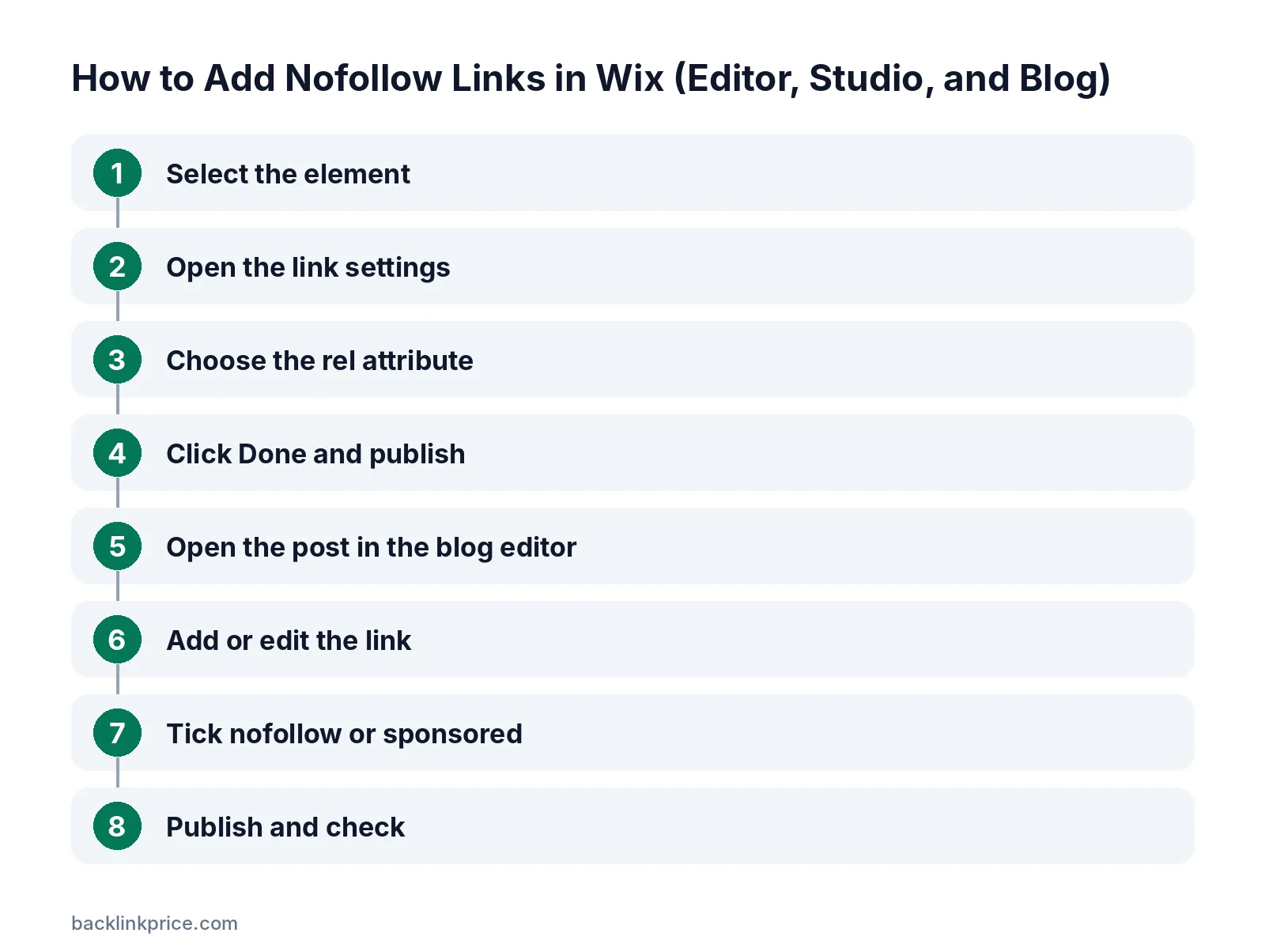
Step 1: Select the element
Click the button, image, or text you want to link. For text, highlight the words first.
Step 2: Open the link settings
Click the link icon to open the link panel. Choose Web Address and paste the URL.
Step 3: Choose the rel attribute
Tick nofollow, or sponsored for paid links, in the rel attribute options. You can select more than one value where Wix allows it.
Step 4: Click Done and publish
Click Done, then publish your site. Wix's German help page lists publishing as the final step after adding the attribute.
Step-by-step: add nofollow in a Wix Blog post
Blog posts have their own link settings.
Step 1: Open the post in the blog editor
Go to your Wix Blog in the dashboard and open the post you want to edit.
Step 2: Add or edit the link
Highlight the text, click the link icon, and paste the URL.
Step 3: Tick nofollow or sponsored
In the link settings, choose nofollow or sponsored. These are the only two rel options for Wix Blog links.
Step 4: Publish and check
Publish or update the post, then inspect the live link to confirm the attribute.
When to use nofollow vs sponsored on Wix
Pick the attribute that describes the link honestly.
Google's guide to qualifying outbound links asks site owners to mark paid links with rel="sponsored". Nofollow is also acceptable for paid links.
Wix's own SEO guide to nofollow links explains that sponsored has the same effect as nofollow but tells Google more specifically what kind of link it is. It also says nofollow is not recommended for normal editorial links.
Read sponsored vs nofollow vs UGC for more detail.
How Google treats nofollow today
Nofollow, sponsored, and ugc are hints, not strict commands.
When Google introduced sponsored and ugc in September 2019, it said all three attributes would be treated as hints about which links to consider or exclude. You can also combine values, such as rel="ugc sponsored".
Google said there is no need to change existing nofollow links on sponsored content. For background, read what is a nofollow link.
Affiliate links on Wix
Mark them and disclose them.
Affiliate links should carry rel="sponsored" or rel="nofollow". See should affiliate links be nofollow or sponsored.
In the US, the FTC's endorsement guides FAQ explains that material connections such as commissions should be clearly disclosed to readers. This is not legal advice.
A caution from Wix
Use rel attributes carefully.
Wix's help page warns that link rel attributes are an advanced topic, and using them incorrectly can cause problems with how your site appears in search. It also says Wix Customer Care cannot help with adding or updating them.
Don't nofollow every outbound link by default. Linking normally to helpful sources is fine. Learn more in what is an outbound link.
Common mistakes
Avoid these when adding rel attributes in Wix.
- Forgetting to publish after changing a link.
- Marking internal links as nofollow, which can block value to your own pages.
- Leaving sponsor or affiliate links without sponsored or nofollow.
- Nofollowing all external links, including editorial sources.
- Not checking links on mobile and desktop versions after changes.
Where else Wix supports rel attributes
It is not only the Editor and blog.
Wix's help page says you can add link rel attributes to links in Wix Blog posts, Wix Groups information, online program steps, Wix FAQ app answers, and CMS rich content fields. Check each product's link settings, because the options vary.
How to check your Wix links
Inspect the live page.
Open the published page, right-click the link, and choose Inspect. Confirm that the rel attribute appears on the a tag.
For site-wide checks, use a crawler or browser extension that lists outbound links and their rel values. See how many outbound links per page is too many for outbound link guidance.
Frequently Asked Questions
Can I add nofollow links in Wix?
Yes. Wix has built-in rel attribute options in the link panel for the Editor, Studio, Wix Blog, and several apps. Select nofollow or sponsored, click Done, and publish.
Why can't I add ugc in a Wix Blog post?
Wix says links in Wix Blog posts can only use the nofollow and sponsored attributes. Other products, such as community apps, may offer different options.
Should I use nofollow or sponsored for paid links on Wix?
Use sponsored when the link is paid, an ad, or affiliate. Google prefers it for paid links, though nofollow is also accepted.
Will nofollow links hurt my Wix site's SEO?
No. Marking paid, affiliate, or untrusted links correctly is standard practice. It simply tells search engines you are not vouching for those links.
Can Wix support add nofollow for me?
Wix's help page says its Customer Care cannot help with adding or updating link rel attributes. You can add them yourself using the link panel.
Sources

The BacklinkPrice Team researches backlink prices, publisher sites and link building tools. We check prices and plans against each provider's own pages and date them, so you know how current the numbers are.
More from BacklinkPrice TeamRelated guides