How to Get Backlinks from Quizzes: A Practical Guide
Build a short, useful quiz that answers a real question, keep results ungated and shareable, and pitch it to resource pages, educators, and communities.
You get backlinks from quizzes by building a short, genuinely useful or fun quiz that answers a question people already ask, such as "Which plan fits me?" or "How much do you know about X?", then hosting it on a shareable page and pitching it to bloggers, teachers, communities, and newsletters that serve the same audience.
Quizzes earn links when they help people decide or learn, not when they only collect emails.
Key takeaways
- The most linkable quizzes are self-assessments, knowledge tests, and "which option fits you" decision tools.
- Each result page should be shareable and useful on its own, with a short explanation and next steps.
- Do not gate results behind an email form if you want links; writers rarely link to gated tools.
- Embeds should carry a plain brand-name credit, because Google's spam policies warn against keyword-rich links in distributed widgets.
- Educators, community sites, and resource pages are often the best link targets for quizzes.
What a linkable quiz is
A linkable quiz is an interactive page that gives people a personal answer or a score, and that other sites want to recommend to their readers.
The main types are:
- Self-assessments: "How healthy is your website's link profile?"
- Knowledge tests: "Can you spot a toxic backlink?"
- Decision helpers: "Which link building approach suits your budget?"
- Personality-style quizzes: fun, shareable, but harder to earn quality links with.
Self-assessments and decision helpers usually attract the best links, because they solve a real problem. They belong to the wider family of linkable assets, alongside tools, data, and templates.
Before building, check what already exists. If several similar quizzes rank for your topic, find a gap: a more specific audience, better explanations, or more up-to-date scoring. A quiz that copies others rarely earns links.
Why quizzes can earn links
Quizzes give writers something interactive to send readers to, which plain articles cannot. Teachers, bloggers, and communities link to them as resources.
Most pages earn no links at all. In a Backlinko and BuzzSumo analysis of 912 million blog posts, 94% had zero external links. Interactive tools stand out because they are harder to copy.
Each link and mention also builds brand awareness. An Ahrefs study of 75,000 brands in 2025 found branded web mentions correlated at 0.664 with AI Overview visibility.
Quizzes also generate data. Anonymized results, such as the share of users who could not identify a paid link, can become a statistic others cite. Google's guidance on creating helpful content highlights original information and analysis as signs of value.
Quiz ideas that earn links
Choose a format that fits your expertise and audience.
| Quiz type | Example | Who links | Link potential |
|---|---|---|---|
| Self-assessment | "Is your site ready for a link building campaign?" | Bloggers, consultants | High |
| Knowledge test | "Spot the spammy backlink" | Educators, communities | Medium to high |
| Decision helper | "Which outreach tool fits your team?" | Review and resource sites | Medium |
| Calculator-quiz hybrid | "How much should you budget for links?" | Resource pages, forums | High |
| Personality quiz | "What kind of marketer are you?" | Social media, fun roundups | Low to medium |
If your quiz is closer to a calculator, see how to get backlinks with tools and calculators.
Step-by-step: how to earn links with a quiz
Build something useful first, then promote it to the people who serve the same audience.
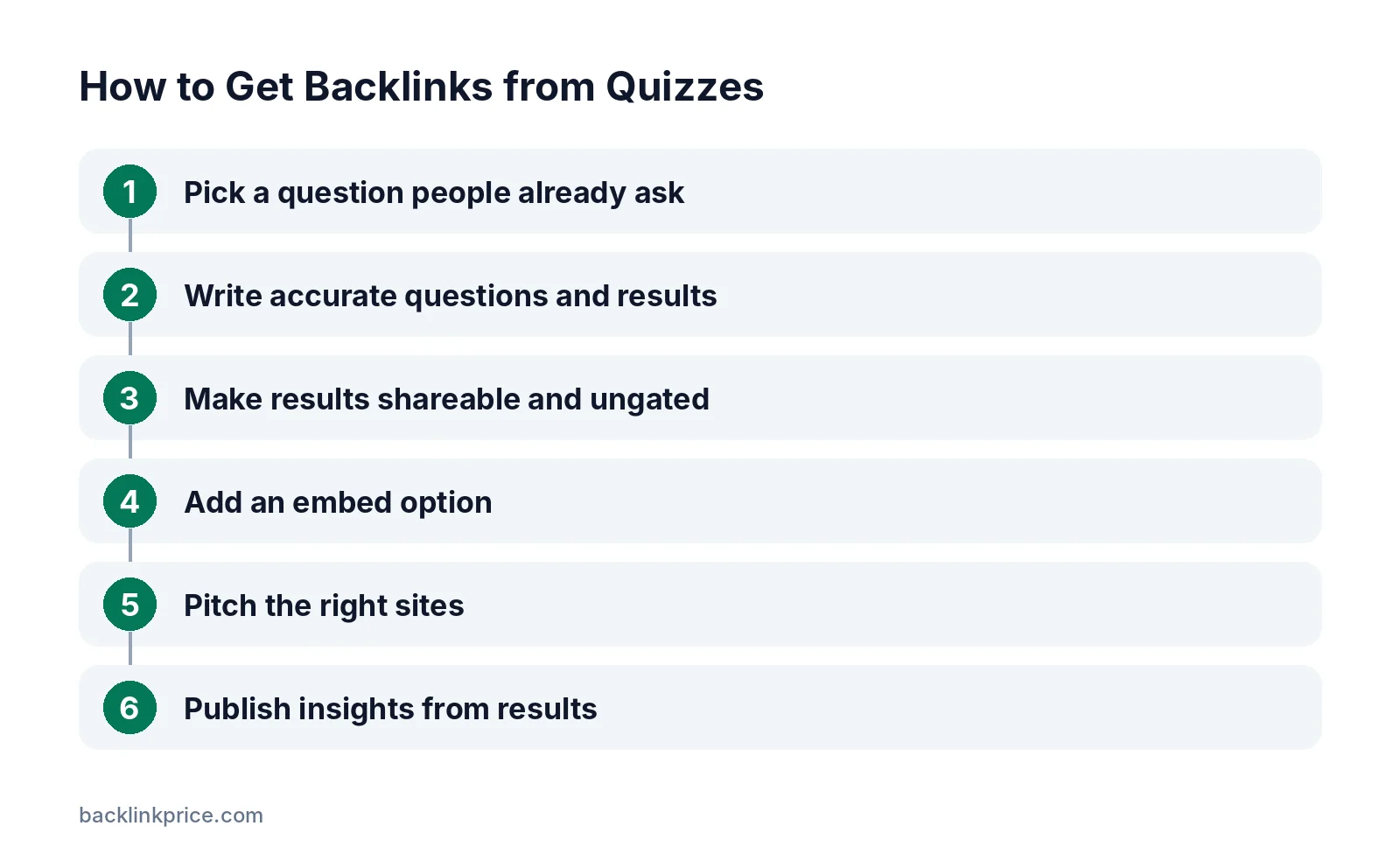
Step 1: Pick a question people already ask
Look at forum threads, "People also ask" boxes, and customer questions. Good quiz topics start with "Am I…", "Which…", or "How much do I know about…".
Step 2: Write accurate questions and results
Keep it to 5 to 12 questions. Base scoring on real criteria and explain each result. Cite sources where answers involve facts.
Step 3: Make results shareable and ungated
Give each result its own URL with a short explanation and next steps. Let people see results without an email. Offer an optional email for a detailed report instead.
Usability research on forms from Nielsen Norman Group explains why extra fields add friction, and a required email is the biggest field of all.
Step 4: Add an embed option
Offer embed code with a plain "Quiz by YourBrand" credit. Google's spam policies list keyword-rich or hidden links in widgets distributed across sites as link spam.
Step 5: Pitch the right sites
Find resource pages, educators, newsletters, and communities in your niche. Offer the quiz as a free resource for their audience.
Our guide to resource page link building explains how this outreach works.
Step 6: Publish insights from results
After a few hundred responses, share anonymized findings in a short post with charts. Pitch the findings to writers who cover the topic.
See how to get backlinks with original research for packaging data.
Common mistakes
These mistakes stop quizzes from earning links.
- Gating results behind an email form.
- Questions that are vague or scoring that feels random.
- No page explaining what results mean.
- Keyword-stuffed embed credits.
- Slow, script-heavy quiz pages that break on phones.
- Picking a fun topic with no connection to your business.
How to measure results
Track a quiz as both a tool and a link asset.
- Completions and shares per week.
- Referring domains to the quiz and result pages.
- Embeds found on other sites.
- Mentions of insights drawn from quiz data.
Google Search Console's Links report shows which sites link to your quiz pages, at no cost.
Log new links with how to track backlinks and refresh questions when facts change.
Frequently Asked Questions
Do quizzes still earn backlinks?
Useful ones do. Self-assessments, knowledge tests, and decision helpers earn links from resource pages, educators, and communities. Purely fun personality quizzes earn shares more often than links, so tie the quiz to a real problem your audience has.
Should I require an email to see quiz results?
Not if links are a goal. Writers rarely recommend tools that hide results behind a form. Show results instantly, and offer an optional detailed report by email for people who want more.
What quiz tools can I use?
You can use a quiz builder or a simple custom script on your site. Whichever you choose, host the quiz on your own domain so links point to you, make sure it loads quickly, and give result pages their own URLs.
Can quiz data become a linkable statistic?
Yes, if you collect enough responses and anonymize them. Findings such as the share of people who answered a key question incorrectly can be packaged as a short report and pitched to writers who cover the topic.
How long should a quiz be?
Short enough to finish in 2 to 3 minutes, usually 5 to 12 questions. Longer quizzes see more people drop off before the result. Keep each question clear and avoid trick questions unless the quiz is meant to test knowledge.
Sources

The BacklinkPrice Team researches backlink prices, publisher sites and link building tools. We check prices and plans against each provider's own pages and date them, so you know how current the numbers are.
More from BacklinkPrice TeamRelated guides