How to Get Backlinks from Job Postings: A Practical Guide
Publish each role on your own careers page, then list it on niche boards, university careers services, and associations that link directly.
You get backlinks from job postings by publishing each role on your own careers page, then distributing it to job boards, university careers services, professional associations, and community job lists that link back to that page.
Most big job board links are nofollow or short-lived, so the lasting value comes from niche boards, schools, and partners that keep listings or employer profiles online.
Key takeaways
- Every job ad can point to a careers page on your site, which turns hiring into a steady source of links and mentions.
- Large job boards usually host the ad on their own domain, so links to you are limited; niche boards and careers services often link directly.
- Google supports JobPosting structured data and allows its Indexing API for job posting pages, which helps listings appear in Google's job search features.
- Job links expire when roles close, so build employer profiles and evergreen careers pages that keep earning links.
- Do not post fake jobs to earn links; it misleads candidates and can break job board rules.
What job posting backlinks are
Job posting backlinks are links to your website from pages that advertise your open roles or describe you as an employer. They range from a single "Apply on company site" link to a permanent employer profile.
Common sources include:
- Niche job boards for an industry or skill.
- University and bootcamp careers services.
- Professional association job boards.
- Local community and chamber of commerce job lists.
- Startup and remote-work job directories.
- Employer profile pages on review and careers sites.
Why job postings can help your link profile
Hiring creates a regular, legitimate reason for other sites to mention and link to you. Each new role is a fresh opportunity, without needing new content campaigns.
Candidates also check your site before they apply. In a Michael Page Candidate Pulse survey, 92% of candidates said they also look at the company website. LinkedIn reported in 2016 that more than half of candidates visit the company website first after hearing about a job.
Every listing is also a brand mention. An Ahrefs study of 75,000 brands in 2025 found branded web mentions correlated at 0.664 with AI Overview visibility.
Job pages also help candidates find you in search. Google's JobPosting structured data documentation explains how to mark up job pages so they can appear in Google's job search experience.
Google also allows its Indexing API for pages with JobPosting or livestream BroadcastEvent markup, so job pages can be crawled quickly. It is not for regular blog posts.
Where job links actually come from
Not all job channels link the same way. This table shows typical patterns; always check the live page.
| Channel | How your job appears | Typical link to your site | Lasts after the role closes? |
|---|---|---|---|
| Large job boards | Hosted ad on their domain | Often none or nofollow | Usually removed |
| Niche industry boards | Ad with "apply" link | Often direct | Sometimes archived |
| University careers services | Listing or employer page | Often direct | Employer page stays |
| Professional associations | Member job board | Often direct | Varies |
| Community job lists | Short listing | Often direct | Varies |
| Employer profile pages | Company profile | Varies | Yes |
For the meaning of each link type, see dofollow vs nofollow links.
Step-by-step: how to earn links from job postings
Set up your careers page first, then distribute every role through channels that link.
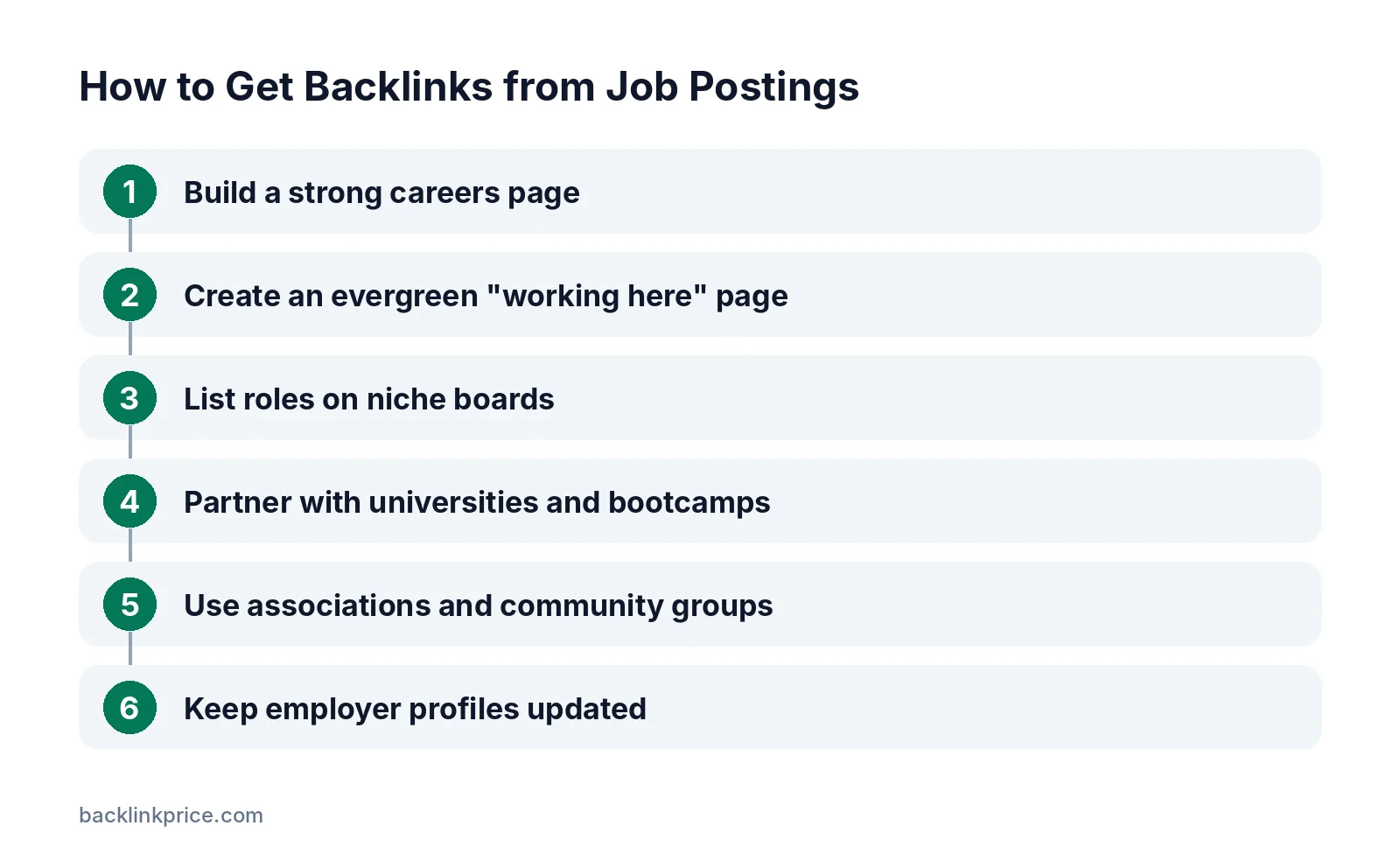
Step 1: Build a strong careers page
Create a careers page with your mission, benefits, team photos, and open roles. Give each role its own URL, such as /careers/marketing-manager.
Add JobPosting markup to each role page, and remove or update it when the role closes, as Google's documentation requires.
Step 2: Create an evergreen "working here" page
Write a page about culture, hiring process, and growth paths. This page keeps earning links after individual roles close.
If you move or rename careers URLs later, follow how to keep link equity when changing URLs.
Step 3: List roles on niche boards
Find boards for your industry, tech stack, or location. Many are run by communities or newsletters and link straight to your job page.
Step 4: Partner with universities and bootcamps
Register as an employer with careers services. Offer internships, graduate roles, or project briefs. These often lead to employer profiles and news posts.
Our guide on how to get backlinks from universities covers this channel in more depth.
Step 5: Use associations and community groups
Professional associations and local business groups often run job boards for members. Post roles there and keep your member profile current.
See how to get local backlinks for more local sources.
Step 6: Keep employer profiles updated
Claim your company profiles on careers and review sites. Even when job links expire, the profile keeps a lasting mention of your brand.
Rules to follow
Job posting links must come from real roles.
- Never post fake or "evergreen" jobs just to collect links. Candidates waste time, and job boards may ban you.
- Use your company name as the link text.
- Keep closed roles marked as filled or removed, as Google's job posting guidelines require.
- If you pay for a sponsored listing, treat any link as paid.
Google's spam policies treat paid links that pass ranking value as link spam unless they are qualified.
Common mistakes
These mistakes limit the value of job links.
- Sending applicants only to third-party job board pages.
- Deleting role pages without redirects, creating broken links.
- Forgetting to remove JobPosting markup from filled roles.
- Ignoring niche boards that link directly.
- Using a generic careers page with no detail.
- Posting the same role on dozens of low-quality boards.
How to measure results
Measure job channels by applicants and by links.
- Applicants per channel.
- Links and referring domains to your careers pages.
- Links lost when roles close; redirect closed role URLs to the careers page.
- Employer profiles created or updated.
To find links that disappear, see how to monitor lost links.
Frequently Asked Questions
Do job board links help SEO?
Large job boards usually host the ad on their own domain and add little link value to your site. Niche boards, university careers services, and professional associations are more likely to link directly. The main SEO benefit is steady brand mentions and traffic to your careers pages.
Can I use Google's Indexing API for job pages?
Yes, Google allows the Indexing API for pages that contain JobPosting or livestream BroadcastEvent structured data. It helps job pages get crawled quickly. Google does not support using it for ordinary articles or product pages.
What should I do with job pages after a role is filled?
Mark the role as filled or remove it, and remove the JobPosting markup. If the page earned links, redirect it to your main careers page so the links are not lost and candidates land on current roles.
Is it okay to keep posting the same job to get links?
No. Posting roles you are not hiring for misleads candidates and can break job board rules. Keep an evergreen "working here" page for ongoing visibility, and post real roles when they open.
Which job boards link to the employer's website?
It varies by board and changes over time. Niche, community, and association boards often link directly, while large aggregators often keep candidates on their own pages. Check each listing with your browser's Inspect tool before you invest time.
Sources

The BacklinkPrice Team researches backlink prices, publisher sites and link building tools. We check prices and plans against each provider's own pages and date them, so you know how current the numbers are.
More from BacklinkPrice TeamRelated guides