How to Get Backlinks from Guest Lectures: A Practical Guide
Offer universities a genuinely useful lecture, then share a speaker bio and resources page. Department event and news pages often link back.
You get backlinks from guest lectures by offering universities, colleges, and training programs a genuinely useful session from someone on your team, then asking that the event page, course page, or department news post credit the speaker and link to your site.
The link is a by-product of real teaching, so pick topics where your team has practical knowledge students lack.
Key takeaways
- A guest lecture is a one-off talk or workshop for students, usually invited by a lecturer or a careers department.
- Links come from department event pages, news posts, course resource pages, student society pages, and careers center listings.
- Google has said .edu links get no special ranking boost; John Mueller said in 2018 that Google ignores many links on .edu sites because they are spammed.
- The value is relevance and trust: a mention from a real academic program is hard for competitors to copy.
- Never pay or offer incentives for links on university sites, and never use student pages for link placements.
What guest lecture backlinks are
Guest lecture backlinks are links to your site from academic web pages that document a lecture, workshop, or talk given by someone from your company. They are a form of backlinks from universities, earned through teaching rather than through content alone.
Typical link locations include:
- Department or faculty event calendars.
- News posts announcing or recapping the lecture.
- Course pages listing visiting speakers and resources.
- Student society event pages.
- Careers service pages promoting industry talks.
Why guest lectures are worth it
Guest lectures create relevant, editorial mentions from institutions that rarely link to businesses. They also build your team's profile as practitioners.
Mentions matter beyond links. An Ahrefs study of 75,000 brands from 2025 found branded web mentions had the strongest correlation (0.664) with brand visibility in AI Overviews.
Do not expect magic from the domain extension. Google's John Mueller said in a 2008 Google forum reply reported by Search Engine Roundtable that .edu links do not get additional credibility. In 2018 he added that Google ignores many links on .edu sites because they are often spam targets.
The real benefit is that a university page about a real lecture is relevant, trusted, and natural. Read are edu backlinks worth it for the full picture.
Who should give guest lectures
The best guest lecturers have hands-on experience students cannot get from textbooks. Good candidates include:
- Founders who can talk about starting and running a business.
- Engineers, designers, and marketers with real project stories.
- Specialists in regulated fields, such as law, finance, or healthcare.
- Data analysts with original findings to share.
Pick people who enjoy teaching. Students notice when a speaker is giving a sales pitch.
Step-by-step: how to earn links through guest lectures
Plan around the academic calendar and make it easy for lecturers to say yes.
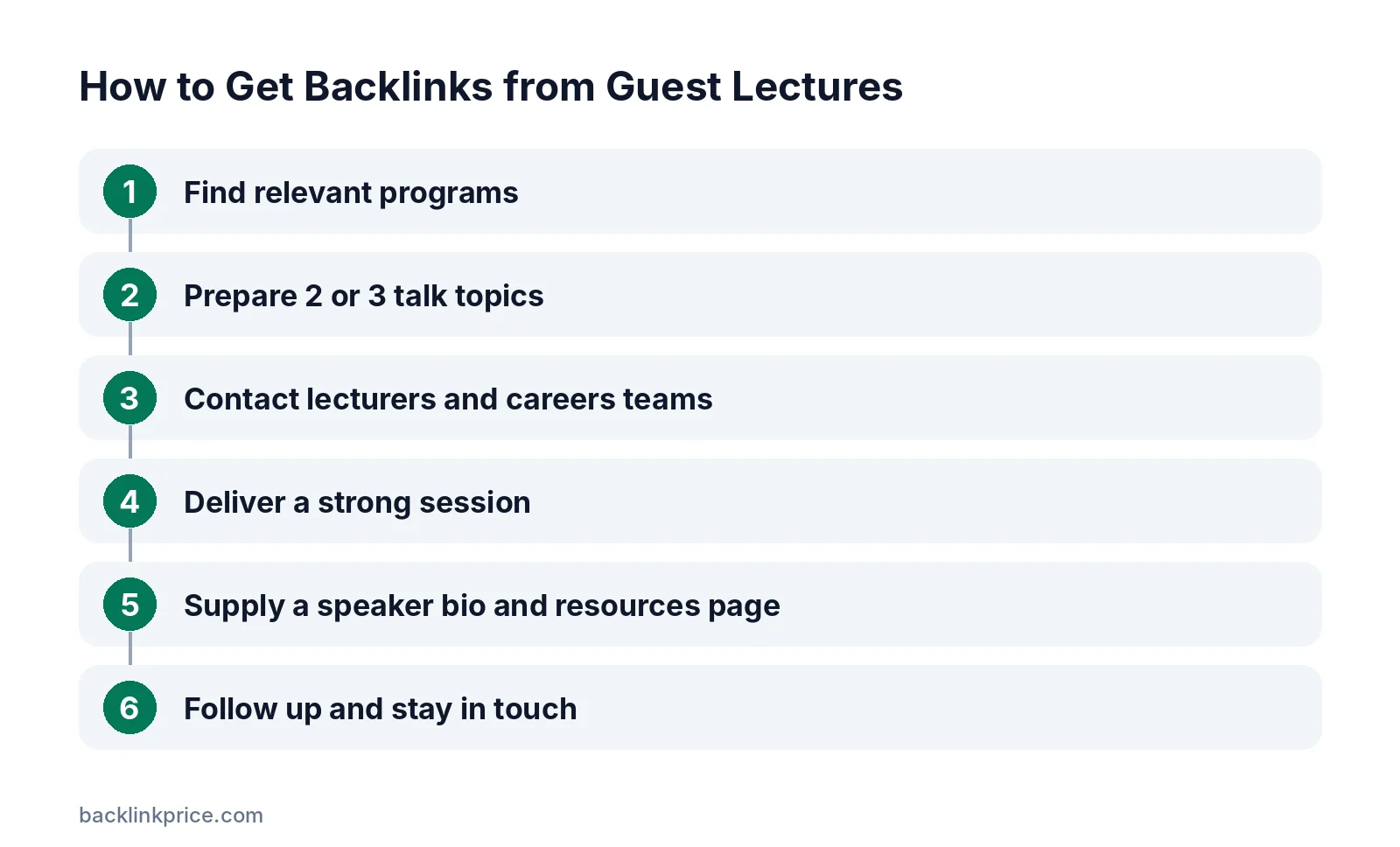
Step 1: Find relevant programs
List universities, colleges, and training providers within reach, plus online programs. Focus on courses that match your expertise, such as marketing, computer science, or business.
Search for pages like "visiting speakers", "industry speakers", or "guest lecture series" on university sites. Google's search operator help explains how to narrow searches to specific sites.
Step 2: Prepare 2 or 3 talk topics
Write a short outline for each topic with learning outcomes. Lecturers think in terms of what students will learn, so frame your talk that way.
Example: "How a 10-person SaaS company plans its first year of marketing: budgets, channels, and mistakes."
Step 3: Contact lecturers and careers teams
Email the module leader or the careers office. Keep it short: who you are, the topic, the outcomes, and your availability.
Our guide on how to write a link building outreach email has templates you can adapt, but do not mention links in this first email.
Step 4: Deliver a strong session
Bring real examples, data, and exercises. Share slides and resources after the session on a page on your site.
A good session leads to repeat invitations, which are worth more than a single link.
Step 5: Supply a speaker bio and resources page
Send a short bio with your company name and website, plus a link to your resources page. Departments often copy this into event and news pages.
The same speaker kit works for other events; see how to get backlinks from events.
Step 6: Follow up and stay in touch
Thank the lecturer, ask whether the department will publish a recap, and offer to return next term. Keep a list of contacts and invitation dates.
Where guest lecture links come from
Use this checklist after every lecture.
| Link source | Who manages it | When it appears | Notes |
|---|---|---|---|
| Department event page | Department admin | Before the lecture | Often includes speaker bio |
| Department news post | Communications team | After the lecture | Ask if they plan a recap |
| Course resources page | Module leader | During term | Link to your slides page |
| Student society page | Society committee | Around the event | Often informal |
| Careers center listing | Careers team | Before the event | Good for repeat talks |
Rules and ethics
Universities are trusted institutions, so keep everything above board.
- Do not pay, donate, or offer gifts in exchange for links.
- Do not ask students to post links on personal or student pages.
- Use your brand name as anchor text, not keywords.
- Respect the institution's branding and media policies.
Google's spam policies treat buying links and manipulative link placements as link spam, whatever the domain.
Common mistakes
These mistakes waste the opportunity.
- Turning the lecture into a product demo.
- Asking for a link before the lecture is booked.
- Ignoring the academic calendar and pitching during exams.
- Sending a long bio full of keywords.
- Not publishing slides or resources on your own site.
- Treating one lecture as the goal instead of a relationship.
How to measure results
Track lectures as relationships with institutions.
- Lectures delivered and repeat invitations.
- Links and mentions from academic pages.
- Referral traffic to your resources page.
- Hiring outcomes, such as interns or graduates who apply.
Check new links with how to track backlinks and review results every semester.
Frequently Asked Questions
Are .edu backlinks stronger than other links?
No. Google has said for years that it treats links from .edu domains like other links. A university link can still be valuable when it is relevant and earned, but the domain extension alone does not give it extra weight in rankings.
How do I find guest lecture opportunities?
Search university sites for visiting speaker series, check careers service event pages, and contact module leaders whose courses match your expertise. Alumni of the university on your team often have the easiest route in, because lecturers trust former students.
Should I mention backlinks when pitching a lecture?
No. Focus the pitch on what students will learn. Once the lecture is booked, sending a speaker bio with your website is normal, and most departments will include it on event or news pages without being asked for a link.
Do online guest lectures earn links too?
Yes. Online lectures and webinars for students are often listed on the same event pages as in-person talks. They are easier to schedule and let you reach institutions far from your office.
How often should we give guest lectures?
One or two per term is a sustainable pace for most small teams. Repeat lectures at the same institution build trust and often lead to course resource links, internships, and research collaborations over time.
Sources

The BacklinkPrice Team researches backlink prices, publisher sites and link building tools. We check prices and plans against each provider's own pages and date them, so you know how current the numbers are.
More from BacklinkPrice TeamRelated guides