What Is AIOSEO Link Assistant? Features, Pricing and How It Helps Link Building
AIOSEO Link Assistant is the internal linking module inside All in One SEO. It suggests internal links, finds orphaned posts and tracks affiliate links, but only on Pro and Elite plans.
AIOSEO Link Assistant is the internal linking module inside All in One SEO (AIOSEO), the WordPress SEO plugin from Semper Plugins. It scans your whole site, suggests internal links between your own pages, and lets you add them with one click from a report. It is not a standalone product, and it only ships with the Pro and Elite plans.
If you run a content-heavy WordPress site and want older posts to pass value to newer pages, that is the job it does. It finds no external link opportunities, and it does not judge whether a link should be dofollow or nofollow.
TL;DR
- Link Assistant starts on AIOSEO Pro, which costs €199.50 in the first year and renews at €399 a year, checked November 2026.
- It suggests internal links you add with one click, and reports orphaned posts, the domains you link to most, and every affiliate link on your site.
- It works only on your own WordPress site, so it buys, places or guarantees no external links.
Quick facts
| Fact | Detail |
|---|---|
| What it does | Suggests and adds internal links across a WordPress site |
| Best for | Content sites on WordPress that want stronger internal linking |
| Starting price | €199.50 per year (Pro, first year; renews at €399) |
| Free option | AIOSEO Lite is free, but it does not include Link Assistant |
| Website | aioseo.com |
| Checked | November 2026 |
What AIOSEO Link Assistant does for link building
Suggest internal links without opening every post
Link Assistant scans your published content and builds a list of internal link suggestions, each with a suggested anchor and a target page. You review the list in one report and add a link with one click, instead of opening each post, searching for a phrase, and pasting a URL by hand.
That matters because internal links spread ranking value across your site, and the work usually gets skipped when it takes too long. Dedicated tools such as Link Whisper do the same job with AI suggestions, but Link Assistant keeps the work inside the SEO plugin you may already run.
For example, a 40-post guide can point older outreach posts at a new pricing page in one sitting, not over a week of manual edits. The limit is that suggestions are only as good as the content you already have: a thin site with ten posts will not produce many useful matches.
Find orphaned posts before they fade
An orphaned post is a page with no internal links pointing to it, and Link Assistant lists every one of them in its orphaned posts report. That matters because a page with no internal links is harder for search engines to find and for readers to reach, so it can sit unread even when the content is solid.
For example, a tutorial from six months ago may have no links from newer posts, and the report shows it so you can link it from two or three related articles. The limit is that the report only covers posts on your own site, so it says nothing about whether other sites link to you.
Track the domains and affiliate links you already point to
Link Assistant reports the domains you link to most often and lists every affiliate link on your site in one place. That matters because affiliate links need regular checks so a dead or changed offer does not sit on a live page.
For example, if half your outbound links point to one vendor, the top domains report shows that in seconds. The limit is that it tracks links, not the pages they land on, so it does not tell you whether the target page still exists or still says what you linked to.
Automate links, then keep the anchor text under control
Link Assistant can create internal links automatically from rules you set, and Pro also adds cornerstone content marking, so you can flag the articles that sit at the centre of your internal linking plan. That matters because automation keeps new posts linked from day one, while cornerstone marking keeps your most important pages first.
For example, mark a pillar guide as cornerstone content and the tool treats it as a priority target for new posts. The limit is that automatic links still follow rules you wrote, so a keyword used in an odd context can produce a link that reads badly, and you need to check the results.
AIOSEO Link Assistant pricing
AIOSEO plans run from €49.50 to €299.50 in the first year, and Link Assistant starts on Pro at €199.50. Plan cards rendered in euros in this session, while the page's FAQ quotes renewals in dollars; treat the euro figures as the opened fact. Prices checked November 2026. See the full plan list on the AIOSEO pricing page.
| Plan | First year | Standard price | Sites | Link Assistant |
|---|---|---|---|---|
| Basic | €49.50 | €99.00 | 1 | No |
| Plus | €99.50 | €199.00 | 3 | No |
| Pro | €199.50 | €399.00 | 10 | Yes |
| Elite | €299.50 | €599.00 | 100 | Yes |
Pro costs €199.50 in the first year for up to 10 sites, or about €19.95 per site, and €399 a year at the standard price, or €39.90 per site. Every paid plan includes AI credits, from 10,000 on Basic to 200,000 on Elite, while the AI Writing Assistant needs a separate paid SEOBoost subscription.
If you also want placements on other sites, compare our link insertion service with guest posting first.
Where AIOSEO Link Assistant fits in a link building workflow
- Publish a new post and let Link Assistant scan it for internal link suggestions.
- Add the best suggestions with one click, and mark the post's main target as cornerstone content if it is a pillar page.
- Check the orphaned posts report once a month and link any post with zero inbound links from two or three related articles.
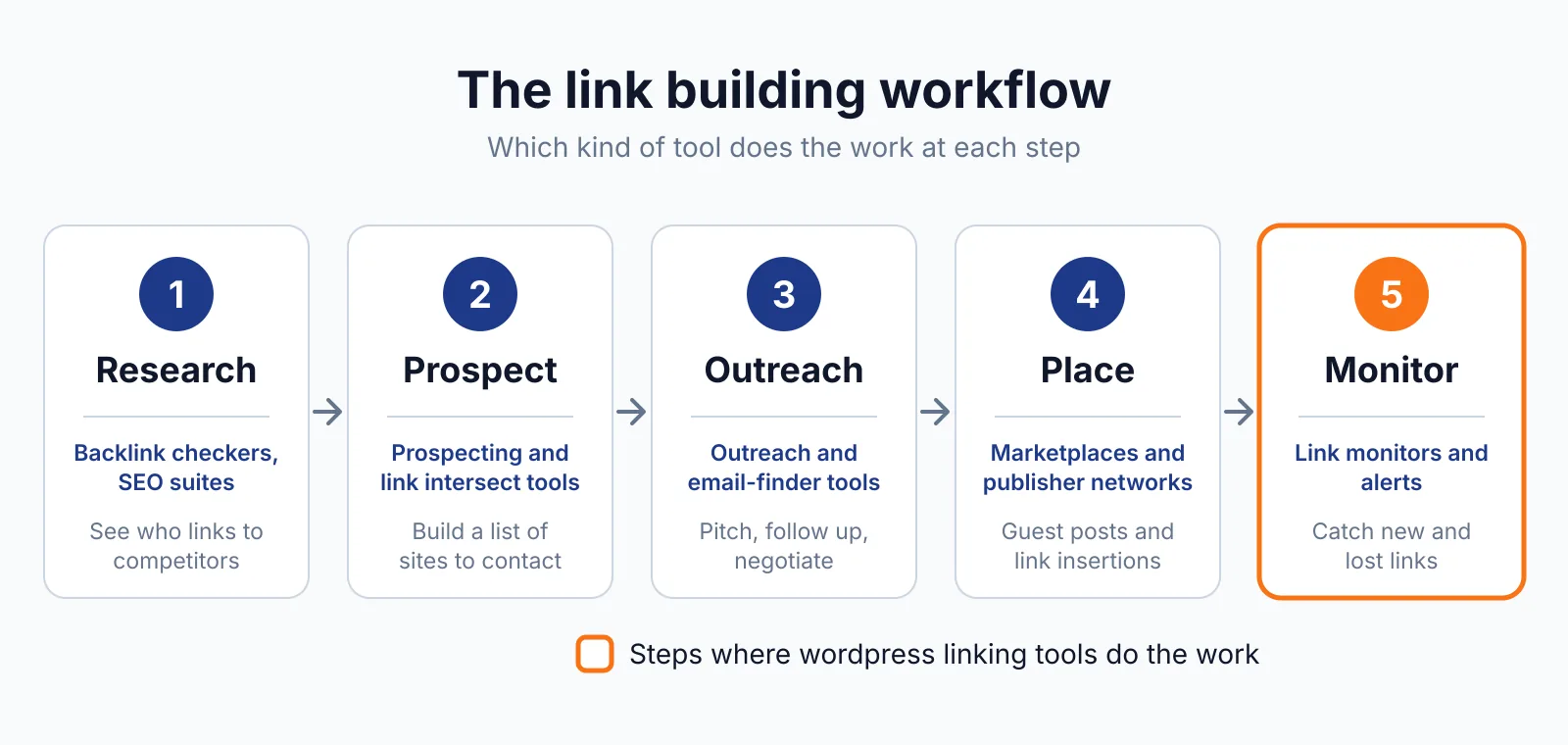
It does not cover prospecting, outreach or guest posting, so it sits after the link building work, not instead of it.
Pick AIOSEO Link Assistant if
- You run a WordPress site with dozens of posts and want internal links handled in one report.
- You already pay for AIOSEO Pro or Elite, so Link Assistant costs nothing extra.
Not a fit if
- Your site is not on self-hosted WordPress.
- You want a tool that finds external link opportunities or checks dofollow and nofollow attributes.
Alternatives
| Tool | Why people switch | Pricing |
|---|---|---|
| Link Whisper | A dedicated internal linking plugin with AI suggestions and a free version | Check current pricing on their site |
| Rank Math | Internal linking and broken-link detection inside a full SEO plugin | Check current pricing on their site |
| Yoast SEO | Internal linking suggestions with a large free plugin | Check current pricing on their site |
| Internal Link Juicer | Keyword-rule automation with no review step and a useful free version | Check current pricing on their site |
FAQ
Does AIOSEO Link Assistant build backlinks?
No. It only links pages on your own WordPress site. It buys, places or guarantees no external links, and Google's rule still applies to any link bought to influence rankings: paid links need rel="sponsored" or rel="nofollow", as Google's spam policies explain.
Why is Link Assistant not on the Basic plan?
Link Assistant starts on Pro, and the pricing FAQ says so plainly: local SEO and author SEO start on Plus, Link Assistant and deeper redirect tools start on Pro, and search statistics with rank tracking are Elite-only.
Does AIOSEO Link Assistant work on WordPress.com?
No. AIOSEO needs a self-hosted WordPress site. Rank Math has the same limit; see our Rank Math overview for how its internal linking compares.
Next step
Try our free backlink checker to see which of your pages already earn links, then see our pricing or contact us if you want help turning internal links into part of a wider link building plan.

The BacklinkPrice Team researches backlink prices, publisher sites and link building tools. We check prices and plans against each provider's own pages and date them, so you know how current the numbers are.
More from BacklinkPrice TeamRelated guides