What Is Yoast SEO? Features, Pricing and How It Helps Link Building
Yoast SEO is the most-installed WordPress SEO plugin, with a free core and paid Premium tiers. It gives real-time SEO and readability feedback as you write, plus sitemaps, schema and breadcrumbs.
Yoast SEO is the most-installed WordPress SEO plugin, with a free core plugin and paid Premium tiers. It gives real-time SEO and readability feedback as you write, plus sitemaps, schema, breadcrumbs and canonical controls. It is for WordPress site owners who want writing feedback and technical SEO in one plugin they already know.
TL;DR
- Free core plugin, free forever, with real-time SEO and readability feedback as you write.
- Premium costs $118.80 a year ex VAT per site, with prices search-derived, checked November 2026.
- Premium adds up to 5 keyphrases per page, a redirect manager, internal linking suggestions and AI tools.
- Local, Video and News SEO were folded into Premium in August 2026, when the price rose from $99 a year.
Quick facts
| Fact | Detail |
|---|---|
| What it does | WordPress SEO plugin: writing feedback, sitemaps, schema, breadcrumbs |
| Best for | WordPress owners who want feedback as they write |
| Starting price | Free; Premium $118.80/year ex VAT per site |
| Free option | Free plugin, permanent |
| Website | yoast.com |
| Checked | November 2026 |
What Yoast SEO does for link building
Get feedback as you write
Yoast analyses keyphrase placement across titles, headings and the intro as you write, and scores readability on a scale of 0 to 100 in 25+ languages, including right-to-left scripts.
Green lights show when the content follows best practice, and the checks name exactly what to fix: a keyphrase missing from the title, a paragraph that runs too long, or a sentence that is hard to read.
That matters for link building because a page that is easy to read and clearly about one topic is easier to pitch as a guest post. A linking site needs to see at a glance what the page covers and who it is for.
For example, you write a guide to broken link building and Yoast flags that the keyphrase appears in the title but not in the first paragraph, and that three sentences in a row start with the same word. You fix both, the lights turn green, and the page reads as one clear topic.
The limit is that green lights mean the page follows the checks, and they say nothing about whether the page will rank.
Let the plugin handle sitemaps and schema
Yoast automatically generates XML sitemaps for posts, pages and archives, updated as you add content, and adds JSON-LD schema on every page: organisation or person, website, article, FAQ and breadcrumb. FAQ and How-To Gutenberg blocks add structured data for rich results and featured snippets.
A sitemap tells search engines which pages exist, and schema tells them what each page is, so both help a new page get found and understood without manual work.
For example, you add an FAQ block to a pricing guide and the questions appear as structured data on the page, ready for rich results.
The limit is that schema helps search engines understand a page, and it does not guarantee rich results: Google decides what to show, and a page can carry valid schema and still show as a plain result.
Control how pages appear in search
Yoast sets canonical URLs and index and noindex controls per page, and adds breadcrumbs with schema, a sitelinks search box and cornerstone content marking. A canonical tag tells search engines which version of a page is the main one when duplicates exist, and an index control keeps thin or duplicate pages out of the index.
Cornerstone marking flags the pages that matter most, so you can give them the most internal links. That matters because a site with duplicate pages and no canonicals spreads its value across several addresses instead of one.
For example, you mark a service page as cornerstone content, set its canonical to itself, and link to it from every relevant post.
The limit is that these controls set the signals, and Google decides what to show: a canonical is a strong hint, not an order, and Google can choose a different version if it thinks another one fits the query better.
Fix links with Premium tools
Premium adds a redirect manager with bulk CSV import and export, internal linking suggestions, AI Generate with five title and description options, AI Optimize for keyphrase fixes, AI Summarize and IndexNow.
The redirect manager catches visitors and crawlers that land on a deleted page and sends them to the right one, and the internal linking suggestions show which of your own pages to link from the post you are writing.
That matters because a deleted page with links pointing to it wastes those links, and a new page with no internal links sits outside the site's structure. A dedicated tool such as Link Whisper covers the same job in more depth.
For example, you delete an old service page and the redirect manager sends its traffic to the new one, while the internal linking suggestions point your next three posts at the new page. The limit is scope: the suggestions cover links between your own pages only, and the plugin does no external link prospecting or outreach.
Yoast SEO pricing
Yoast SEO runs from free to $358.80 a year ex VAT, billed annually per site. Prices below are search-derived, because no prices rendered on the opened product page, and they are consistent across several reads from October and November 2026.
| Plan | Price per year ex VAT | What you get |
|---|---|---|
| Free | $0 | Core plugin, free forever |
| Premium | $118.80 ($9.90/month billed annually) | 1 website; up to 5 keyphrases per page; redirect manager; internal linking suggestions; AI tools; IndexNow; Local, Video and News SEO; Academy access; 24/7 support |
| WooCommerce SEO | $178.80 ($14.90/month billed annually) | Everything in Premium, plus product schema, product sitemap and product AI, for one site |
| AI+ | $358.80 ($29.90/month billed annually) | Everything in WooCommerce SEO, plus AI Brand Insights, with a weekly check of how ChatGPT, Perplexity, Gemini and Claude describe your brand |
Premium rose from $99 a year to $118.80 a year in August 2026, when Local, Video and News SEO were folded into Premium, so older reviews that quote $99 are out of date. Prices are billed annually, ex VAT, per site, and bulk discounts apply at checkout. Extra Google Docs add-on seats cost $5 a month each.
Yoast SEO for Shopify costs $19 a month with a 14-day trial, also search-derived. Premium carries a 30-day money-back guarantee. Worked example: ten sites on Premium cost 10 times $118.80, or $1,188 a year before any bulk discount, which is why per-site pricing matters more than the headline figure.
If you want placements handled for you, see our pricing. Checked November 2026.
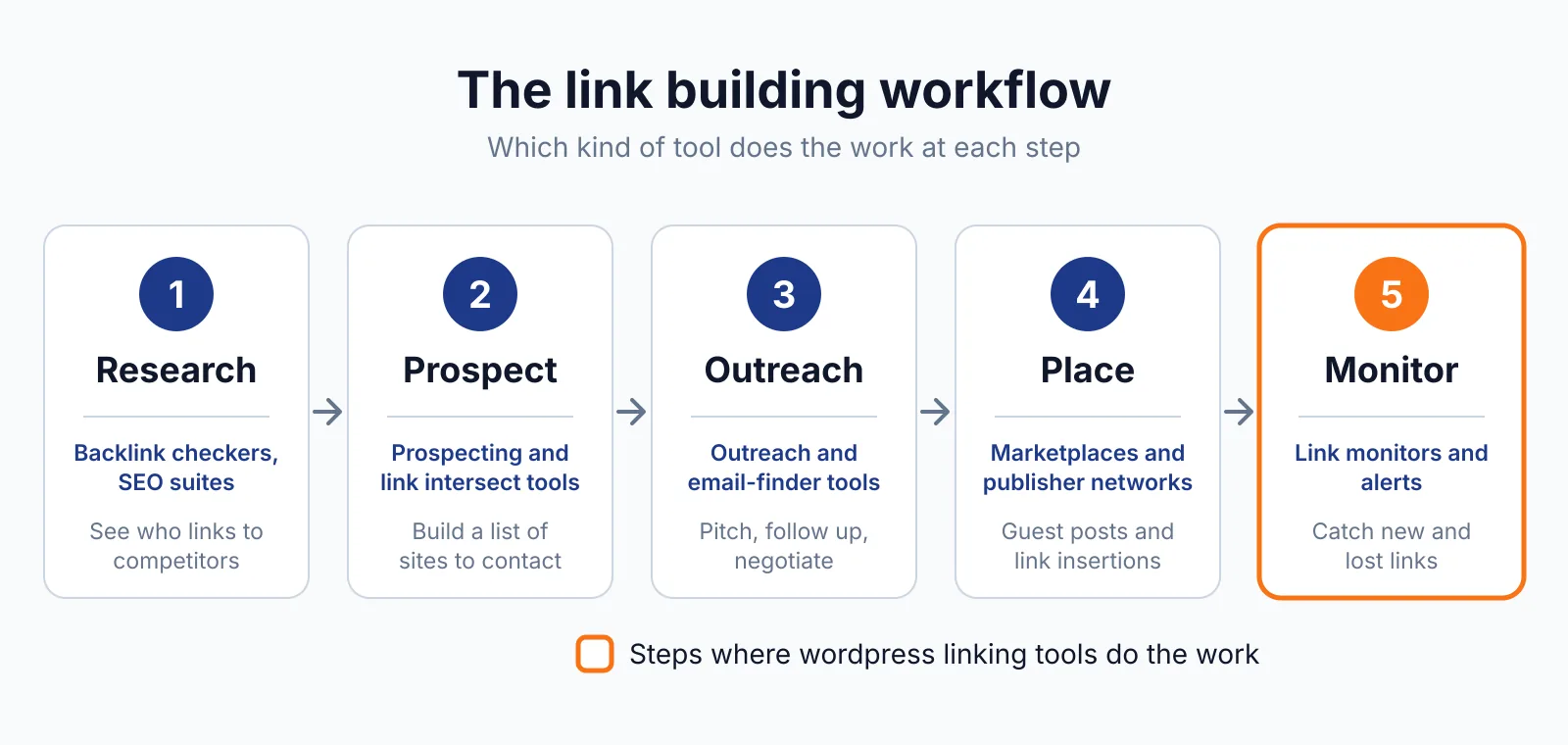
Where Yoast SEO fits in a link building workflow
- Install the free plugin and run the setup, so sitemaps, schema and breadcrumbs are in place.
- Write with the SEO and readability feedback, and fix what it flags before you publish.
- Mark cornerstone content and set canonicals on your key pages, so value flows to one address.
- Add redirects and internal links with Premium, so deleted pages do not waste links and new pages sit inside the site's structure.
- Connect Semrush for keyword research and Wincher for rank tracking, since Yoast does neither on its own.
Yoast SEO does not cover keyword research, rank tracking or backlink analysis on its own, and it does no external link building. For the external side, check your links with our free backlink checker, and remember that paid links need a sponsored or nofollow label under Google's link spam rules.
Pick Yoast SEO if
- You run WordPress and want feedback as you write.
- You want sitemaps, schema and breadcrumbs handled automatically.
- You manage one or a few sites and per-site pricing is fine.
- You want a redirect manager and internal linking suggestions in Premium.
Not a fit if
- You run many sites and per-site licences add up fast.
- You want rank tracking or keyword research built in, which Yoast does not do.
- You need external link prospecting, which this plugin does not do.
- Your site runs on a CMS other than WordPress or Shopify.
Alternatives
| Tool | Why people switch | Pricing |
|---|---|---|
| Rank Math | PRO covers unlimited personal sites, with rank tracking built in | Check current pricing on their site |
| Link Whisper | Dedicated internal linking with orphan and broken-link reports | Check current pricing on their site |
| All in One SEO | Link Assistant for internal links inside a full SEO suite | Check current pricing on their site |
| SEOPress | Lighter SEO plugin with a lower price for small sites | Check current pricing on their site |
FAQ
Is Yoast SEO free?
Yes. The core plugin is free forever, with no surprise paywalls, and it covers SEO and readability analysis, sitemaps, schema, breadcrumbs and canonical controls. Premium adds the redirect manager, internal linking suggestions, AI tools and support.
How much is Premium per site?
Premium costs $118.80 a year ex VAT per site, or $9.90 a month billed annually. Each site needs its own licence, so ten sites cost ten licences before any bulk discount. Bulk discounts apply at checkout. See the product page for the current tiers.
Does Yoast build backlinks?
No. Yoast SEO suggests internal links between your own pages, and it does no external link prospecting, outreach or backlink analysis. External links are a separate job, and if you buy a placement, Google's rule still applies: a paid link needs a rel="sponsored" or rel="nofollow" label.
What happened to Local, Video and News SEO?
They were folded into Premium in August 2026, when Premium rose from $99 a year to $118.80 a year. Older reviews that quote $99 are out of date. Rank Math prices its Local SEO as a PRO feature instead, if you want to compare the two approaches.
Next step
Check what a placement should cost with our price checker, then talk to us through our contact page about getting the link placed.

The BacklinkPrice Team researches backlink prices, publisher sites and link building tools. We check prices and plans against each provider's own pages and date them, so you know how current the numbers are.
More from BacklinkPrice TeamRelated guides