What Is Link Whisper? Features, Pricing and How It Helps Link Building
Link Whisper is a WordPress plugin built for internal linking. It suggests links as you write, finds orphaned pages and broken links, and can auto-link by keyword rules.
Link Whisper is a WordPress plugin built specifically for internal linking. It reads your published content with semantic AI and suggests internal links as you write, finds orphaned pages and broken links, and can auto-link by keyword rules.
It is for WordPress site owners and agencies who want their own pages to pass value to each other without hand-building every link. It also ships as a Shopify app, but the WordPress plugin is the main product.
TL;DR
- WordPress plugin for internal linking, with AI suggestions as you write and a full archive scan.
- Plans run $97 to $497 a year for 1 to 50 sites, with all features on every plan, checked November 2026.
- Finds orphaned posts with zero inbound links and broken links with the exact post and anchor text.
- Links are written to your WordPress database, so they stay if you cancel.
Quick facts
| Fact | Detail |
|---|---|
| What it does | Suggests and manages internal links across a WordPress site |
| Best for | WordPress owners and agencies fixing internal linking at scale |
| Starting price | $97/year |
| Free option | Free version on WordPress.org; free no-install site audit |
| Website | linkwhisper.com |
| Checked | November 2026 |
What Link Whisper does for link building
Get internal link suggestions while you write
Open any post in Gutenberg, the Classic Editor or Elementor and a panel below the editor shows a ranked list of internal-link suggestions with pre-written anchor text. One click approves and inserts the link.
The ranking uses a relevance score, so the closest matches sit at the top and you work down the list instead of searching your own archive from memory. That matters because internal linking is usually the job that gets skipped: it takes time, and the payoff is spread across the site rather than visible in one post.
A suggestion panel turns it into a one-click decision at the moment you are already editing.
For example, you publish a new guide to outreach email templates and the panel suggests your older posts on subject lines, follow-up timing and deliverability, each with anchor text already written. You approve three links in under a minute and move on.
The limit is judgment: the score ranks relevance, and it cannot tell whether a suggested page is one you still want to promote, so a quick scan of each suggestion beats blind approval.
Find pages nobody links to
The orphaned-posts report lists every published page with no inbound links, sorted by date, with one-click access to the editor. A page with no internal links pointing to it is hard for visitors to reach and hard for Google to find, even if it earns a few visits on its own.
Orphaned pages are common on older sites, where posts were published before anyone thought about internal structure. The report turns a site-wide problem into a list you can work through in order.
For example, a 2023 post on anchor text still gets a few visits a month but has no links from anywhere on your site. You open it from the report, add two links from newer posts that cover the same topic, and the page is back in the site's structure.
The limit is scope: the report counts internal links only, so a page with links from other sites still shows as orphaned until you link to it from your own pages.
Find and fix broken internal links
The broken-links report scans all posts and pages for 404s, redirect chains, 500 errors and timeouts, and shows the exact post and anchor text for each one. A broken internal link sends visitors to a dead page and wastes the value the linking page could pass on.
Because the report names the post and the anchor, you can open the post and fix the link without hunting through the site. One-click edit takes you straight to the post.
For example, a post you wrote in 2024 links to a guide you later deleted, and the report shows the dead link with its anchor text. You edit the post once and point the link at the replacement guide.
The limit is that the report finds the break and you still make the fix: it does not rewrite links for you, and it does not check links on pages outside WordPress.
Auto-link by keyword rules
Auto-linking lets you define a phrase once and have Link Whisper add the link wherever it appears, in past posts and future ones. Rules run in review mode by default, with frequency caps and exclusions, and a full activity log with undo.
That matters for money pages: a product or service page should be linked from every relevant post, and doing that by hand across hundreds of posts is slow. A rule does it once and keeps doing it.
For example, you set a rule that the phrase "guest posting service" links to your service page, capped at one link per post, and the rule applies to old posts and every new one.
The limit is over-linking: a broad phrase can put the same link on pages where it adds little, so review mode exists for a reason and broad rules deserve a check before you switch them to automatic.
Change a URL without breaking links
The URL Changer updates every internal link pointing to a changed URL in one operation, with a change log. Changing a slug by hand means finding every link to the old address, and missing one leaves a redirect or a 404 behind. The tool does the sweep for you, across the whole site, in one pass.
That matters most on older sites, where a single URL can be linked from dozens of posts.
For example, you shorten a guide URL from a long dated slug to a short one and the URL Changer updates every internal link to the old address at once. The limit is scope again: it updates internal links in your WordPress database, and links from other sites still need a redirect on your server.
Link Whisper pricing
Link Whisper costs $97 to $497 a year, with all features on every plan. Prices below are search-derived, because dollar amounts did not render in the direct open of the pricing page, and they are consistent across several reads from October and November 2026.
| Plan | Price per year | WordPress sites |
|---|---|---|
| Starter | $97 | 1 |
| Growth | $197 | 3 |
| Pro | $297 | 10 |
| Agency | $497 | 50 |
Billing can be monthly, quarterly, half-yearly or yearly. AI credits are bundled per plan and refresh annually, and on-demand credit packs start at $20 for 1,000 credits.
The credit counts differ between reads, so we do not state one set as settled: one read lists 2,000 credits on Starter rising to 10,000 on Agency, while another lists 1,000 on Growth and 5,000 on Pro. Older prices of $77, $117 and $167 a year are outdated and are not used here.
Worked example: the Agency plan at $497 a year for 50 sites works out at $9.94 per site per year. A 14-day money-back guarantee applies to initial purchases only; one review claims 60 days, which conflicts with the opened pricing page, so 14 days is the figure to trust. If you want placements handled for you, see our pricing.
Checked November 2026.
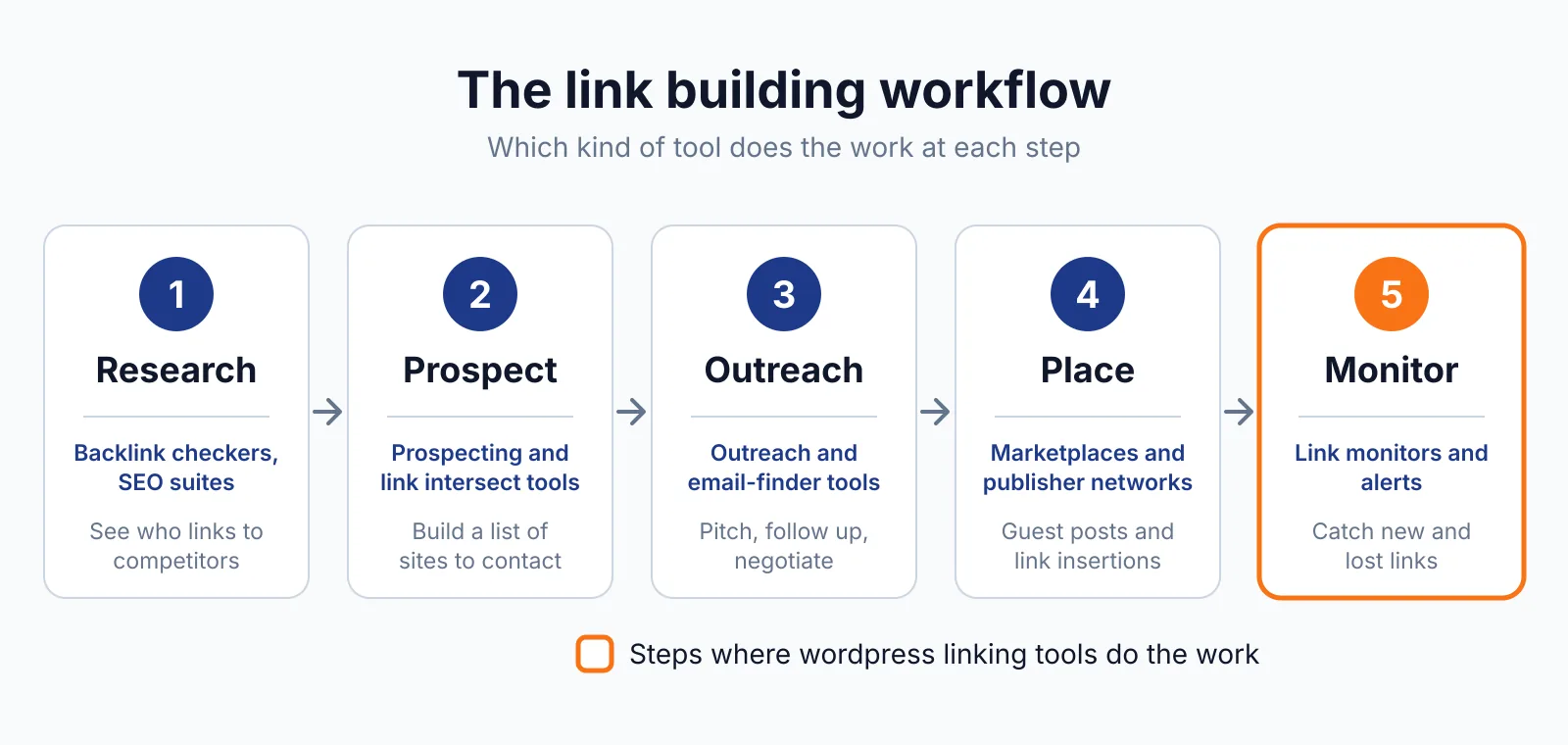
Where Link Whisper fits in a link building workflow
- Install the plugin and run the free site audit to see orphan pages, broken links and a link-health score, with no install and no account needed for the audit itself.
- Fix the broken links from the report first, since dead links waste the value of the pages that carry them.
- Link the orphaned posts from relevant newer pages, so every page sits inside the site's structure.
- Set auto-link rules for your money pages, such as a guest posting service page, in review mode, and approve the first batch by hand.
- Re-run the reports once a month and keep the activity log as your record.
Link Whisper does not cover external link building, outreach or backlink analysis. For the external side, check your links with our free backlink checker, and remember that paid links need a sponsored or nofollow label under Google's link spam rules.
Pick Link Whisper if
- You run WordPress and your internal linking has fallen behind.
- You want link suggestions inside the editor, not in a separate dashboard.
- You manage several sites and want one plan to cover them.
- You want orphaned and broken pages in one report.
Not a fit if
- Your site runs on a CMS other than WordPress or Shopify.
- You need external link prospecting or outreach, which this tool does not do.
- You want a free tool only, since the paid plans start at $97 a year.
Alternatives
| Tool | Why people switch | Pricing |
|---|---|---|
| Rank Math | Full SEO plugin with internal linking in paid tiers | Check current pricing on their site |
| Yoast SEO | Internal linking suggestions in Premium, plus writing feedback | Check current pricing on their site |
| Internal Link Juicer | Cheaper WordPress auto-linking with keyword rules | Check current pricing on their site |
| All in One SEO | Link Assistant for internal links inside a full SEO suite | Check current pricing on their site |
FAQ
Does Link Whisper work on Shopify?
Yes, there is a Shopify app as well as the WordPress plugin. The WordPress plugin is the main product, and the features described here are the WordPress ones. Check the Shopify listing for the app's own limits before you install it.
Do the links stay if I cancel?
Yes. Links are written directly to your WordPress database, so they stay in place if you cancel. What you lose is the plugin itself: no new suggestions, no reports and no auto-linking after the subscription ends.
Does it build external links?
No. Link Whisper manages internal links between your own pages. It finds no external link opportunities and does not check dofollow or nofollow attributes. External links are a separate job, and if you buy a placement, Google's rule still applies: a paid link needs a rel="sponsored" or rel="nofollow" label.
For comparison, Rank Math and Yoast SEO both add internal linking suggestions inside full SEO plugins.
How many AI credits do I get?
AI credits are bundled per plan and refresh annually, with on-demand packs from $20 for 1,000 credits. The counts differ between reads of the pricing page, so we do not state one set as settled.
Check the current plan table on Link Whisper's pricing page before you buy, and note that the features page lists the full feature set for every plan.
Next step
Check what a placement should cost with our price checker, then talk to us through our contact page about getting the link placed.

The BacklinkPrice Team researches backlink prices, publisher sites and link building tools. We check prices and plans against each provider's own pages and date them, so you know how current the numbers are.
More from BacklinkPrice TeamRelated guides