What Is Internal Link Juicer? Features, Pricing and How It Helps Link Building
Internal Link Juicer is a WordPress plugin that adds internal links automatically wherever a keyword appears. It is fast and cheap, but it matches keywords literally and never asks you first.
Internal Link Juicer is a WordPress plugin for semi-automatic internal link building. You assign keywords to each post or page, and it inserts internal links wherever they appear in your other content. It uses no AI and no review step, so links go live as soon as a rule matches.
If you want set-and-forget internal linking on a WordPress site with many posts, it fits that job. It links only pages you configure, and it suggests nothing on its own.
TL;DR
- Internal Link Juicer links by keyword rules: assign a keyword to a post, and it links that keyword wherever it appears in your other content.
- Free Basic costs $0 and covers posts and pages; Pro starts at $69.99 a year for one site and runs to $1,299 a year for unlimited sites.
- It matches keywords literally with no AI, so a keyword in an odd sentence can produce a wrong or distracting link.
Quick facts
| Fact | Detail |
|---|---|
| What it does | Adds internal links automatically from keyword rules |
| Best for | WordPress sites with many posts that want hands-off internal linking |
| Starting price | $69.99 per year (Pro, 1 site); free Basic available |
| Free option | Free Basic version on WordPress.org |
| Website | internallinkjuicer.com |
| Checked | November 2026 |
What Internal Link Juicer does for link building
Turn keywords into links without touching each post
You open a post, add its keywords in the editor panel, and the plugin does the rest. It stores links in its own index and generates them when a page renders, so your posts are never changed. That matters because manual internal linking is slow, and most sites have far more posts than anyone will ever link by hand.
Keyword rules turn a one-time setup into links on every future post too.
For example, assign "guest posting" to your pricing guide and every post using the phrase links to it without another edit. The limit is that the plugin matches keywords literally, so the same phrase in a sentence about something else still gets a link, and there is no review step before it goes live.
Keep anchor text varied without manual edits
The plugin diversifies anchor text with its gap feature, so the same target page does not get the same anchor on every link. Link Whisper offers the same idea with AI suggestions and a review step. That matters because repeated identical anchors look mechanical, and varied anchors read better for visitors.
Per-page and per-target limits stop one popular post collecting every link on the site.
For example, a target page with five assigned keywords can receive a mix of anchors across your posts instead of the same phrase fifty times. The limit is that diversification follows rules, not meaning, so it will not pick the most natural anchor for a given sentence.
Build silos with category rules
Pro lets you restrict links within the same category, so you can build silos where related posts link to each other and stay away from unrelated topics. That matters because a tight cluster of related pages is easier for readers to follow and easier for search engines to read as one topic.
Pro also adds links from and to category and tag pages, custom fields, and content built with page builders or shortcodes.
For example, a site with separate categories for outreach, content and technical SEO can keep links inside each category. The limit is that silo rules only work if your categories are clean; a messy category structure produces messy link clusters.
See which internal links actually get clicks
The statistics dashboard shows your links in a filterable, sortable view, and Pro adds a full link detail view with unlimited entries. That matters because a link report tells you what exists, while click data tells you what readers actually use, and the two lists rarely match.
You can also set blacklists and whitelists, exclude headlines and strong text, and control which roles on your team can change the rules.
For example, if a sidebar of links gets no clicks while one in-text link gets dozens, the dashboard shows that difference. The limit is that the free version only covers posts and pages, so terms, custom fields and affiliate targets need Pro.
Internal Link Juicer pricing
Internal Link Juicer plans run from $0 to $1,299 a year, and every Pro tier includes the same features; only the site count changes. Prices checked November 2026. See the plans on the Internal Link Juicer homepage.
| Plan | Price per year | Sites |
|---|---|---|
| Free Basic | $0 | 1 |
| Pro | $69.99 | 1 |
| Pro | $149.99 | 5 |
| Pro | $189.99 | 10 |
| Pro Unlimited | $1,299 | Unlimited |
Pro for 10 sites costs $189.99 a year, or about $19 per site per year. The Unlimited plan at $1,299 a year only beats that rate past about 68 sites, so most small publishers should stay on the 10-site plan.
No free trial of Pro is stated, and the money-back guarantee badge states no length, so do not count on a number.
Where Internal Link Juicer fits in a link building workflow
- Install the free Basic version or Pro, then assign keywords to your most important posts first.
- Set per-page and per-target limits, plus a blacklist for pages that should never receive links.
- Import keywords in bulk from post titles or your Yoast SEO and Rank Math focus keywords.
- Check the statistics dashboard to see which links get clicks and which targets are starved.
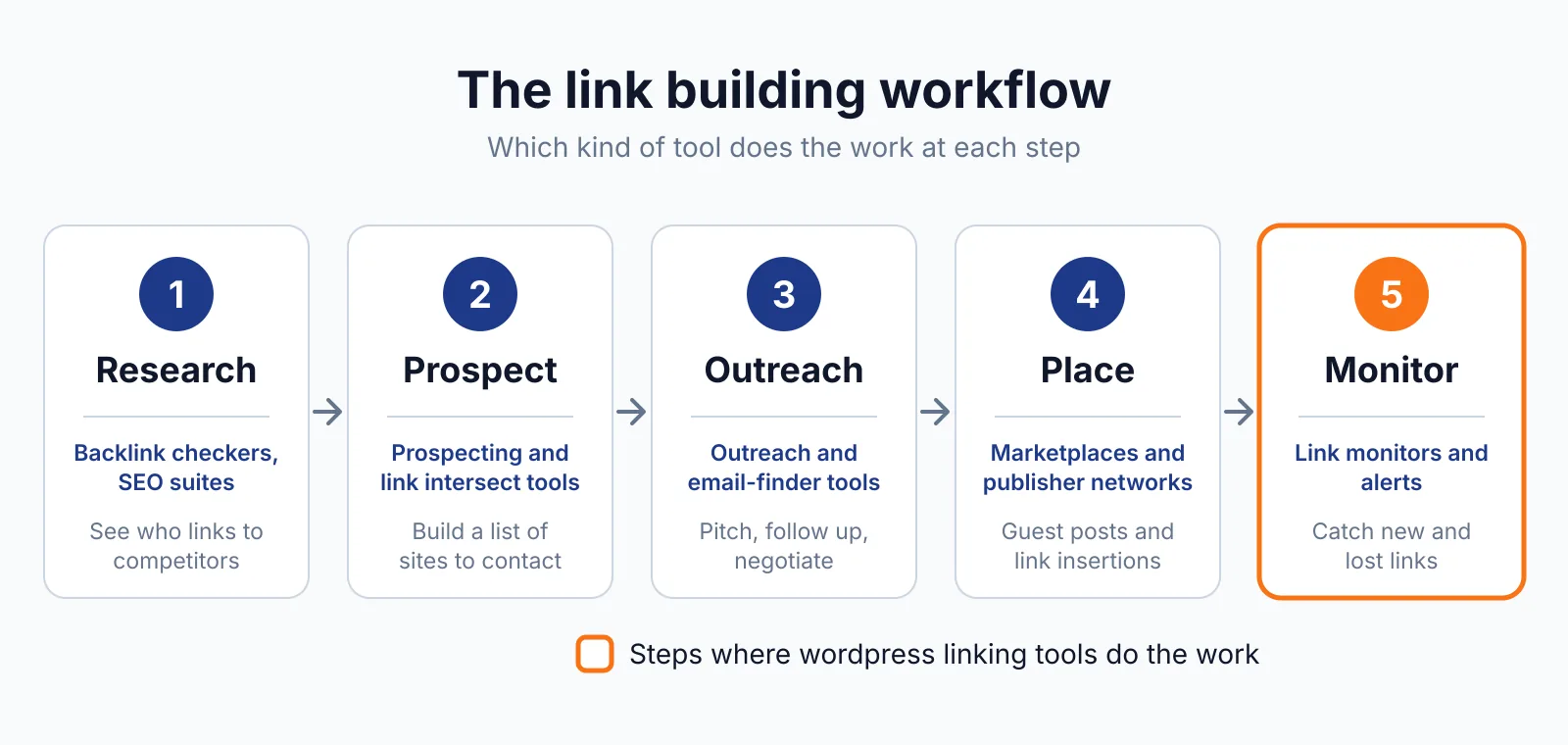
It does not cover prospecting, outreach or earning links from other sites, and it does not check whether a link is broken or whether it should be dofollow or nofollow. For the external side, see our guest posting service or browse our free tools.
Pick Internal Link Juicer if
- You run WordPress with a large archive and want internal links added without opening every post.
- You like keyword rules and do not need AI suggestions or a review step.
Not a fit if
- You want suggestions reviewed before links go live, since this plugin has no review step.
- Your site is not on WordPress.
- You want a tool that finds external link opportunities or checks link quality.
Alternatives
| Tool | Why people switch | Pricing |
|---|---|---|
| Link Whisper | AI suggestions with a review step and orphaned-post reports | Check current pricing on their site |
| AIOSEO Link Assistant | Internal linking inside a full SEO plugin | Check current pricing on their site |
| Rank Math | Internal linking plus broken-link detection in one plugin | Check current pricing on their site |
| Yoast SEO | Internal linking suggestions with a large free plugin | Check current pricing on their site |
FAQ
Does Internal Link Juicer use AI?
No. It matches keywords literally, with no semantic understanding. That is why it is fast and cheap, and also why a keyword can appear in a sentence where the link is distracting or wrong.
Will it change my post content?
No. Links live in the plugin's own index and are generated when the page renders, so your post text stays as written. Turn the plugin off and the automatic links disappear.
Can it link to affiliate pages?
Yes, on Pro. Custom link targets let you point rules at pages WordPress does not manage, including affiliate links. Its own FAQ states no ranking guarantee can be given, and Google's rule still applies to any link bought to influence rankings: paid links need rel="sponsored" or rel="nofollow", as Google's spam policies explain.
Does it work with Yoast SEO and Rank Math?
Yes. Pro can import focus keywords from Yoast SEO and Rank Math when either is installed, and it works with WPML and Polylang. See our Yoast SEO overview for how its own internal linking suggestions compare.
Next step
Try our free backlink checker to see which pages already earn links, then see our pricing or contact us if you want internal linking tied into a wider link building plan.

The BacklinkPrice Team researches backlink prices, publisher sites and link building tools. We check prices and plans against each provider's own pages and date them, so you know how current the numbers are.
More from BacklinkPrice TeamRelated guides