How to Get Backlinks from a Rebrand: Protect and Earn Links
Protect existing links with 301 redirects and link update requests, then use the rebrand story to earn new coverage and correct old mentions.
A rebrand earns backlinks in 2 ways: it protects the links you already have, through proper redirects and link update requests, and it gives you a news hook to earn new coverage. Handle the technical move first, then tell the story of why you changed to journalists, partners, customers, and directories.
Key takeaways
- The first job in a rebrand is not losing links: 301 redirect every old URL to its new match.
- Google recommends keeping site-move redirects for as long as possible, generally at least 1 year.
- Ask high-value sites to update old links and brand names; this also corrects how AI tools describe you.
- A rebrand is a news hook, but only if there is a real reason behind it, such as a new market, a merger, or a new product direction.
- Update every profile you control on the same day: directories, review sites, social profiles, and partner listings.
What "backlinks from a rebrand" means
Rebrand backlinks are links you keep, update, or earn because your company changed its name, domain, or identity. They fall into 3 groups:
- Preserved links: old links that still pass value through redirects.
- Updated links: old links that sites change to your new name and URL.
- New links: coverage and mentions about the rebrand itself.
Most teams focus only on new coverage. The preserved and updated links usually matter more.
Why rebrands put links at risk
A rebrand can quietly destroy years of link equity if old URLs break. When a linked page returns a 404, the link no longer points to a working page.
Google's site move guidance recommends server-side 301 redirects from old URLs to new ones. It advises keeping redirects for as long as possible, and generally at least 1 year.
If you are moving domains, Google Search Console's Change of Address tool tells Google about the move. Our guide on how to keep backlinks during a site migration covers the full checklist.
Why a rebrand is also an opportunity
A rebrand gives people a reason to write about you again. Partners, customers, and industry media often mention a name change, especially when it signals a new direction.
It also lets you correct your brand across the web. AI assistants describe companies using what many sources say about them. An Ahrefs study of 75,000 brands found branded web mentions correlated at 0.664 with AI Overview visibility in 2025, so consistent mentions of the new name matter.
Step-by-step: how to protect and earn links in a rebrand
Do the technical steps before announcing, then run outreach after.
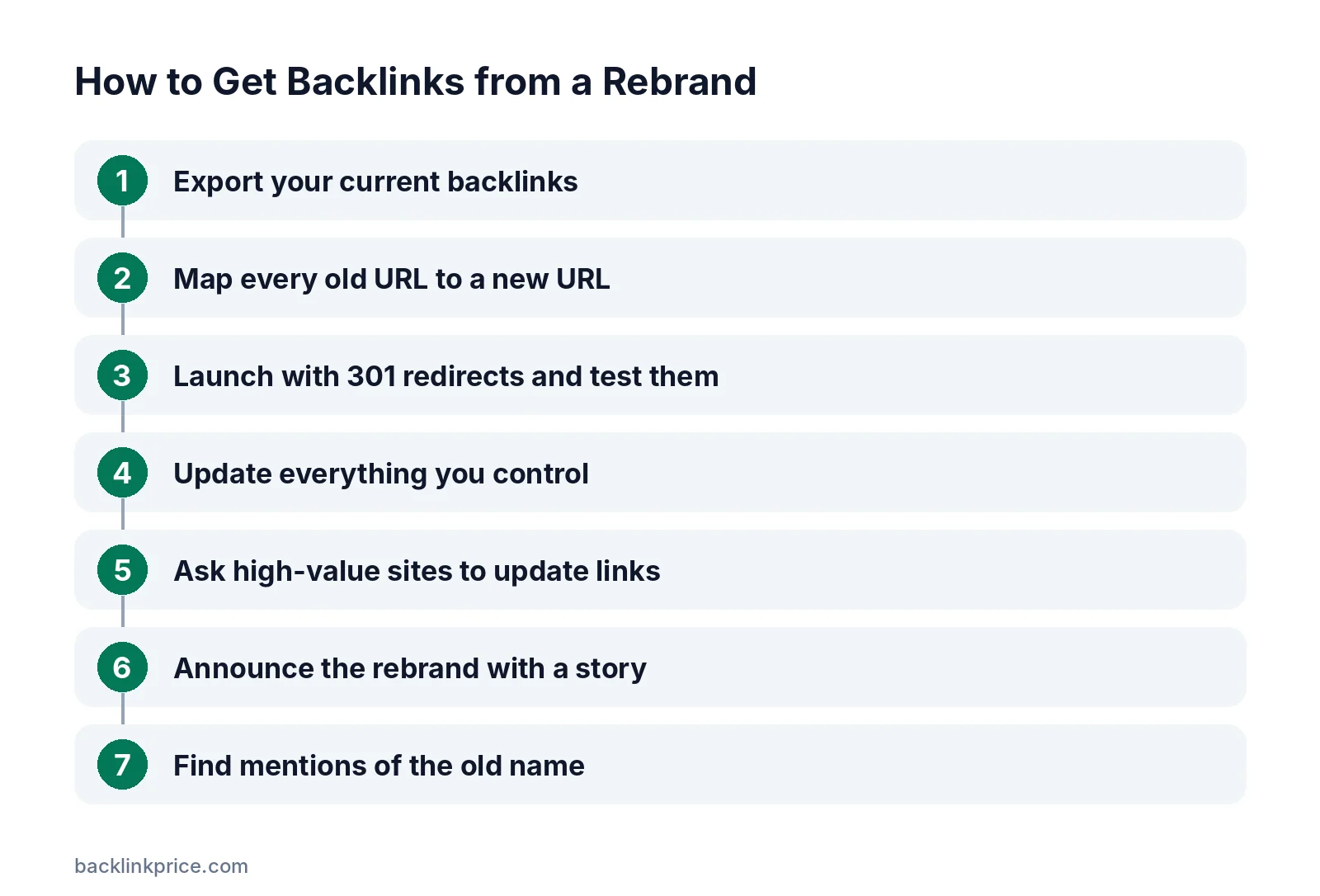
Step 1: Export your current backlinks
Before changing anything, export all backlinks and top linked pages from your SEO tool and Google Search Console. This list drives redirects and outreach.
Step 2: Map every old URL to a new URL
Create a redirect map: old URL, new URL, and status. Match each page to its closest equivalent, not the homepage.
Read should you redirect pages with backlinks for edge cases such as merged or deleted pages.
Step 3: Launch with 301 redirects and test them
Use server-side 301 redirects. Test the top 100 linked URLs manually and the rest with a crawler. Fix chains and loops.
Moz's guide to redirects explains the difference between 301, 302, and meta refresh redirects.
Step 4: Update everything you control
On launch day, update your name, logo, and URL on social profiles, directories, review sites, partner listings, and author bios.
Step 5: Ask high-value sites to update links
Contact sites with the strongest or most relevant links. Ask them to update the brand name and URL. Keep the email short, explain the change, and give the exact new URL.
Our guide on how to write a link building outreach email has wording ideas.
Step 6: Announce the rebrand with a story
Publish an announcement explaining why you changed, what stays the same, and what is new. Share it with media, partners, customers, and newsletters.
Cision's 2025 State of the Media survey found that 86% of journalists reject pitches mainly for lack of relevance. Pitch only outlets that care about your industry or market.
Step 7: Find mentions of the old name
Set alerts for your old and new names. When sites mention either without linking, ask for a link to the new site. See how to turn unlinked mentions into links.
Rebrand link checklist
Use this table as a launch-week checklist.
| Task | Why it matters | When |
|---|---|---|
| Export backlinks and top pages | Know what to protect | 4 weeks before |
| Build redirect map | Keep link equity page by page | 3 weeks before |
| Test redirects | Catch 404s and chains | Launch day |
| Change of Address in Search Console | Tell Google about a domain move | Launch day |
| Update owned profiles | Consistent brand signals | Launch day |
| Link update outreach | Replace old names and URLs | Weeks 1 to 4 |
| Rebrand announcement | Earn new coverage | Launch week |
| Mention monitoring | Catch unlinked mentions | Ongoing |
Common mistakes
These mistakes cost companies links during rebrands.
- Redirecting every old URL to the new homepage.
- Removing redirects after a few months.
- Announcing before redirects are tested.
- Forgetting subdomains, images, and PDFs that have links.
- Not asking key sites to update links.
- Rebranding with no clear story, so nobody covers it.
How to measure results
Track the rebrand in 3 numbers.
- Referring domains before and after the move.
- 404 errors on old URLs with backlinks.
- New coverage and updated links in the first 3 months.
Check lost links weekly in the first month with how to monitor lost links.
Frequently Asked Questions
Do I lose backlinks when I change my domain?
Not if you set up 301 redirects correctly. Links to old URLs will still pass value through redirects. Google recommends keeping site-move redirects for as long as possible, generally at least 1 year, and asking key sites to update links directly.
Should I ask every site to update its link?
No, focus on the most valuable and most visible links, such as major media, partners, and top referral sources. Redirects handle the rest. Asking hundreds of low-value sites wastes time and annoys site owners.
Is a rebrand newsworthy?
Only when there is a story behind it, such as a merger, a new market, a new product direction, or a major milestone. A new logo alone rarely earns coverage. Explain why the change matters to customers and the industry.
How long do rebrand redirects need to stay in place?
As long as possible. Google advises keeping site-move redirects for at least 1 year, and many SEOs keep them permanently. Old links, bookmarks, and printed materials can keep sending visitors to old URLs for years.
Will AI assistants learn our new name?
They learn from what sources say, so updating profiles, directories, and key links helps. Coverage of the rebrand and consistent use of the new name across the web make it more likely AI answers use the new name.
Sources

The BacklinkPrice Team researches backlink prices, publisher sites and link building tools. We check prices and plans against each provider's own pages and date them, so you know how current the numbers are.
More from BacklinkPrice TeamRelated guides