How to Get Backlinks from a New Feature Launch: A Practical Guide
Give each major feature its own page, then contact comparison writers, partners, and customers who asked for it. Outdated articles are your best targets.
You get backlinks from a new feature launch by giving the feature its own page, documenting it well, and telling the specific people who care: customers who asked for it, partners it connects with, writers who cover your category, and authors of articles that now need updating.
Feature launches are smaller than product launches, so the links come from targeted outreach rather than broad press.
Key takeaways
- Give every meaningful feature its own page or detailed changelog entry, so others have a URL to link to.
- The best targets are articles that compare or list tools in your category, because a new feature can make their content out of date.
- Partners and integrations often publish their own announcements when a feature involves them.
- Changelogs and release notes are linkable assets in their own right when they are detailed and dated.
- Google's helpful content guidance favors original, useful information, so explain what the feature does with real examples, not marketing claims.
What feature launch backlinks are
Feature launch backlinks are links earned because you shipped something new inside an existing product. They come from:
- Comparison and "best tools" articles that update their feature tables.
- Newsletters and blogs covering your category.
- Partner announcements and integration pages.
- Tutorials written by users and creators.
- Customer posts showing how they use the feature.
Why feature launches are worth promoting
A new feature can make dozens of existing articles about your category outdated, and writers want accurate content. That gives you a reason to contact them that is useful to them.
Comparison and list content is also heavily used by AI assistants. In an Ahrefs study of 26,283 ChatGPT source URLs from December 2025, "best X" lists were 43.8% of the page types cited. Keeping those lists accurate about your features helps both search and AI answers.
Wix's AI Search Lab found 40% of commercial queries cite listicles.
Google's guidance on creating helpful, reliable content asks whether content provides original information and substantial value. A clear feature page with real examples meets that bar better than a short announcement.
Which features deserve outreach
Not every update needs a campaign. Promote features that:
- Close a gap competitors are known for.
- Customers or reviewers have publicly asked for.
- Change your pricing or free plan.
- Add a new integration.
- Introduce a capability that is new for the category.
Small fixes belong in the changelog only. Bigger launches also earn links through brand coverage; see how to get backlinks with brand mentions.
Step-by-step: how to earn links from a feature launch
Prepare the page and the target list before release day.
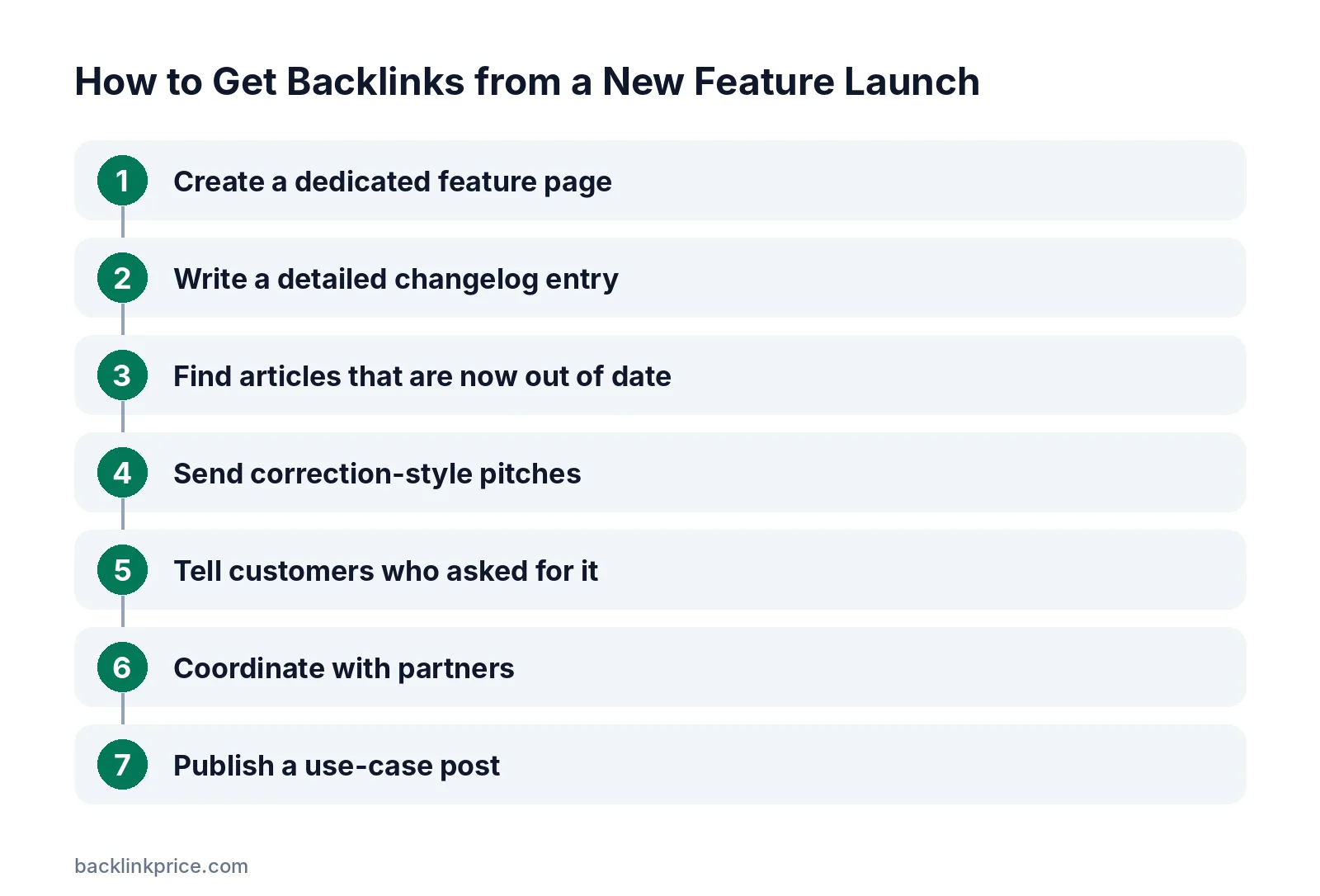
Step 1: Create a dedicated feature page
Explain what the feature does, who it is for, how to use it, and any limits. Add screenshots or a short video. Link to it from your docs and changelog.
Step 2: Write a detailed changelog entry
Date the entry and describe the change clearly. Detailed changelogs get linked by users, tutorials, and comparison writers who need proof of when a feature arrived.
Step 3: Find articles that are now out of date
Search for comparisons and lists in your category, such as "[competitor] vs [your brand]" or "best [category] tools". Note any article that says you lack the feature you just shipped.
Our guide on how to find backlink opportunities has more search ideas.
Step 4: Send correction-style pitches
Email authors with the exact sentence that is now outdated, the update, and a link to the feature page. Offer access to test it. Expect to follow up, since Backlinko's study of 12 million outreach emails found an 8.5% response rate.
Keep it short. Cision's 2025 State of the Media survey found 86% of journalists reject pitches mainly for lack of relevance, and the same applies to bloggers.
Step 5: Tell customers who asked for it
Email customers and community members who requested the feature. Some will share it on their blogs, forums, or social profiles. Use how to turn unlinked mentions into links when they mention it without a link.
Step 6: Coordinate with partners
If the feature involves an integration, ask the partner to add it to their integration page or changelog. See how to get backlinks for a SaaS company for the wider approach.
Step 7: Publish a use-case post
A week or two later, publish a post showing real examples of the feature in use, with data if you have it. This often earns more links than the launch post.
Where feature launch links come from
Use this table to plan outreach for each feature.
| Source | Why they link | What to send |
|---|---|---|
| Comparison articles | Their feature table is outdated | Exact correction plus proof |
| "Best tools" lists | The feature changes your position | Short update and test access |
| Category newsletters | News for their readers | 2-sentence summary and link |
| Partner sites | Shared integration | Announcement copy |
| Customer blogs | They asked for it | Early access and examples |
| Tutorial creators | New content idea | Docs and a demo account |
Common mistakes
These mistakes make feature launches invisible.
- Announcing features only in an in-app popup.
- Shipping without docs or a page others can link to.
- Pitching every small update to journalists.
- Overstating what the feature does.
- Not updating your own comparison pages and pricing page.
- Forgetting to tell customers who requested the feature.
How to measure results
Measure each feature launch over 30 to 60 days.
- Links to the feature page and changelog.
- Comparison articles updated to include the feature.
- Feature adoption among existing customers.
- Sign-ups from referral traffic to the feature page.
Log new links with how to track backlinks so you can compare features over time.
Frequently Asked Questions
Is a new feature worth a press release?
Usually not, because most feature launches are too small for general news. Targeted outreach to comparison writers, newsletters, partners, and customers works better. Save press releases for major launches, funding, or company news with broad appeal.
Should every feature have its own page?
Major features should. A dedicated page gives writers a clear URL to cite and can rank for searches about that capability. Minor updates can live in your changelog, as long as the entries are detailed and dated.
How do I get comparison articles to add my new feature?
Find articles that describe your product as missing the feature, then email the author with the exact outdated sentence, the correct information, and a link to your feature page. Offer test access so they can verify it.
Do changelog pages earn backlinks?
They can, especially when they are detailed, dated, and public. Users, tutorial writers, and comparison authors link to changelogs to show when a feature arrived. Keep each entry clear enough to stand on its own.
How soon after release should I do outreach?
Start on release day with partners and customers who asked for the feature. Contact comparison and list authors in the first 1 to 2 weeks, while the change is fresh, then follow up with a use-case post later.
Sources

The BacklinkPrice Team researches backlink prices, publisher sites and link building tools. We check prices and plans against each provider's own pages and date them, so you know how current the numbers are.
More from BacklinkPrice TeamRelated guides